Minisforum MS-02 Ultra Full Review: Compact Tower, Workstation Power
Mini PCsMinisforum MS-02 Ultra at a Glance
Most mini PCs ask you to accept a compromise: shrink the footprint, accept slower performance. The Minisforum MS-02 Ultra does not follow that script. It houses a processor tier typically found in premium performance laptops, surrounds it with a connectivity suite that rivals dedicated workstations, and offers a memory ceiling so high it changes what kind of professional work you can realistically run on a compact machine.
This is not a device for browsing the web and answering email. It is a small tower that competes seriously with full-size desktop workstations on CPU benchmarks, and does so while sitting quietly on a desk without the cables, noise, and bulk of a traditional tower. Understanding exactly what the MS-02 Ultra delivers — and where it draws the line — is worth your time before spending at this level.
Editorial Score
Category Ratings
CPU Cores
24
8P + 16E hybrid
Max RAM
192GB
DDR5 with ECC
PassMark Score
62K+
Multi-core
Displays
4
Simultaneous
Thunderbolt 4
3×
40 Gbps each
Wireless
Wi-Fi 7
Bluetooth 5.4
Design and Build Quality
Form Factor and Footprint
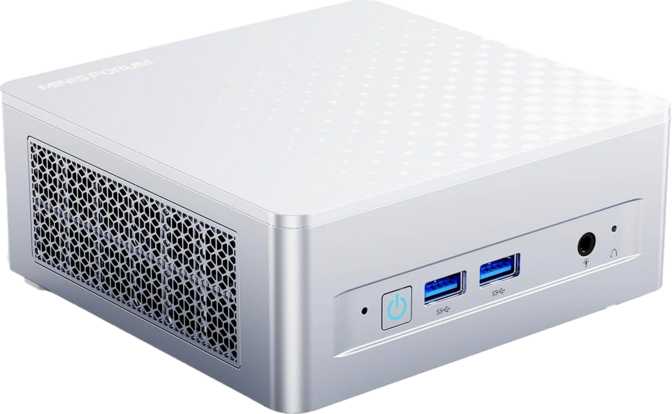
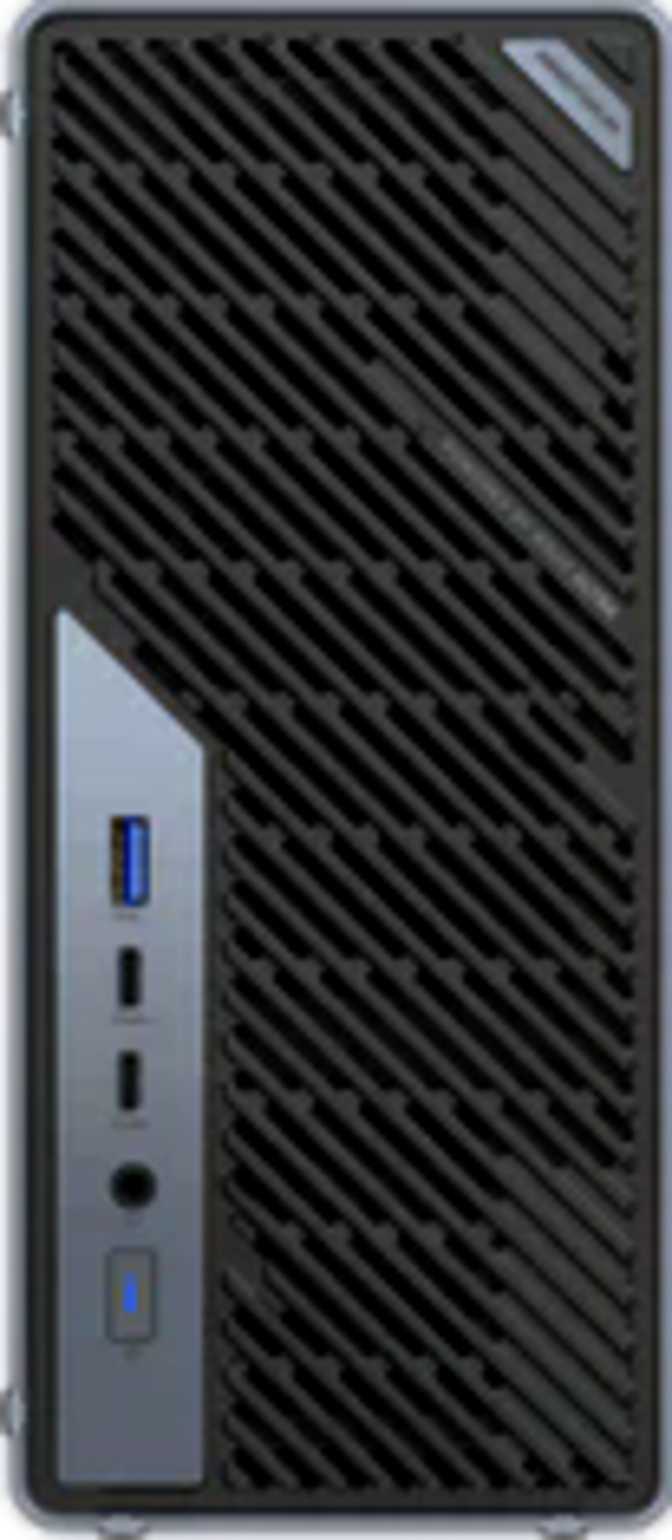
The MS-02 Ultra takes a tower orientation rather than the flat slab design common in the mini PC category. Standing upright, it is narrow — roughly the width of a pocket notebook — and extends approximately 22–23cm in both height and depth. Picture a thick hardback book stood on one end, and you have a reasonable sense of the space this machine occupies on a desk.
At 3.3kg, it is noticeably heavier than flat-format mini PCs, which typically weigh under a kilogram. That weight reflects what is inside: a more substantial cooling system, a denser internal component layout, and the kind of build that tolerates sustained heavy use without thermal management becoming a daily nuisance. For a desk-bound machine, that is the right trade-off.
The total volume sits just under five liters — more generous than ultra-compact flat mini PCs, and far less demanding than even the smallest traditional mid-tower. You can tuck it behind a monitor, stand it beside a vertical laptop dock, or place it on a shelf without it dominating the workspace.
Build Construction
The chassis weight implies dense materials rather than thin plastic panels. For a machine configured around sustained workloads — running virtual machines, processing large files, handling multi-hour compilation or rendering tasks — that physical density matters. It means better thermal mass, quieter operation under load, and a product built to last rather than built to a weight target.
- Form FactorTower
- Height225 mm
- Depth221 mm
- Width97 mm
- Weight3.3 kg
- Volume~4.8 liters
- Warranty2 Years
The Processor: Serious Work in a Small Package
Hybrid Architecture and Core Layout
The CPU inside the MS-02 Ultra is a current-generation hybrid-architecture processor operating at the upper end of the performance hierarchy for its platform. It organizes its twenty-four cores into two distinct groups: eight high-performance cores engineered for single-threaded speed and responsiveness, and sixteen power-efficient cores that handle background tasks and parallel workloads without drawing excessive energy.
This design means the processor continuously routes work to whichever cores handle it best. The operating system sees twenty-four independent processing threads, giving demanding multi-threaded applications — video encoders, compilers, simulation software, containerized development environments — a wide runway to operate across simultaneously.
Burst Speed and Cache Architecture
When a task demands maximum single-core speed, the performance cores can reach 5.5GHz in burst conditions. Single-threaded tasks — database queries, compiling individual source files, UI responsiveness — feel fast and immediate as a result.
The cache hierarchy is equally notable. A 36MB third-level cache sits above 40MB of second-level cache, creating a substantial on-chip data buffer. For workloads involving large datasets — financial modeling, in-memory analytics, scientific simulation — this means the processor spends far less time fetching data from slower system memory. Performance holds up as working datasets grow, rather than degrading sharply once data no longer fits in cache.
Sustained Load and Thermal Headroom
The processor's rated operating temperature offers meaningful thermal buffer before hardware protection reduces speed. The MS-02 Ultra's larger-than-typical chassis and heavier build are evidence that real cooling capacity was engineered into this machine, rather than relying on the processor's own tolerances to mask inadequate airflow.
Advanced Tuning Access
The unlocked multiplier signals a BIOS built with power users in mind. On this platform, meaningful performance tuning generally means adjusting power limits through the BIOS — setting how aggressively the processor draws power under sustained load. Having this access available means the machine does not lock out advanced configuration for those who need it.
Multi-Core Score
62,297
Flagship desktop territory
Single-Core Score
4,784
Top-tier single-thread speed
- Total Cores24 (8P + 16E)
- Processing Threads24
- Peak Burst Speed5.5 GHz
- Efficiency Core Base2.1 GHz
- L3 Cache36 MB
- L2 Cache40 MB
- TDP55W
Memory and Storage
RAM Configuration and Upgrade Path
The base configuration ships with 32GB of current-generation DDR5 memory running in dual-channel mode. DDR5 offers notably higher bandwidth than its predecessor — bandwidth that benefits both the CPU and the integrated graphics, which draw from the same memory pool. For most professional workloads, 32GB is a comfortable starting point.
The more significant figure is the memory ceiling: 192GB. Virtually no consumer mini PC, and very few desktop systems outside the workstation tier, supports memory configurations at that scale. The platform also supports substantially faster memory speeds than the factory configuration, meaning buyers who upgrade their modules later can gain additional bandwidth over the out-of-box setup.
ECC Memory Support: What It Actually Means
Error-Correcting Code memory support is a workstation-class feature that almost never appears in consumer mini PCs. ECC memory automatically detects and corrects the single-bit errors that occasionally occur in standard memory operations, preventing those errors from causing data corruption or system instability rather than allowing them to silently propagate.
Why ECC Matters for Professional Work
For professionals whose work involves financial data, engineering simulations, or medical records — where a corrupted output is more damaging than a simple crash — ECC support elevates the MS-02 Ultra from capable consumer machine to genuine workstation-class hardware. This feature's inclusion signals who this machine is really designed for.
Storage Performance
The included 1TB drive uses the NVMe interface, producing file access speeds that make large file operations, application loads, and boot sequences feel near-instant compared to older drive types. One terabyte covers a full professional software suite, a working project archive, and a media library with room to spare for most users. Those whose storage demands outgrow that — raw 4K or 8K video production, large virtualization environments — should confirm internal expansion options with Minisforum before buying.
- Installed RAM32 GB
- Maximum RAM192 GB
- Memory TypeDDR5
- Base Speed4,800 MHz
- Max Speed6,400 MHz
- Memory ChannelsDual-channel
- ECC SupportYes
- Capacity1 TB
- InterfaceNVMe SSD
- Speed ClassHigh-speed
Integrated Graphics and Display Output
What This GPU Can and Cannot Handle
The integrated GPU is a current-generation design that represents a meaningful step beyond what integrated graphics could manage in previous-generation compact machines. Its boost clock reaches 2,000MHz — substantially faster than older integrated solutions — and it is manufactured on a 3nm process that delivers better performance per watt than graphics silicon on older nodes.
In day-to-day use, this translates to smooth 4K video playback and editing previews, hardware-accelerated export in major creative applications, fluid UI rendering across all connected displays, and full compatibility with modern graphics APIs including DirectX 12. The GPU shares system memory with the processor rather than having dedicated video memory — worth understanding when evaluating demanding GPU workloads.
The Hard Ceiling — Know It Before You Buy
Casual gaming at moderate settings on less demanding titles is within reach. Modern AAA titles at high settings, GPU-accelerated machine learning inference at scale, and serious 3D rendering are not realistic expectations. This is a productivity and media GPU. Being clear-eyed about this boundary before committing separates a great purchase from a frustrating one.
Four-Display Native Support
The MS-02 Ultra drives four independent displays simultaneously: three via DisplayPort outputs and one via HDMI 2.1. The HDMI 2.1 output carries full bandwidth for 4K at high refresh rates and is backward compatible with older HDMI monitors without signal quality issues.
Running four monitors from a single compact machine without an external dock or a discrete GPU shifts what a single-machine workspace can look like. Traders, developers, and video editors who spread their workflow across multiple panels benefit directly from this native four-display capacity.
- Process Node3 nm
- Base Clock300 MHz
- Boost Clock2,000 MHz
- DirectX Version12
- OpenGL4.5
- OpenCL3.0
- Simultaneous Displays4
- DisplayPort3× (via TB4)
- HDMI1× HDMI 2.1
Connectivity: Ports, Wireless, and Networking
Three Thunderbolt 4 Ports — Why It Matters
The three Thunderbolt 4 ports are the headline connectivity feature. Thunderbolt 4 is simultaneously fully compatible with the USB4 40Gbps standard, meaning each of these ports handles high-resolution display output, fast external storage, peripheral connections, and data transfer at up to 40 gigabits per second — all over a single reversible Type-C cable.
The practical value of three such ports, rather than the one or two common on competing machines, is flexibility without forced compromise. An external NVMe drive, a Thunderbolt display, and a professional audio interface can all run simultaneously. The triple-port arrangement means not rotating cables based on what you need at any given moment.
Dual Ethernet — Rare and Genuinely Useful
Two physical Ethernet ports is a specification almost entirely absent from consumer compact desktops. For the MS-02 Ultra's target audience, the second port opens configurations that otherwise require additional hardware:
- A dedicated direct connection to a NAS device alongside the main office or home network
- Home lab setups with separate network segments without additional switching hardware
- Network analysis and routing experiments on a self-contained test environment
- Server configurations connected to two networks simultaneously for redundancy or segmentation
Wireless and Bluetooth
Wi-Fi 7 is the current leading wireless generation, offering substantially higher throughput than Wi-Fi 6E and significantly better performance in dense multi-device environments. Bluetooth 5.4 handles peripherals with current-generation efficiency and range improvements over the versions found on many competing machines — useful for keyboards, headsets, and other peripherals that spend time near but not directly beside the machine.
| Port | Qty | Speed |
|---|---|---|
| Thunderbolt 4 / USB4 | 3 | 40 Gbps |
| DisplayPort | 3 | Via TB4 ports |
| HDMI 2.1 | 1 | 4K / high refresh |
| USB 3.2 Gen 2 (Type-A) | 1 | 10 Gbps |
| RJ45 Ethernet | 2 | Wired LAN |
| 3.5mm Audio | 1 | Headset / mic |
| Wi-Fi | — | Wi-Fi 7 (802.11be) |
| Bluetooth | — | Version 5.4 |
Who the MS-02 Ultra Is Built For
The MS-02 Ultra earns its keep for specific users whose work aligns with its particular concentration of strengths. Being equally clear about who should pass on it is just as important.
Software Developers and Engineers
High core count, strong multi-threaded performance, 192GB memory ceiling, ECC support, fast NVMe, and triple Thunderbolt 4 make this a serious machine for large build systems, containerized environments, and memory-heavy IDEs running simultaneously.
Light-to-Medium Creative Professionals
Video editing, audio production, motion graphics, and design work benefit from the strong CPU, hardware-accelerated media processing, and native four-display output.
Home Lab Builders and Self-Hosters
Dual Ethernet, massive RAM headroom, ECC support, and Thunderbolt 4 make the MS-02 Ultra an excellent host for Proxmox, VMware, Hyper-V, and on-premises services.
Multi-Display Productivity Users
Four native display outputs from a single compact, quiet machine — without requiring a large tower or a discrete GPU.
Reliability-Focused Professionals
ECC memory and an oversized thermal envelope signal a machine designed for long-running, consistent operation rather than peak-then-throttle burst behavior.
Gaming Is Your Primary Use Case
There is no path to serious gaming performance without a discrete GPU. Integrated graphics cannot compete with even mid-range gaming cards for modern titles. A machine built around dedicated graphics is the correct choice.
You Are on a Tight Budget
The MS-02 Ultra's specifications reflect premium pricing. Buyers managing tight budgets will find better value in Minisforum's lower-tier offerings or competing brands at the same price.
You Move Your Machine Frequently
At 3.3kg in a tower form factor, this is a set-it-and-leave-it desktop. If you need something portable between locations, this is the wrong category of device.
Your Workflow Requires GPU Acceleration
AI inference at scale, heavy generative image workloads, or GPU-dependent 3D rendering will consistently hit the ceiling of integrated graphics regardless of how capable every other component is.
How the MS-02 Ultra Compares to Alternatives
Positioned against the two most logical alternatives at this price level, the MS-02 Ultra's advantages are concentrated and consistent — as are its concessions.
| Feature | Minisforum MS-02 Ultra | Typical Mini PC (Same Price) | Compact Desktop Tower |
|---|---|---|---|
| CPU Performance Tier | Flagship mobile-class | Mid-to-high mobile | Full desktop; higher power draw |
| Maximum RAM | 192GB + ECC | 64GB, no ECC | 64–128GB, varies by platform |
| Video Outputs | 4 displays natively | 2–3 displays typical | Dependent on discrete GPU |
| USB4 / Thunderbolt | 3× Thunderbolt 4 | 1–2 Thunderbolt 4 typical | Rare without add-in card |
| Dual Ethernet | Yes | Very rare | Occasional |
| Wireless Standard | Wi-Fi 7 | Wi-Fi 6E common | Wi-Fi 6 common |
| Physical Footprint | Compact tower (~5L) | Ultra-compact flat (<1L) | Significantly larger |
| Target Use Profile | Workstation / power user | General productivity | Full workload / gaming |
Genuine Strengths and Real Limitations
Workstation-Grade Capability Concentration
Triple Thunderbolt 4, dual Ethernet, four-display output, Wi-Fi 7, and ECC memory support would each distinguish a machine individually. Finding all of them in a single small tower is uncommon and reflects a design philosophy aimed squarely at power users rather than the typical productivity-box buyer.
Legitimate CPU Performance Advantage
A multi-core PassMark result exceeding 62,000 reflects real-world capability that rivals recent desktop flagship CPUs. The substantial combined cache hierarchy and 24 processing threads ensure performance holds under both burst and sustained parallel workloads.
Extraordinary Memory Ceiling
The 192GB maximum with ECC is the most underappreciated strength. Most buyers will not need it today — but for those whose needs will scale there, it means the MS-02 Ultra can grow with demand rather than becoming an obstacle requiring replacement.
ECC Reliability for Professional Environments
For financial data, engineering simulations, and long-running server processes, ECC memory elevates this machine above capable consumer hardware into genuine workstation territory — meaningful when a corrupted output costs more than the machine itself.
Integrated Graphics Hard Ceiling
GPU-intensive tasks will consistently underperform compared to machines with discrete graphics. Modern AAA gaming, AI inference at scale, and GPU-dependent rendering are beyond realistic expectations. This is the one limitation that cannot be worked around with configuration or upgrades.
Soldered, Non-Upgradeable CPU
The BGA socket means the processor you buy is the processor you have permanently. There is no future CPU upgrade path — a consideration worth factoring into the long-term value calculation.
Single USB Type-A Port
One USB-A port is a practical limitation for users with legacy peripheral-heavy setups. A USB hub should be budgeted for setups that depend on multiple USB-A connections simultaneously.
Base RAM Speed Below Platform Maximum
The factory DDR5 configuration runs below the platform's theoretical peak. For bandwidth-sensitive workloads using the integrated GPU heavily, upgrading to higher-speed memory modules offers an incremental but real performance gain that the out-of-box configuration leaves on the table.
Questions Buyers Ask Before Purchasing
Answers to the questions real buyers search for before spending money at this level.
Final Verdict
Minisforum MS-02 Ultra — Should You Buy It?
Editorial Score
Recommended for Power Users
The Minisforum MS-02 Ultra is the most compelling argument for mini PCs as serious workstations — a machine that competes with full desktop towers on CPU performance, adds connectivity depth that most desktops lack, and offers memory headroom that expands the category of professional work you can realistically assign to a compact machine.
Buy it if:
- Multi-core CPU performance at the upper end of compact machines is a priority for your workload
- You need four displays and three Thunderbolt 4 ports running simultaneously without compromise
- ECC reliability or massive memory expansion potential fits your professional environment
- You are a developer, engineer, home lab builder, or multi-display productivity professional
Pass on it if:
- Gaming is your primary goal — integrated graphics is a hard, non-negotiable ceiling here
- Discrete GPU acceleration is a non-negotiable requirement for your daily workflow
- The premium price point does not match what your specific use case demands
For the power user who has long assumed that compact footprint and serious capability meant choosing one — the MS-02 Ultra makes a strong, well-substantiated case that the choice is no longer necessary.