4.0 / 5.0
RecommendedIdeal for PC and Mac desktop content creators. Not suited for mobile recording or music production.
At a Glance
4 Polar Patterns
Includes cardioid and omnidirectional
USB Plug-and-Play
No drivers required on Windows or Mac
Physical Onboard Controls
Mute, volume dial, LED level indicator
3.5mm Headphone Monitoring
Real-time direct monitoring output
Studio-Grade Capture Depth
Professional audio conversion quality
No Accessories Included
Pop filter and shock mount sold separately
What the JBL Quantum Stream Studio Is Actually Competing For
Content creation audio has divided cleanly into two markets. In one corner: XLR microphones paired with dedicated audio interfaces, offering maximum control, upgrade flexibility, and professional signal chains. In the other: USB direct-connect microphones that prioritize simplicity, speed of setup, and results that are good immediately without configuration complexity.
The JBL Quantum Stream Studio is a committed entry in the second camp — and within that camp, it is playing at the serious end. This is not an entry-level bedroom microphone with a gaming brand stamped on the side. It carries real multi-pattern flexibility, professional-grade audio capture depth, and physical onboard controls that reflect an understanding of how content creators actually work under live conditions.
The key question: Whether the "Studio" in its name is a promise it can keep requires a candid conversation about what is and is not in the box — and this review addresses that completely.
Design, Build, and Physical Experience
How it looks, what it feels like, and what the box actually contains.
Physical Presence
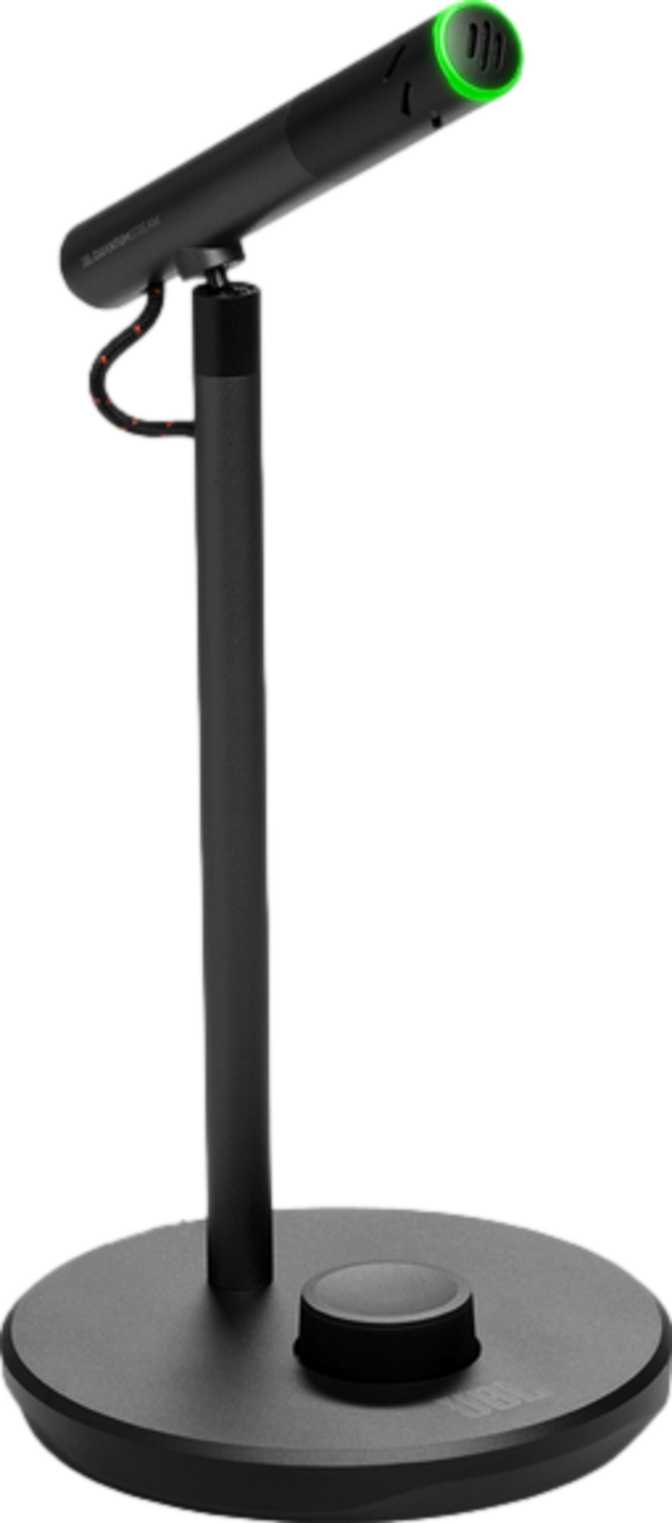
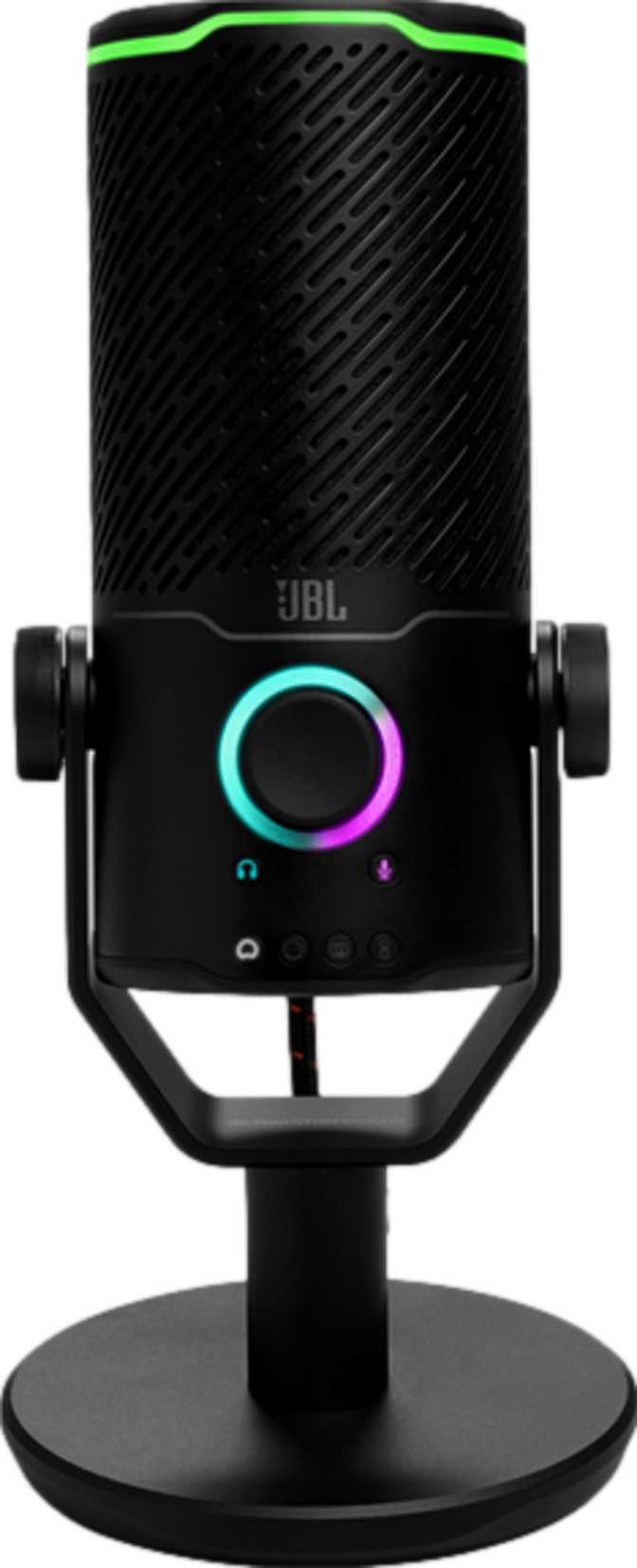
At close to 600 grams, the Quantum Stream Studio is heavier than most USB microphones in this category, and that weight communicates something about the engineering inside. This is not a hollow shell chasing a spec sheet with thin plastic walls.
The height of just over 20 centimeters gives it a noticeable desk presence without crossing into impractical territory. The squared cross-section at approximately 9 by 9 centimeters is a deliberate design departure from the cylindrical form that defines most competing products.
RGB lighting is built into the chassis — a coherent decision within JBL's Quantum gaming peripheral ecosystem, where visual identity is part of the product experience.
Controls That Earn Their Place
The control panel is mounted directly on the microphone body. Physical volume control and a dedicated mute function are hardware controls you operate with your hand, not software settings buried inside an application window.
For a streamer mid-session or a podcaster mid-episode, that distinction matters enormously. You do not alt-tab, you do not pause — you reach over and act.
The LED sound level indicator provides a live visual readout of your input level without opening any software. For beginners learning gain staging, this is a guardrail that prevents the most common amateur recording mistakes before they happen.
What Is Not in the Box
A microphone marketed with "Studio" in its title creates expectations about completeness. The box does not fully meet those expectations.
-
No Shock Mount IncludedKeystrokes and desk vibrations will transfer into your recording without one.
-
No Pop Filter IncludedPlosive sounds on "P" and "B" will cause audible distortion that editing cannot always repair.
Neither omission is unusual at this price tier. Both accessories are inexpensive and widely available. Budget for them — they are not optional for quality voice recording.
Microphone Performance
What the specifications actually mean for how this microphone sounds in real use.
Voice-First Frequency Response
The microphone's pickup range spans from the warm, chesty low register of the human voice — where a deep baritone sits — all the way up through the articulation and presence range where consonants, sibilance, and speech clarity live. It extends a comfortable distance past the core of conversational speech.
For voice recording of any kind — streaming commentary, podcast dialogue, video call audio, voiceover work — this tuning is not a limitation. Human speech carries all of its intelligibility content well within what this microphone captures.
Professional Recording Depth
The analog-to-digital conversion operates at the same tier used in professional recording environments — considerably above the standard of consumer-grade audio capture. In practical terms, your recordings carry more dynamic information and background noise sits proportionally lower relative to your signal.
For a podcaster who edits episodes, applies compression, or masters final audio, this matters more than any single specification suggests. Material captured at this depth gives you latitude in the edit that lower-grade capture does not — you can push it further before it breaks.
For a streamer who pipes audio directly into a broadcasting encoder without editing, the difference is less dramatic, but the baseline sound quality benefit remains.
Handling Loud Sources Without Distortion
The microphone can accommodate very high sound pressure levels before the capsule begins to distort — comfortably loud enough for animated gaming commentary, enthusiastic podcast delivery, or the kind of raised-voice energy that live streaming naturally produces. Close-miking loud musical instruments is outside the intended use case, but for voice applications including louder or more expressive speakers, the dynamic ceiling is not a practical concern.
Polar Patterns: More Flexibility Than You Expect to Need
Four selectable modes let you adapt the microphone to your recording environment rather than the other way around.
Cardioid
The default position for solo voice recording. Accepts sound from directly in front of the capsule and rejects what is behind and beside it. This is the correct mode for streaming, solo podcasting, voiceover work, gaming commentary, and video calls — any scenario where you are the sole intended sound source.
It provides natural rejection of fan noise, keyboard noise, and ambient room sound that exists outside the microphone's forward arc.
Omnidirectional
Opens the capsule equally to sound arriving from all directions. The right choice for group recordings, roundtable podcast conversations, interviews with multiple participants around a desk, or any scenario where several voices matter and a single directional source cannot cover them all.
Also the correct mode when you intentionally want to capture room ambience as part of a recording.
Two Additional Pattern Modes
The Quantum Stream Studio offers two further selectable patterns beyond cardioid and omnidirectional, expanding its adaptability to more nuanced recording scenarios. Multi-pattern capability is a feature that buyers tend to undervalue at the point of purchase and grow into over time. Starting with cardioid for solo recording is almost universal — but when the first group recording opportunity arrives, the ability to switch rather than improvise is not a trivial convenience.
Headphone Monitoring: Why This Output Matters
Hearing yourself during recording is a quality control step, not just a convenience.
The 3.5mm headphone connection on the Quantum Stream Studio enables direct monitoring — hearing your own voice through headphones in real time as you record. For content creators who care about audio quality, it is a quality control step built directly into the workflow. Monitoring while recording tells you immediately when something has gone wrong: when you have drifted off-axis from the capsule, when background noise has increased, or when your gain level has shifted.
The headphone amplifier inside the microphone covers the complete range of human hearing — every frequency your ears can perceive — which means the monitoring signal is uncompromised. The output is designed to work cleanly with the vast majority of consumer headphones, including most gaming headsets and everyday listening headphones, without requiring an additional amplifier.
The DAC — the chip that converts digital audio back to analog for headphone playback — delivers a clean signal with low background noise, appropriate for monitoring use during live recording sessions.
Output Specs at a Glance
-
Full-Spectrum MonitoringCovers the entire range of human hearing
-
Standard Headphone CompatibleWorks with most consumer and gaming headsets out of the box
-
Low-Noise DACClean monitoring signal without distracting background hiss
-
No Large Jack OutputQuarter-inch headphone connectors require an adapter — not included
Platform Compatibility
Desktop-only by design. Know your platform before you buy.
Windows PC
CompatiblemacOS
CompatibleiOS / iPhone
Not SupportedAndroid
Not SupportedPlug-and-Play on Supported Platforms
On a compatible computer, setup requires zero configuration. The operating system identifies it as a USB audio device immediately — no driver installation, no software required for basic use. The mobile incompatibility is a firm design boundary, not a workaround limitation. Content creators who record primarily on smartphones or tablets need a different microphone.
Who This Microphone Fits — and Who It Does Not
The right tool depends entirely on your specific recording workflow.
The Right Buyer
-
PC and Mac Streamers
Who want to step up from headset audio without dealing with audio interfaces, phantom power, or signal routing. The USB connection is genuinely simple and the audio quality improvement is audible immediately.
-
Solo and Group Podcasters
Who need both a focused single-voice mode and an all-room capture mode depending on the recording day. The pattern flexibility handles both scenarios without a second microphone.
-
Remote Professionals
Who spend significant time on video calls or recording tutorial content and want to upgrade from the thin, inconsistent audio of a laptop microphone.
-
JBL Quantum Ecosystem Builders
Who already own Quantum headsets and want a microphone that belongs visually and functionally in the same setup.
The Wrong Buyer
-
Mobile Content Creators
Who record on smartphones or tablets. iOS and Android are not supported and there is no workaround. This microphone stays at the desk, connected to a computer.
-
Bedroom Music Producers
Who need to record acoustic instruments or vocals for music production purposes. The frequency ceiling makes it a voice-first tool and instrument recording will reveal that boundary.
-
Audio Interface Owners
Who already have an XLR signal chain and prefer independent upgrade flexibility. USB microphones embed the conversion hardware inside the capsule — you cannot upgrade one component without replacing the entire unit.
How It Compares to the Competition
Positioned against common alternative options in the same purchasing consideration set.
| Consideration | JBL Quantum Stream Studio | Single-Pattern USB Mic | XLR Condenser + Interface |
|---|---|---|---|
| Polar Patterns | 4 selectable modes | 1 (cardioid only) | Varies, 1 to 3 |
| Setup Requirements | Plug-and-play USB | Plug-and-play USB | Interface, cables, power, config |
| Headphone Monitoring | Varies | Interface-dependent | |
| Visual Level Indicator | |||
| RGB Lighting | Occasionally | ||
| Shock Mount Included | Varies | ||
| Pop Filter Included | Sometimes | ||
| Mobile Device Use | Occasionally | ||
| Upgrade Path | Replace unit | Replace unit | Upgrade independently |
Where several competitors pull ahead is accessory inclusion. Some multi-pattern USB microphones at similar price points ship with a basic shock mount or integrated suspension. For a buyer starting from nothing with no existing accessories, those bundles represent immediate out-of-box readiness that the Quantum Stream Studio package does not match. The JBL product's edge is design coherence, physical controls, and multi-pattern flexibility combined in a single unit.
Strengths and Weaknesses: An Honest Assessment
Where this microphone genuinely delivers, and where it falls short of its name.
What It Does Well
-
Physical Controls Remove Real Friction
A mute button and volume dial that you operate with your hand — not software — is the right call for how content creators actually work. The LED level indicator adds a practical guardrail that is genuinely underrepresented in this category.
-
Four Polar Patterns With No Complexity Penalty
Pattern versatility is more useful than buyers typically anticipate at the point of purchase. Having it available on a USB microphone without sacrificing plug-and-play simplicity is a meaningful combination.
-
Well-Implemented Headphone Monitoring
The output is clean, the signal is complete, and using it gives you confidence in real time rather than surprises during playback.
-
Design Coherence
The Quantum Stream Studio looks considered, not assembled. Within its intended gaming peripheral ecosystem, the aesthetic integration is genuine rather than coincidental.
Where It Falls Short
-
The "Studio" Name Creates an Unmet Expectation
A product called "Studio" that ships without a pop filter or shock mount is selling an aspiration that the box contents do not fully deliver. The fundamental audio performance is there. The complete studio-ready experience is not.
-
Voice-First Frequency Ceiling
For anyone who imagines growing into music production or acoustic instrument recording, the frequency range will become a limitation. It is honest about being a voice-first tool, but that honesty only lands if the buyer reads carefully.
-
Substantial Weight and Size
Close to 600 grams is heavier than most people expect when ordering a microphone online. On a dedicated desk setup this is a non-issue — but it will surprise buyers who imagined something lightweight and portable.
-
No Mobile Compatibility
iOS and Android are firmly excluded. For desk-based creators this is irrelevant, but for buyers with mixed PC and mobile workflows, it narrows the microphone's usefulness in a way that limits its long-term value.
Questions Buyers Ask Before Purchasing
Answers to the specific queries that come up most often in purchase research.
Final Verdict
Our Recommendation
The JBL Quantum Stream Studio earns a confident recommendation for desktop content creators who want multi-pattern USB recording, physical onboard controls, professional capture depth, and the design coherence of a product built for a specific ecosystem — not a generic capsule in a generic housing.
The target buyer is a streamer, podcaster, or remote professional working at a Windows PC or Mac who wants an audible step up from headset audio without the complexity of an audio interface chain, and who values the ability to adapt to different recording scenarios without buying separate equipment for each one.
Buy it if:
- You stream, podcast, or record voice content on a Windows PC or Mac
- You want both solo and group audio modes without buying separate microphones
- You are ready to invest in a pop filter and shock mount to complete the setup
Skip it if:
- You need a microphone that works with a smartphone or tablet
- You plan to record instruments rather than voice
- You want a fully studio-ready package straight from the box without additional purchases
With the right expectations and the right supplemental accessories alongside it, the Quantum Stream Studio performs above the average of its category. The "Studio" name is an aspiration that the hardware can meet — just not entirely on its own.