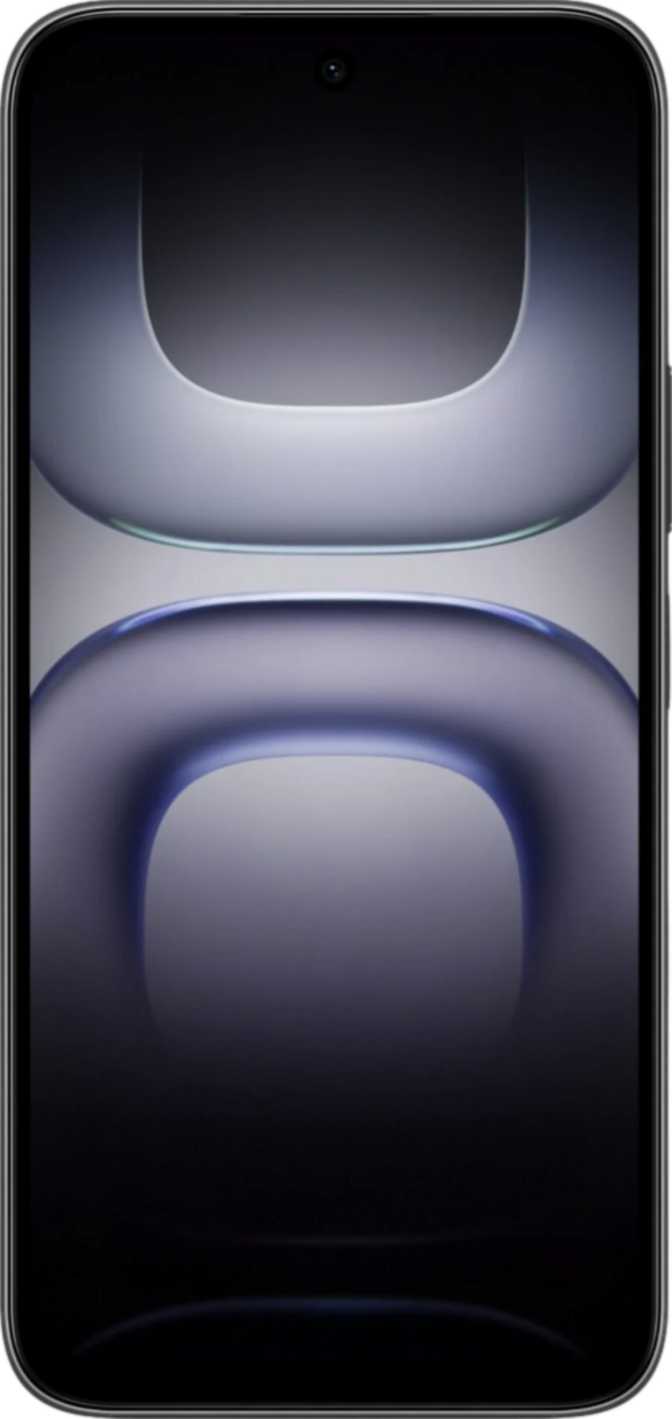
Infinix Hot 70 Review: The Budget Phone That Earns Its Price
SmartphonesThe budget Android space has never been more crowded, and sorting genuinely useful value from impressive-sounding marketing claims takes effort. The Infinix Hot 70 arrives with a combination of hardware choices that cut through that noise: formal water resistance certified to an international standard, enough storage to last years without micromanaging what you keep, a battery capable of multi-day endurance, and the most current version of Android running it all. It is not a perfect phone — but it is a phone that earns its price honestly, and this review explains exactly how.
Review at a Glance
Editorial ratings based on our assessment of the specification set and its practical implications.
Design and Build: Where the Hot 70 Starts Strong
Officially Certified Against Water and Dust
IP65 Rating: What It Actually Guarantees
The most immediately important credential on the Infinix Hot 70 is one most buyers don't even think to check: an IP65 certification for water and dust resistance. IP ratings are an international standard — the kind that carries real-world reliability guarantees, not a marketing claim invented by a manufacturer.
The “6” in IP65 means the phone is completely sealed against dust — not just resistant, but fully protected under standardized testing. The “5” means it can withstand sustained water jets from any direction without water penetrating the housing. Caught in rain? Fine. Splash from a sink? Fine. Dropped in a puddle? Pick it up, wipe it off, carry on.
Physical Dimensions and Handling
The Hot 70 measures just 7.5mm deep — genuinely slim for a phone carrying the battery it does — and weighs 195 grams. That puts it at the lighter end for a phone of this screen size, and the slim profile means it sits flat in a pocket without bulk.
The width, at just over 79mm, sits at the practical limit of comfortable one-handed use for most hands. This is not a design flaw — it is the geometry that comes with a large display — but users with smaller hands should try the physical size before committing. Reaching the opposite corner in one hand requires a deliberate stretch.
Display: Fast and Large, With One Clear Trade-Off
A 6.78-Inch Screen Running at 120Hz
The screen on the Infinix Hot 70 is large — at 6.78 inches, it is comfortably in large-phone territory, better suited to content consumption, gaming, and multitasking than anything under 6.5 inches. The IPS LCD panel type offers reliable color accuracy and viewing angles that hold up when you tilt the phone — colors don’t shift toward washed out or overly warm at an angle, which matters when sharing screen content with others.
The 120Hz refresh rate is the display’s most immediate and noticeable feature. Standard screens refresh 60 times per second. This one refreshes 120 times. The result: scrolling through any list — a social media feed, a settings menu, a webpage — feels smoother and more responsive in a way that is immediately perceptible, not theoretical. Fast-moving games benefit too: there is less blur on moving elements and less visual stutter during gameplay. Once you have used a 120Hz screen regularly, a 60Hz display feels sluggish. At this price point, 120Hz is not a universal given, and the Hot 70 delivers it.
The display uses IPS LCD technology rather than AMOLED or OLED. Dark mode displays as dark grey rather than true black, since the backlight is always on, and the contrast range is narrower than OLED. The screen handles standard dynamic range only — it does not support HDR10 or Dolby Vision enhanced color.
Resolution: The Honest Trade-Off
The Hot 70’s display renders at HD+ resolution — the kind of resolution that was standard on midrange phones several years ago, before Full HD+ became the norm across the mid-range and above. On a screen close to seven inches, this resolution is visible under scrutiny.
Text edges appear slightly softer than on a Full HD+ screen. Detailed images and video show less fine detail. Watching streaming content, you may notice individual pixels if you look closely.
For everyday use — social media scrolling, messaging, watching YouTube, reading news — it is perfectly usable. The 120Hz smoothness compensates significantly in feel, if not in sharpness. But anyone moving from a Full HD+ phone who values display clarity should factor this in before purchasing. The resolution is the Hot 70’s most meaningful visual compromise.
Performance: A Chip That Punches With Purpose
The Engine Under the Hood
The Hot 70 is powered by the MediaTek Helio G100, a processor from Helio’s gaming-focused lineup. It is built on a manufacturing process reserved, until recently, for higher-end chips — smaller transistors packed more densely translate to better performance and more efficient use of battery power per unit of processing. By comparison, older budget chips use significantly larger manufacturing processes that consume more power for similar or lesser performance.
The chip uses an eight-core design: two higher-performance cores handle demanding workloads while six efficiency cores handle routine tasks like messaging, browsing, and background processes. The system shifts tasks between these core types automatically and in real time, letting the phone run demanding apps at speed when needed and conserve battery during lighter use.
Memory and Storage: Above What the Price Suggests
Eight gigabytes of RAM means the Hot 70 maintains more applications in active memory simultaneously than most budget phones. Switching between apps happens without reloading screens from scratch. Open the camera while a browser session is running, then switch back to a video call — it happens without the lag that would stall a phone with half the memory.
With capacity enough to hold tens of thousands of photos, an extensive music library, and a full suite of apps and games simultaneously, most users will never encounter a full-storage warning. Paired with a dedicated microSD card slot, the storage situation is effectively unlimited for any realistic use case.
Gaming Performance
The “G” designation in the Helio G100 reflects deliberate gaming optimization. Popular titles — shooters, battle royale games, racing games, strategy games — run comfortably at medium-to-high settings. The GPU supports the graphics standards used by virtually all current mobile games and runs fast enough to take advantage of the display’s high refresh rate.
At the highest settings on the most demanding current games, expect some reduction in visual quality or frame rate to maintain smooth gameplay. For everything short of that ceiling, performance is confident and consistent.
Camera System: Competent, Not Versatile
The 50-megapixel main camera produces more pixel data per shot than most users will ever need to view at full resolution. High pixel counts allow significant cropping while retaining detail — useful for reframing a shot after the fact without losing quality. In well-lit conditions, images are detailed and color-accurate, with autofocus that locks quickly on subjects using phase-detection — the same technology flagship cameras use to track moving subjects accurately and fast. Manual controls are present for ISO sensitivity, exposure, white balance, and focus, giving users who understand these settings the ability to shoot intentionally rather than relying entirely on automatic decisions.
- 50-megapixel sensor — detailed shots with significant headroom for cropping
- Phase-detection autofocus — fast and accurate for moving subjects
- Full manual controls — ISO, exposure, white balance, and focus all adjustable independently
- Built-in HDR mode — handles backlit scenes and high-contrast environments automatically
- Slow-motion, timelapse, panorama — creative modes included
- High-resolution video — records above the phone’s own display resolution, giving post-edit cropping headroom
- Dual-tone LED flash — improved color accuracy for close-range flash shots
- Single rear lens only — no ultra-wide angle, no telephoto
- Digital zoom only — zoomed shots degrade in quality proportionally to the zoom level
- No Optical Image Stabilization — handheld video shows camera movement; electronic stabilization only
- No RAW format — camera processes every image in-camera with no uncompressed output
- No back-illuminated sensor — lower light-gathering efficiency in dark environments
- No front-facing flash — selfies in dark conditions require ambient light
The front camera at 8 megapixels with a wide aperture handles video calls and selfies in good light without issue. Results are social-media appropriate in bright conditions. In low light, the absent front flash makes a meaningful difference — ambient lighting becomes necessary for usable selfies.
Battery and Charging: The Hot 70’s Most Compelling Feature
The Hot 70 carries one of the largest batteries found in any phone at this price tier. For a typical user — someone who browses social media through the day, sends messages, takes photos, watches some video, and uses navigation occasionally — this translates to a full day and well into a second day on a single charge.
This durability results from three factors working together: a very large battery capacity, a power-efficient chip design, and an LCD display that consumes less energy than the AMOLED screens common in higher-priced competitors.
Fast Charging: Included and Effective
The included charger delivers power at a rate that replenishes this large battery faster than most phones in this category allow. Taking the phone from critically low to a comfortable level for the rest of the day takes roughly half an hour at this wattage. A full charge from empty completes significantly faster than the slow charging that accompanies most budget devices, and is comparable to what some meaningfully more expensive phones offer.
Software: Current, Private, and Customizable
Android 16 From Day One
The Hot 70 ships with Android 16 — the most current version of Android available, bringing modern privacy tools, updated features, and the security patches of a fresh platform release. This is not the norm for budget phones, which typically ship with versions of Android one to two generations behind due to manufacturer certification timelines.
Privacy features are substantive: the system alerts users when apps access the clipboard, gives granular control over camera and microphone access on a per-app basis, provides location privacy options that include sending approximate rather than precise location, and blocks cross-app tracking. These are real controls over how applications access personal data, not cosmetic additions.
The ability to start playing a game while it is still downloading is a small but genuinely useful quality-of-life detail. Split-screen multitasking, Picture-in-Picture mode, and offline voice recognition round out a feature set more complete than the price would suggest.
- Dynamic theming & dark mode
- Clipboard access warnings
- Per-app camera & mic controls
- App tracking blocking
- Split-screen multitasking
- Picture-in-Picture mode
- Offline voice recognition
- Multi-user & child lock modes
- Play games while downloading
- Customizable notifications & widgets
Audio: More Than You’d Expect
Two-channel audio creates a wider soundstage in landscape. Noticeably better than the single mono speakers common on competing budget devices.
The standard headphone port is present — increasingly notable as higher-priced phones remove it. No adapters or new earphones required for wired users.
Works independently of streaming apps and data connections. Useful for live local broadcasting, emergencies, or areas with weak data coverage.
Current standard with better range and stability. No aptX, aptX HD, or LDAC codec support — standard Bluetooth audio quality only. Premium wireless headphones won’t reach their full potential here.
Connectivity: Strong on What Matters, Clear on What’s Missing
The Full Connectivity Picture
| Feature | Status | What It Means |
|---|---|---|
| NFC | Enables contactless payments via Google Pay | |
| Wi-Fi 5 (5GHz) | Fast, less-congested home networks supported | |
| Bluetooth 5.4 | Current standard; better range than older versions | |
| Dual SIM | Two active lines simultaneously | |
| Dedicated microSD Slot | Expand storage without removing either SIM card | |
| USB-C Port | Modern standard; compatible with current cables | |
| GPS + Galileo | Better accuracy in dense urban environments | |
| Fingerprint Scanner | Physical biometric security | |
| 5G | 4G LTE only — no 5G network access | |
| Infrared Sensor | Cannot be used as a universal remote | |
| HDMI / USB 3.x | No video output; USB 2.0 transfer speeds only | |
| Crash Detection | Not available on this device |
The 4G Ceiling: What You Need to Know
The Hot 70 does not support 5G. In markets where 5G infrastructure is currently limited, this makes no practical difference to daily use — a 4G connection on a good network is fast enough for anything a phone does.
In markets where 5G is well-established and 5G plans are cost-competitive, it represents a ceiling that will become more apparent over the phone’s life. Choosing a 4G-only phone in a mature 5G market is a deliberate decision to accept a limitation that becomes more limiting as 5G becomes standard.
Who Should Buy the Infinix Hot 70 — and Who Should Not
- Users on a strict budget who need large storage, long endurance, and a 120Hz screen
- People in dusty or wet environments who want formally certified accident protection
- Casual and mid-level mobile gamers wanting fluid 120Hz gameplay without flagship pricing
- Two-SIM users who also want substantial onboard storage — no slot sacrifice required
- Users upgrading from older, slower phones who want a clear improvement in speed and software
- Anyone who wants the most current Android version without paying mid-range prices
- You need 5G connectivity now or want to future-proof against a maturing 5G market
- You want a multi-lens camera with ultra-wide, telephoto, or OIS-stabilized video
- You have recently used a Full HD+ phone and value display sharpness highly
- You rely on Bluetooth headphones for high-fidelity audio with premium codecs
- You want RAW photo capture for professional post-processing in external apps
- Prompt, manufacturer-independent software updates are a priority for you
How the Hot 70 Sits in the Market
The budget Android segment divides broadly into phones that compete on screen quality, phones that compete on camera, and phones that compete on value density — offering the most useful combination of features for the price. The Hot 70 sits firmly in the third category. Understanding where it wins and where it concedes tells you exactly who it is built for.
| What You Prioritize | Infinix Hot 70 | Budget 4G Rivals | Budget 5G Rivals | Multi-Lens Budget Rivals |
|---|---|---|---|---|
| Battery Endurance | ||||
| Fast Charging | ||||
| Dust & Water Protection | ||||
| Internal Storage | ||||
| Display Sharpness | ||||
| Camera Versatility | ||||
| 5G Network Access |
The decision often comes down to a single question: do you need 5G, or do you need the storage, protection, and charging that come with the Hot 70? Neither is wrong — they serve different priorities.
Strengths and Trade-Offs: The Complete Picture
The Infinix Hot 70 succeeds most where it matters for daily, sustained use. The IP65 certification provides real-world protection, not a marketing approximation. The battery lasts long enough that charging anxiety effectively disappears for most users. The included fast charger ensures that when you do charge, you are back to full quickly. The storage capacity is so generous that the concept of “running out of space” becomes irrelevant for most use cases. Android 16 brings current privacy features and software capabilities without the typical budget-phone lag behind operating system versions. And the 120Hz display makes the entire interface feel more responsive and modern than the price would suggest.
The display’s pixel density is the clearest limitation. On a screen of this size, the sharpness gap relative to Full HD+ alternatives is visible — not overwhelming, not a dealbreaker for casual users, but real. If screen clarity is how you evaluate a phone, this is where the Hot 70 will disappoint you. The single-camera system without stabilization produces capable results in the hands of a patient shooter in good light, but removes options that many users now take for granted. The absence of 5G is either irrelevant or significant depending entirely on your location and timeline.
No single trade-off here represents a flaw in the phone’s design — each reflects a decision to prioritize one thing over another. The Hot 70 has clear priorities: endurance, protection, practicality. On those terms, it succeeds.
Questions Buyers Ask Before Committing
Final Verdict
The Infinix Hot 70 is a straightforward phone to recommend — as long as you are the right buyer.
For users who want extended battery life, substantial storage, formal water and dust protection, and a smooth display experience at a budget price, the Hot 70 delivers all of these without hedging. These are practical, day-to-day benefits that improve life with the phone every single day. The fast charging, the included charger, the generous onboard storage, the NFC support, the stereo speakers, and the modern Android installation add up to a package that over-delivers for the price on every metric that matters to its intended audience.
The 120Hz display partially compensates for its resolution with a smoothness that feels like a premium feature. Android 16 runs privacy tools and system capabilities that are ahead of where budget phones typically sit. The IP65 rating gives genuine accident protection that costs significantly more on competing devices.
The resolution, the 4G-only connectivity, and the single-camera system are real limitations — but they are trade-offs made in exchange for the battery, the storage, and the protection, not failures. They tell you clearly who should and who should not buy this phone.