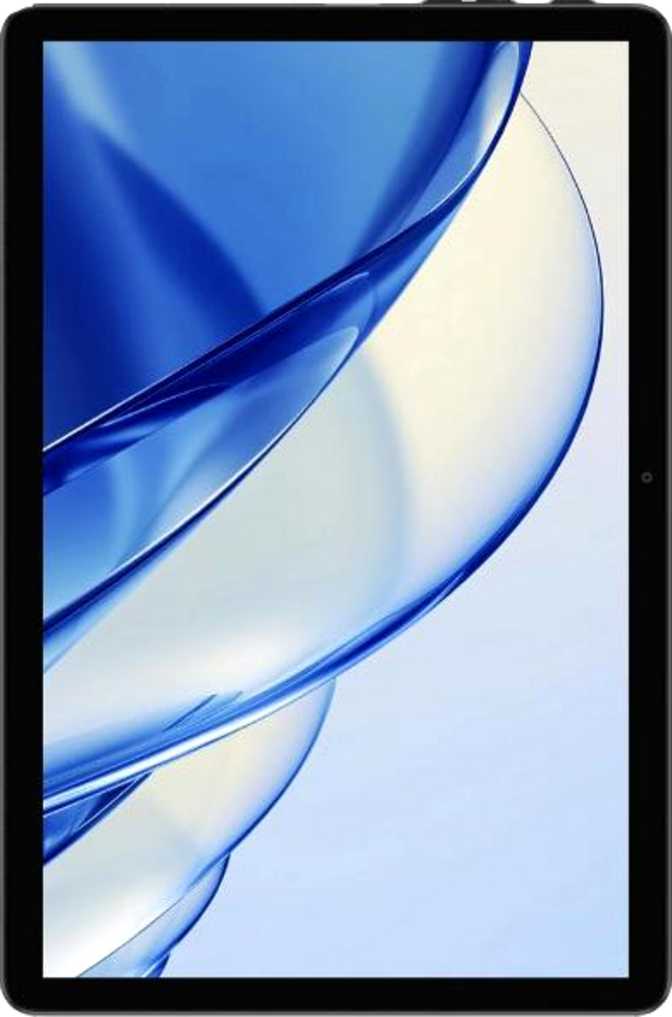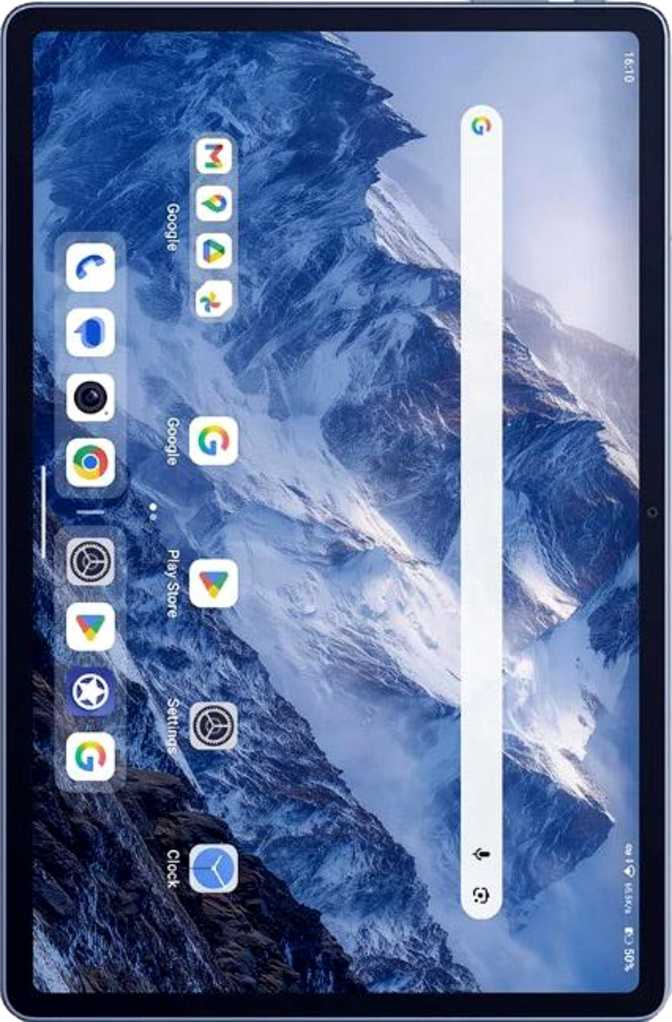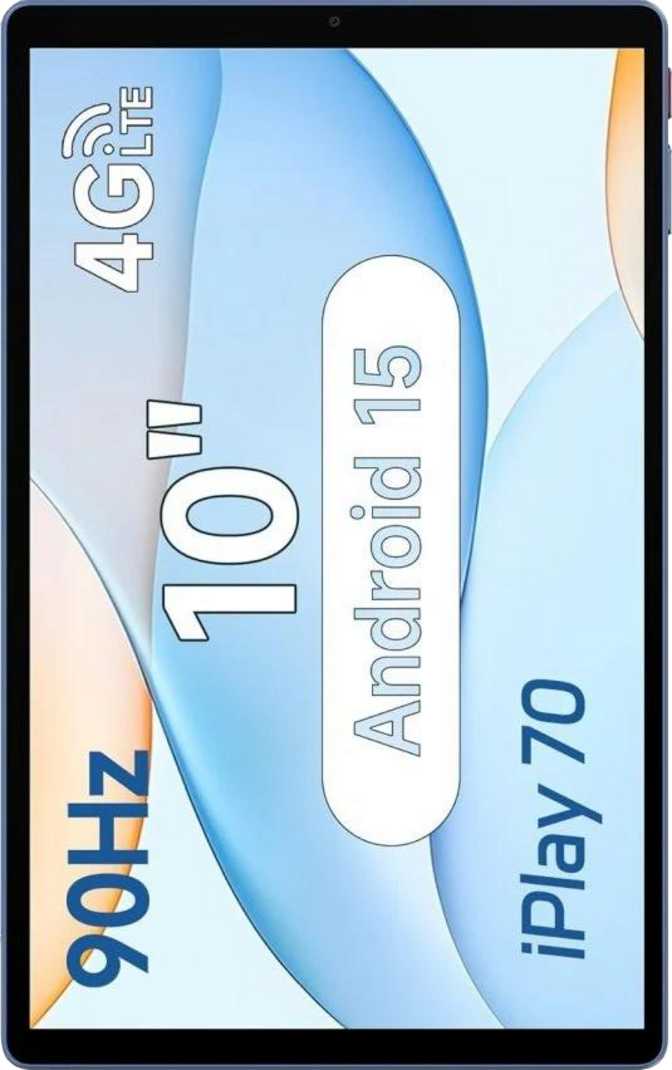
Alldocube iPlay 70 Full Review: Modern Android on a Budget
TabletsOverall Rating / 5.0
A confident pick for media consumption, casual browsing, and everyday portable use — with software and connectivity that exceed its price class.
Score by Category
Design and Build Quality
The iPlay 70 is a tablet that knows its role. At 8mm thin and 425 grams, it sits comfortably in hand for extended reading or streaming sessions — lighter than a hardback book and slim enough to slide into most bags without taking up meaningful space. Those dimensions put it in line with mid-range tablets from larger brands, which is a genuine achievement at this price.
The 238 × 148mm footprint hits the standard 10-inch sweet spot: large enough to feel like a proper media device rather than an oversized phone, yet small enough to hold one-handed in landscape orientation without fatigue setting in quickly.
There is no rugged certification, no water or dust resistance, and no branded damage-resistant glass on the screen. The iPlay 70 is built for everyday life at home, in a bag, or at a café table — not for construction sites or outdoor adventures in the elements. Handle it with reasonable care and it will serve its purpose well.
No Stylus or Keyboard Accessory
Neither a stylus nor a detachable keyboard is included or supported by this hardware. If pen input or a physical typing attachment is essential to your workflow, this device cannot accommodate either.
- Weight425 g
- Thickness8.0 mm
- Width238.4 mm
- Height148.4 mm
- Water ResistanceNone
- Rugged BuildNo
- Stylus SupportNo
The Display: Where the iPlay 70 Surprises
A 90Hz IPS panel at this price tier is genuinely unusual — and the difference is immediately felt in everyday use.
Screen Quality for the Price
The 10.1-inch IPS LCD panel is where this tablet earns real points. IPS technology — as opposed to cheaper TN panels often found at this tier — delivers accurate color reproduction and wide viewing angles, which matters greatly for a device primarily used for video, reading, and shared viewing.
At roughly 220 pixels per inch, text is clean and readable, streaming content looks respectable, and pixelation is a non-issue during normal use. It is not a 2K or OLED panel — fine detail in high-resolution photos won't match a premium display — but for the core use cases this tablet targets, the clarity holds its own without compromise.
The 90Hz Refresh Rate Advantage
The refresh rate describes how many times per second the screen redraws its image. Most budget tablets ship at 60Hz. The iPlay 70 runs at 90Hz, and the difference is immediately perceptible: scrolling through web pages, swiping between apps, and navigating menus all feel noticeably smoother. It is the kind of improvement that is hard to appreciate on a spec list and hard to go back from once experienced.
- Screen Size10.1 inches
- Resolution1280 × 800 px
- Pixel Density220 ppi
- Panel TypeIPS LCD
- Refresh Rate90 Hz
- HDR SupportNone
- Anti-ReflectionNo
Display Limitations to Know Before Buying
No HDR Support
Streaming services offering HDR content will play in standard dynamic range only. Contrast depth and highlight detail are capped at this level — noticeable when comparing side-by-side with an HDR display, invisible when used in isolation.
No Anti-Reflection Coating
Bright ambient light — direct sunlight or a window positioned behind you — will wash out the image considerably. This display performs best indoors or in shaded environments.
Performance: An Honest Assessment
Capable for the tasks it was designed for — but the processor reflects the device's price point clearly and without apology.
The Processor in Real-World Terms
The iPlay 70 runs an octa-core chip built on a 22-nanometer manufacturing process. Modern flagship processors are built at 4–5nm. The wider process node means higher power draw per unit of performance and more heat generated under sustained load — both consequences that compound under pressure.
The chip uses a big.LITTLE design: two performance cores handle demanding workloads while six efficiency cores manage lighter tasks. For web browsing, video streaming, social media, e-books, documents, and casual gaming, it operates without friction. Where limits show: graphics-heavy games, video editors, and running many resource-intensive apps simultaneously will produce frame drops, stutters, and longer load times.
RAM, Storage & Android 15
4GB of RAM covers the standard tablet workflow comfortably. The ceiling becomes apparent under aggressive multitasking: keeping many active apps open will cause the system to unload background processes, forcing apps to reload from scratch when you return to them. Power multitaskers will bump into this regularly.
128GB of built-in storage is genuinely generous at this price — enough for a large app library, a substantial music collection, and dozens of downloaded videos before space becomes a consideration. The microSD slot extends this further when needed.
Android 15 is a notable inclusion. Most competing budget tablets ship with Android 12 or 13. Starting on a current OS version delivers a better experience from day one, though direct OS updates are not offered — making Android 15 the likely permanent version for this device.
Performance Expectations at a Glance
Streaming
ExcellentWeb Browsing
SmoothGaming
Light OnlyDocuments
No IssuesConnectivity: The iPlay 70's Strongest Category
The connectivity spec sheet consistently outpaces what most budget tablets offer. Several features here belong to devices priced significantly higher.
Wi-Fi 6 (802.11ax)
Faster throughput on congested networks, better performance when many devices share a router, and improved battery efficiency during wireless use. Future-ready for Wi-Fi 6 routers; fully backwards compatible with all older networks.
Bluetooth 5.4
Current-generation Bluetooth for reliable, efficient connections to wireless headphones, speakers, keyboards, and accessories — a meaningful step beyond the Bluetooth 5.0 found on most competing devices in this tier.
4G LTE + Dual SIM
Full internet access without Wi-Fi. Two SIM slots allow separate data and calling plans or two different carrier subscriptions. 5G is not supported, but 4G LTE remains entirely adequate for tablet use in most markets.
GPS with Galileo
Accurate positioning via both standard GPS and the European Galileo satellite network, improving location lock across more environments. Useful for navigation even without an active cellular connection.
USB-C Connectivity
Universal standard for charging and device connectivity. Transfer speeds run at USB 2.0 — fine for charging and basic use, but noticeably slower than USB 3.x when transferring large files to a computer.
No NFC
Contactless payments and NFC-based device pairing are not supported. If tap-to-pay or NFC accessory linking are part of your routine, this is a hard limitation worth knowing before purchasing.
Audio Experience
Stereo speakers — two separate audio channels — produce wider, more immersive sound than the mono setups common on budget tablets. For video streaming and casual music listening, this distinction matters more than most buyers anticipate until they have heard the difference firsthand.
The 3.5mm headphone jack is present and increasingly a point of differentiation as more devices remove it entirely. Wired headphones, earphones, and speakers connect directly without any adapter required.
Wireless Audio Quality
The Bluetooth stack does not include aptX, aptX HD, LDAC, or other high-quality wireless audio codecs. Standard Bluetooth audio is the ceiling for wireless playback — suitable for casual listening, but high-end wireless headphones will not deliver their full potential on this device.
Battery Life and Charging
The battery capacity sits at the high end of what 10-inch Android tablets typically carry. Combined with a power-efficient processor architecture and a mid-size screen that draws less current than larger panels, this translates to genuine all-day battery life for typical users.
A realistic daily pattern — two to three hours of video streaming, an hour of browsing, and some messaging — comfortably spans a full day without reaching for a charger. Light users may stretch that to two full days between charges.
6,000 mAh
Capacity
Fast Charging
Wired Only
Wireless charging is not supported. The device charges exclusively via its USB-C port.
Privacy Controls and Software Features
Android 15 brings a meaningful set of privacy tools and productivity capabilities that most competing budget devices simply do not offer.
Camera & Microphone Access Controls
Individual per-app permissions for camera and microphone, adjustable in real time directly from system settings.
App Tracking Block
System-level controls prevent apps from tracking your activity across other applications installed on the device.
Clipboard Notifications
Alerts you when an app reads your clipboard content — a behaviour that goes undetected on older Android versions.
Location Privacy Options
Granular controls over which apps can access your GPS position and at what level of precision.
Multi-User Support
Multiple separate accounts on one device — ideal for family tablets or any shared-use scenario.
Child Lock
A built-in parental control layer to restrict app access and content categories for younger users.
Split-Screen & Picture-in-Picture
Run two apps side by side, or keep a video playing in a floating window while using other applications simultaneously.
Dark Mode & Dynamic Theming
Full dark mode support plus a dynamic theming engine that adapts the system-wide interface color palette.
No Fingerprint Scanner
Device unlock uses PIN, pattern, password, or camera-based face recognition. Less secure and less convenient than dedicated hardware biometrics.
Cameras: Set Your Expectations Carefully
The camera system is functional for its intended role — but that role is a deliberately narrow one.
Both front and rear cameras share the same 5-megapixel resolution. For a tablet, the front camera is by far the more relevant of the two — handling video calls, occasional self-portraits, and camera-based face unlock. At 5MP, it covers standard video conferencing at normal distances without issue.
The rear camera records video at 720p — standard definition by current standards. It includes a practical set of manual controls: adjustable white balance, ISO, focus, and exposure settings. These give more direct photographic control than most budget tablet cameras offer, though no manual adjustment compensates for a physically small, optically limited sensor.
The realistic use case for the rear camera: scanning documents, capturing whiteboard content, and taking quick reference shots. For any photo or video you genuinely care about, use a dedicated camera or smartphone instead.
- Rear Camera5 MP
- Front Camera5 MP
- Video Resolution720p / 30 fps
- StabilizationNo OIS
- HDR Photo ModeNo
- Manual ControlsYes
- Rear Flash1 LED
Camera Feature Gaps
Who Should Buy the Alldocube iPlay 70?
- Students — e-books, research browsing, note-taking apps, video lectures, and document editing all run without friction.
- Families — multi-user support, child lock, and 128GB of storage handle shared household use naturally.
- Travelers and commuters who want cellular internet and GPS navigation without carrying a laptop.
- Light business users who need email, documents, video calls, and a portable screen while on the move.
- Seniors and first-time tablet owners who want a current, approachable Android device without overspending.
- Upgrading from a 60Hz tablet — the smoother 90Hz display will be immediately and meaningfully felt from day one.
- Mobile gamers targeting graphically demanding titles — thermal throttling and frame drops under sustained load are realistic expectations.
- Creative professionals needing reliable camera output, a color-accurate display, or stylus input for their work.
- Power multitaskers who routinely run many resource-heavy applications in parallel — 4GB of RAM sets a real ceiling.
- 5G-first buyers in markets where 5G is the dominant standard for mobile data access.
- Primary productivity users who depend on a single device for intensive, high-stakes daily work output.
How It Compares to the Competition
Against a typical budget 10-inch Android tablet at the same price, the iPlay 70's software and connectivity lead is consistent and measurable across almost every key category.
| Feature | Alldocube iPlay 70 | Typical Budget 10" Tablet |
|---|---|---|
| Android Version | Android 15 — current | Android 12 or 13 — older |
| Wi-Fi Standard | Wi-Fi 6 (802.11ax) | Wi-Fi 5 or Wi-Fi 4 |
| Bluetooth Version | 5.4 | 5.0 or 5.1 |
| Display Refresh Rate | 90 Hz | 60 Hz |
| Internal Storage | 128 GB | 32 GB or 64 GB typical |
| Cellular | 4G LTE, Dual SIM | Often Wi-Fi only |
| Headphone Jack | 3.5mm — included | Often removed |
| Battery Capacity | 6,000 mAh | ~5,000 mAh typical |
| Fingerprint Scanner | Not present | Rarely present |
| NFC | Not present | Rarely present |
The iPlay 70 leads consistently on software and connectivity. Its processor and RAM tier aligns with — rather than exceeds — what the competition offers.
Strengths and Honest Weaknesses
The iPlay 70's case rests on a specific and defensible proposition. Android 15, Wi-Fi 6, Bluetooth 5.4, dual SIM LTE, 128GB of storage, a 90Hz IPS display, and a large battery form a coherent, forward-thinking package for everyday use. At this price, assembling all of these features into a single device is rare — and that rarity is genuine value.
The 3.5mm headphone jack, microSD expansion slot, stereo speakers, and a full Android 15 privacy suite complete a package that consistently over-delivers on software currency and connectivity relative to its asking price.
The processor's older manufacturing process has compounding effects on peak performance, thermal behaviour under load, and GPU capability in demanding tasks. Combined with 4GB of RAM, the multitasking ceiling is tangible for anyone who works across many applications simultaneously.
The cameras are adequate for document scanning only — not for photography you care about. The absence of a fingerprint scanner, NFC, and any water resistance removes features that have become standard at slightly higher price points.
These are trade-offs, not product failures. But they matter depending on how you actually use a tablet, and they should be weighed honestly before purchasing.
Common Buyer Questions Answered
The questions real buyers search for before making a purchase decision — answered directly.
A Clear Recommendation for the Right Buyer
The Alldocube iPlay 70 makes a specific and honest case for itself: modern software and future-facing connectivity at a price where those things are rarely found together. Android 15, Wi-Fi 6, Bluetooth 5.4, dual SIM LTE, 128GB of storage, a 90Hz IPS screen, and a large battery form a genuinely coherent package for everyday media consumption and light productivity.
Go in understanding what this device is: a media and browsing tablet with strong software foundations and entry-level processing hardware. If your daily use centers on streaming, reading, browsing, video calls, and working through a document queue, the iPlay 70 handles all of it without friction, runs the latest version of Android while doing so, and will not need replacing simply because it ran out of storage after six months.
If you need it for demanding gaming, creative work, or intensive multitasking, the processor will disappoint regardless of the other advantages. In that case, a device with a newer chip is the better long-term investment — even if it means accepting older software in return.
Best For
Students & Families
Standout Feature
Wi-Fi 6 + Android 15
Main Limitation
Older Processor