Apple MacBook Neo 13 Review: Exceptional Battery Life, Real Trade-Offs
LaptopsThe Apple MacBook Neo 13 is a statement product — one that deliberately trades raw expandability and port variety for an almost singular focus on lightweight portability, all-day battery endurance, and silent operation. Whether that trade-off lands well depends entirely on what you actually need a laptop to do every day. This review covers every meaningful dimension so you can decide before you spend.
Key Specifications at a Glance
The numbers that matter most, translated into plain language
Design and Build Quality
A Machine That Disappears in Your Bag
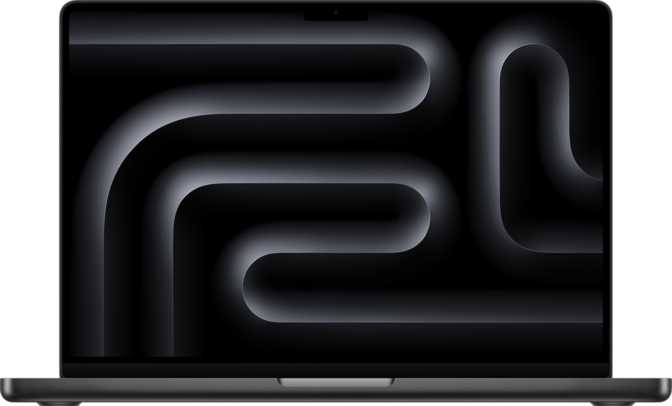
At 1,230 grams, the MacBook Neo 13 sits firmly in the weight class where you genuinely forget it is in your bag. To put that in perspective, a standard hardcover novel weighs around 700–900 grams — this laptop is only marginally heavier and measures just under 13 mm thin. The footprint of 297 mm × 206 mm is compact enough to sit comfortably on an economy-class tray table with room left over.
The fanless construction is the design decision that defines this machine. There are no cooling vents, no fan noise, and no spinning parts of any kind. In a library, a meeting room, or a quiet bedroom, the MacBook Neo 13 is completely and genuinely silent — not just quiet, but entirely absent from the soundscape.
Where the Build Makes Compromises
The device is not weather-sealed or ruggedized. Light splashes carry their own risk with no official protection rating. The operating temperature range of 10°C to 35°C is standard for consumer electronics, though it means the MacBook Neo 13 is not suited for cold outdoor environments without precautions.
- CategoryProductivity Laptop
- Weight1,230 g
- Width297 mm
- Depth206 mm
- Thickness12.7 mm
- Volume777 cm³
- FanlessYes
- Keyboard BacklightNo
- Weather SealedNo
- Operating Temp.10°C – 35°C
Display: Sharp, Touch-Enabled, and Occasionally Let Down by Reflections
What the Screen Gets Right
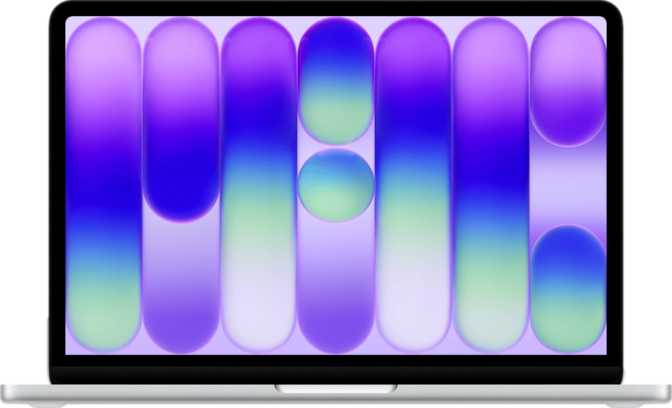
The 13-inch IPS LCD panel delivers a resolution of 2048 × 1506 pixels — a taller aspect ratio that is noticeably better for document editing, web browsing, coding, and spreadsheets than the cramped widescreen panels common on Windows laptops. You see more of a page without scrolling.
At 219 pixels per inch, text is crisp and icons are clean. This is not OLED-level sharpness, but the pixel density is more than sufficient for long reading sessions without eye strain. Peak brightness of 500 nits handles well-lit offices and most indoor environments comfortably.
The display responds to touch input, opening up tablet-style interactions — scrolling, pinching, tapping — that have long been absent from the Mac lineup. The hardware capability is genuinely present, though the software ecosystem remains primarily optimized for keyboard and trackpad input.
Where the Display Falls Short
The absence of an anti-reflection coating is a meaningful gap. In environments with bright windows or overhead lighting, the display reflects noticeably. The 60 Hz refresh rate is perfectly smooth for documents, email, and video conferencing — but users arriving from high-refresh-rate displays may find the screen comparatively static. External display support is limited to a single monitor via DisplayPort, with no native HDMI and no Thunderbolt output.
- Size13 inches
- Resolution2048 × 1506 px
- Pixel Density219 PPI
- Panel TypeIPS LCD
- Peak Brightness500 nits
- Refresh Rate60 Hz
- TouchscreenYes
- Anti-ReflectionNo
- External Displays1 (DisplayPort)
Performance: Efficiency-First, Impressively Capable
The Chip Architecture Explained
The MacBook Neo 13 runs on an Apple A18-class processor built on a 3-nanometer manufacturing process. A smaller transistor process means more computing power per watt — and with 20 billion transistors packed into this chip, the engineering density is remarkable. The CPU uses a hybrid architecture: two high-performance cores running at nearly 3.9 GHz for demanding tasks, paired with four efficiency cores at 2.2 GHz for background processes. The device routes workloads dynamically — you feel the performance cores when you need them and benefit from the efficiency cores when you don't.
The chip's thermal envelope is rated at just 10 watts. Many thin-and-light Windows laptops target 15–28 watts under load; traditional laptops can push 45 watts or more. The fanless enclosure is possible precisely because the chip generates so little heat — this is not a compromise in cooling, it is a consequence of genuine silicon efficiency.
- Performance Cores2 × 3.89 GHz
- Efficiency Cores4 × 2.2 GHz
- Total Threads6
- Process Node3 nm
- Transistors20 Billion
- TDP10 W
- L2 Cache16 MB
- MultithreadingYes
Geekbench 6 Benchmark Results
Reflects per-core speed — what determines application launch times, browser responsiveness, and snappy single-threaded performance. This result places the MacBook Neo 13 ahead of many heavier Windows thin-and-lights in the same category.
Reflects combined core performance across all six cores. Competitive for everyday productivity and light creative work, though the six-core total does set a ceiling on parallelizable workloads like large video exports or complex compilation jobs.
Memory and Storage
In the unified architecture, the GPU and CPU share this pool — the high bandwidth benefits both graphics and application performance simultaneously. For mainstream productivity workloads 8 GB handles daily demands comfortably. Power users running virtual machines or professional creative tools at scale will encounter the ceiling.
NVMe flash storage means application launches, file access, and system operations feel immediate with no mechanical delay anywhere in the storage pipeline. At 512 GB, most users will find ample headroom for documents, applications, and a modest media library.
GPU: More Than You Would Expect From a Fanless Machine
The Apple A18 GPU includes 128 shader units running at 1,490 MHz. This is an integrated solution — it draws from the system's unified memory rather than a dedicated pool — but it delivers meaningfully more capability than the integrated graphics found in many Windows machines at a comparable weight.
Ray tracing support enables more realistic lighting effects in compatible applications and games. This is not a chip for professional 3D rendering at scale or for high-frame-rate gaming at demanding settings. For casual gaming, HDR video playback, and light creative work, however, the GPU performs well above expectations for a 10-watt fanless machine with no dedicated cooling.
- GPU ModelApple A18 GPU
- Shader Units128
- Clock Speed1,490 MHz
- Mem. Bandwidth78.8 GB/s
- Ray TracingYes
- DLSSNo
- XeSS / XMXNo
- TypeIntegrated
Battery Life: The Standout Specification
The 16-hour battery life — drawn from a 36.5 Wh cell — is the specification that initially seems implausible and then becomes the machine's defining characteristic once you understand the efficiency architecture behind it. Many 13-inch Windows ultrabooks carry 50–72 Wh batteries and still achieve only 10–14 hours. The MacBook Neo 13 achieves longer endurance from a meaningfully smaller cell, which translates directly to less weight and a slimmer chassis.
In practical terms, 16 hours covers a full working day, an intercontinental flight, and the taxi ride afterward — without reaching for a charger. For users who move between locations, work without accessible power, or resent charge anxiety during meetings, this endurance is genuinely liberating.
Category average estimated from typical 1.1–1.4 kg Windows ultrabooks. Individual results vary by workload and brightness.
- Capacity36.5 Wh
- Claimed Runtime16 hours
- Chip TDP10 W
- Charging InterfaceUSB-C
- MagSafe ConnectorNo
- Sleep-and-ChargeYes
All charging happens via USB-C, which means the magnetic break-away protection MagSafe historically provided is absent. The upside: any compatible USB-C charger or power bank works as a backup power source on the road.
Connectivity and Ports: A Significant Trade-Off
Physical Port Layout
| Port / Feature | Detail | Status |
|---|---|---|
| USB-C Gen 2 (10 Gbps) | High-speed data and charging | |
| USB-C Gen 1 (5 Gbps) | Standard data and charging | |
| DisplayPort (via USB-C) | Single external monitor supported | |
| 3.5mm Headphone Jack | Wired headsets, no adapter required | |
| Thunderbolt (any) | Not supported | |
| USB-A Ports | None included | |
| HDMI Output | Not included | |
| SD Card Slot | Not included | |
| Ethernet (RJ45) | Not included |
Wireless and Cellular
- Wi-Fi 6E (802.11ax)Connects to the latest 6 GHz Wi-Fi band for faster speeds and less congestion in crowded environments. Fully backward compatible with Wi-Fi 4 and 5 networks.
- Bluetooth 6.0The latest generation for peripherals, audio devices, and accessories — future-proofed for the current accessory ecosystem.
- Built-in 5G and LTEIntegrated directly into the processor. Internet access wherever your phone has signal — no mobile hotspot setup, no Wi-Fi hunting, no connectivity gaps during travel.
- AirPlay SupportWireless display and audio streaming to compatible Apple devices and smart TVs — no cable needed for presentations to AirPlay-capable screens.
The vast majority of competing thin-and-light laptops at any weight do not include built-in cellular. A SIM card or eSIM registration with a compatible carrier gives the MacBook Neo 13 internet access on par with a smartphone, everywhere your carrier has coverage.
Notable Features
Fingerprint Scanner
Built into the power button for fast, reliable biometric login. Three-dimensional face recognition is not present — fingerprint is the sole biometric authentication method on this model.
Hardware Security
TrustZone and NX bit protections are built into the chip — hardware-level safeguards that isolate sensitive data and prevent certain classes of software-based attacks. Relevant for enterprise users; invisible in daily use.
Dolby Atmos Audio
Stereo speakers with Dolby Atmos processing deliver spatial audio in compatible applications. A dual-microphone array and a retained 3.5mm headphone jack make this a capable video conferencing and media platform.
Voice Commands
Built-in voice command support pairs with a dual-microphone array and a front-facing camera for video calls. GPS, compass, and motion sensors are absent — correctly, for a laptop-class device.
Who Should Buy the MacBook Neo 13?
- Travel frequently or commute and need the lightest possible bag without sacrificing genuine productivity
- Need all-day battery life — 16 hours means a full workday, a long flight, and an evening without hunting for a socket
- Work in environments where absolute silence is required — libraries, shared spaces, recording-adjacent rooms
- Want internet connectivity without relying on available Wi-Fi, using the built-in 5G and LTE wherever you travel
- Are a writer, researcher, student, or document-heavy professional whose daily workloads stay within mainstream productivity
- Are already in the Apple ecosystem and want AirPlay, deep software integration, and consistent cross-device UX
- Work regularly in dim lighting and depend on a backlit keyboard — the MacBook Neo 13 has none whatsoever
- Need more than 8 GB of RAM for virtual machines, large datasets, or professional creative workloads — there is no upgrade path
- Rely on Thunderbolt for docking stations, external GPUs, high-bandwidth NAS storage, or professional audio interfaces
- Frequently work beside windows or in bright environments where screen reflections become a productivity obstacle daily
- Need HDMI output, USB-A ports, or an SD card slot without purchasing and carrying a hub adapter everywhere
- Plan to run high-frame-rate games or multi-stream professional video editing at demanding quality settings
How It Stacks Up: MacBook Neo 13 vs Typical Thin-and-Light
Comparison against a representative Windows ultrabook in the 1.1–1.4 kg class at a similar price point
| Feature | MacBook Neo 13 | Typical Windows Thin-and-Light |
|---|---|---|
| Weight | ~1,230 g | 1,100–1,400 g (varies widely) |
| Battery Endurance | ~16 hours | ~10–14 hours typical |
| Fanless Design | Yes | Rare at this performance level |
| RAM Upgradeability | No (8 GB max) | Often upgradeable or higher configs |
| Thunderbolt | None | Common at this price tier |
| Built-in Cellular | 5G + LTE standard | Rare; usually a costly optional add-on |
| Keyboard Backlight | None | Standard on most models |
| Touchscreen | Yes | Common across Windows laptops |
| HDMI Output | None | Usually 1 port included |
| Anti-Reflection Display | No | Increasingly common |
Honest Assessment: What Holds Up and What Doesn't
The combination of all-day battery life, zero operating noise, sub-1.3 kg carry weight, and built-in 5G connectivity is genuinely rare in a single device. Achieving 16 claimed hours from a 36.5 Wh cell is a direct consequence of the 3 nm chip's efficiency that few competitors can replicate — Windows machines achieving comparable runtimes typically carry batteries that are 50 to 100 percent larger.
Performance for everyday tasks is fast and sustained. The hybrid CPU architecture routes workloads dynamically without thermal throttling or fan interruptions — because there is no fan to interrupt. In quiet environments, the difference between this machine and a conventionally cooled laptop is immediate and noticeable from the first minute of use.
The 5G and LTE integration is a quiet advantage that becomes essential once relied upon. Connectivity wherever your phone has signal, with no setup friction, separates the MacBook Neo 13 from almost every competing laptop regardless of price tier.
The missing keyboard backlight is the most immediately felt limitation — inexplicable on a premium productivity machine. It creates daily friction in any dim environment. No specification sheet communicates this adequately; you need to work under low light to appreciate how often backlit keys are taken for granted.
The 8 GB memory ceiling is a genuine long-term concern. For today's mainstream productivity workloads it is sufficient. Over a machine's lifespan, as applications grow heavier and multitasking demands increase, 8 GB begins to constrain. This cannot be remedied after purchase under any circumstances.
The absence of Thunderbolt and HDMI removes the MacBook Neo 13 from several professional workflows outright. Thunderbolt docking stations, high-bandwidth external storage, and professional audio interfaces all require what this machine lacks. The two-port setup will require a hub in most professional environments — an additional cost and an additional item to remember.
Frequently Asked Questions
Real questions buyers search for before purchasing — answered directly
Buy It for What It Does Brilliantly — Know Its Limits Before You Commit
The Apple MacBook Neo 13 is a focused, well-executed machine for a specific kind of user.
The combination of all-day battery life, near-zero operating noise, sub-1.3 kg carry weight, and built-in 5G connectivity is genuinely rare in a single device. The display offers enough resolution and brightness for serious productivity work. Performance for everyday tasks is fast and sustained without thermal throttling or fan noise — because the 3 nm chip's efficiency makes both possible simultaneously.
The weaknesses are real and not trivial. The lack of a backlit keyboard is inexplicable on a premium productivity machine. The 8 GB memory ceiling is a genuine long-term concern that cannot be addressed after purchase. The absence of Thunderbolt and HDMI constrains several professional workflows and will require adapter purchases for most environments.
- Lightweight travel, battery endurance, and silence are non-negotiable
- Your workloads stay within mainstream productivity
- Built-in cellular connectivity matters to your daily workflow
- You do not depend on Thunderbolt or a backlit keyboard
- You need Thunderbolt, HDMI, or USB-A ports without carrying adapters
- Your workloads will push past 8 GB RAM within a year
- A backlit keyboard is part of how you work every day
- You regularly work near bright windows or in outdoor settings
For the right buyer, the MacBook Neo 13 does what it does exceptionally well. For the wrong buyer, the compromises will erode the experience faster than the specifications suggest.