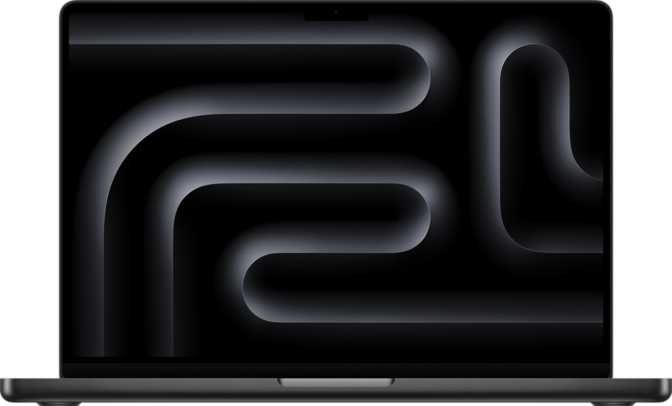
Apple MacBook Pro 14-inch M5 Max: An Honest Full Review
LaptopsThere is a category of laptop that most people never need — and desperately want anyway. The Apple MacBook Pro 14-inch with M5 Max occupies that exact space. Built for the professional who has hit a wall with every other machine they have ever owned, this is not a general-purpose computer — it is a portable workstation with performance characteristics that demand careful evaluation before purchase.
Editorial Scores
Design and Build Quality
A Frame That Has Earned Its Reputation
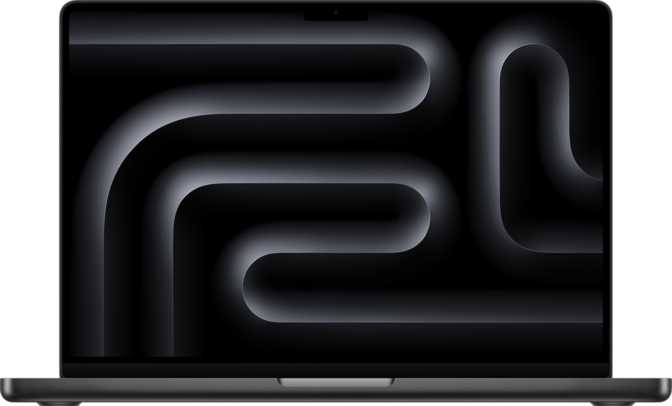
The MacBook Pro 14-inch carries forward the squared-off aluminum chassis that strikes a deliberate balance between rigidity and refinement. At 312mm wide, 221mm deep, and exactly 15mm thin, it sits comfortably on a desk without dominating it — and slides into a bag without creating a visible bulge.
The weight lands at 1,620 grams — roughly equivalent to a large hardcover novel. Compared to desktop workstation alternatives or 16-inch notebooks, that figure is remarkably competitive for what is packed inside. You will notice it after a long commute, but it never crosses the threshold of feeling burdensome.
The backlit keyboard provides consistent illumination edge-to-edge, useful in dim environments without being distracting in the dark. Touch ID is integrated into the power button, delivering fingerprint-based login that works quickly in any orientation and complete darkness. The absence of a fanless design means active cooling is present — the correct engineering call for a chip this powerful. Fans engage briefly under heavy workloads, but Apple's thermal management is conservative and intelligent; they exit quickly, and the machine never becomes uncomfortable to use on a lap.
Physical Specifications
| Form Factor | Productivity Laptop |
| Width | 312 mm |
| Depth | 221 mm |
| Thickness | 15 mm |
| Weight | 1,620 g |
| Backlit Keyboard | |
| Fingerprint Scanner | |
| Active Cooling | |
| Weather Sealed | |
| Rugged Build | |
| Operating Temperature | 10°C – 35°C |
The Display: Where Specifications Become Experiences
A Screen That Sets the Standard
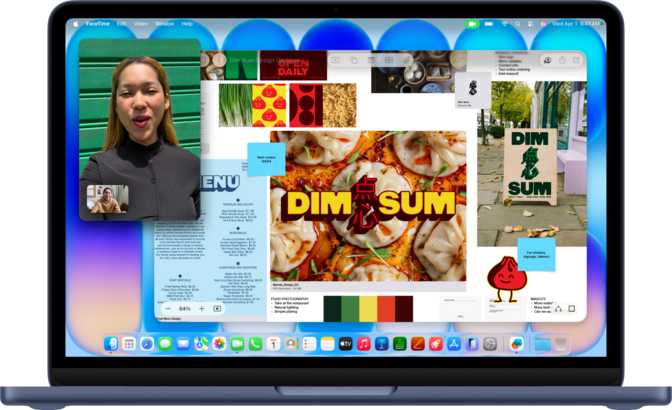
The 14.2-inch Liquid Retina XDR panel is competitive with professional reference monitors that cost several times the price of the machine alone. At a pixel density of 254 pixels per inch, individual pixels are completely invisible at normal working distances. Text renders with the crispness of print; fine detail in photographs and video footage shows exactly as the creator intended.
The display reaches 1,000 nits of sustained full-screen brightness. That matters when working near a window or in a bright office environment, where lesser displays wash out and force you to shade the screen with your hand. This panel holds its own in ambient light conditions that would defeat most competition.
The contrast ratio — the visual distance between the deepest black and the brightest white — is set at one million to one. That is visible in HDR content, color-critical editing work, and even the everyday experience of text on a dark background appearing genuinely black rather than a washed-out dark grey.
The 120Hz ProMotion refresh rate delivers a fluidity that is harder to articulate than to experience: scrolling through documents, moving windows, and watching video all feel qualitatively different from a 60Hz screen. The system adjusts the rate downward based on content, contributing to battery efficiency when the higher rate is not needed.
Anti-reflection coating on the glass keeps the display legible in environments with overhead lighting or reflective windows. For professionals connecting external monitors, this machine drives up to four simultaneous external displays beyond its own screen — covering the most demanding multi-monitor setups in post-production and financial trading environments.
Performance: The M5 Max in Practice
The M5 Max is built on a 3-nanometer process node — meaning more transistors in less physical space, which translates to higher performance at lower power draw and less heat per unit of output than competing platforms on older manufacturing processes.
CPU Architecture
Six high-performance cores operate at up to 4.6 GHz for responsive, single-threaded tasks. Twelve efficiency cores running at 3.2 GHz handle sustained background processing — keeping the machine fast and power-efficient simultaneously. The 18-thread total and Apple's heterogeneous scheduling mean the right task always hits the right core, automatically and invisibly.
Memory System
128 gigabytes of unified memory with DDR5-class characteristics and a bandwidth of 614 gigabytes per second is the figure that separates this configuration from everything below it. This is the memory throughput of a high-end discrete desktop GPU — available in a portable laptop. Unified means the CPU and GPU draw from the same pool, with no transfers between separate memory spaces and no bottlenecks at the interface.
Storage
An 8-terabyte NVMe SSD is a production-level storage volume — enough to hold a substantial working library of RAW video footage, a full music sample collection, or a significant client project archive without constant management of what lives locally versus in the cloud. The NVMe interface communicates directly with the processor at speeds that match the chip's throughput, eliminating storage as a performance bottleneck.
Architecture at a Glance
Connectivity: Every Port Counts
Wired Connections
-
3× USB 4 — 40 Gbps Each
Each port handles data transfer, display output, and charging simultaneously. 40 Gbps allows external NVMe enclosures to run near their physical maximum. Each port independently drives a 6K or 8K external display.
-
1× Full-Size HDMI
Direct connection to projectors, televisions, and monitors without an adapter. A genuine convenience, not a symbolic afterthought.
-
MagSafe Charging
The magnetic connector releases safely on accidental cable pulls. All three USB 4 ports remain fully available while charging — no port is sacrificed to power delivery.
-
SD Card Slot
For photographers and videographers pulling footage directly from cameras. No adapter required for the most common memory card format in professional workflows.
-
3.5mm Audio Jack
Full headphone output with support for high-impedance headphones. Not a symbolic inclusion — audiophile-grade headphone use is genuinely supported.
Wireless
The fastest Wi-Fi standard available. On a compatible router, it delivers throughput that makes cloud storage feel like a local drive, and supports high-quality video conferencing simultaneously with large file transfers without network congestion.
Improved connection stability and lower latency for wireless peripherals and audio devices compared to prior Bluetooth versions.
Wireless display mirroring and audio routing to compatible Apple TV or AirPlay-enabled displays and speakers — practical in presentation and conference-room environments.
Battery Life and Power
The rated 20-hour battery life is backed by a 72.4 Wh battery — a capacity that is large for a 14-inch laptop. The reason this capacity can support that longevity is the M5 Max chip's exceptional efficiency at light-to-moderate workloads. For a user working in documents, spreadsheets, email, and web browsing, a full workday without reaching for the charger is realistic.
For sustained video rendering or intensive computation, battery life drops significantly — this is expected behavior, and the machine performs at full chip speed on battery throughout. That last point matters: competing Windows laptops in the same performance tier typically apply power limits when unplugged, reducing performance to preserve charge. This machine does not throttle. Being away from power does not change what it can do.
Key Features Worth Understanding
These are not spec-sheet checkboxes — each has a measurable real-world impact on daily use.
12 MP Front Camera
Meaningfully better than most professional laptop webcams. The quality difference versus a typical 720p or 1080p camera is visible to everyone on the other end of a video call — not just the person behind the screen.
Three-Microphone Array
Three microphones arranged to capture voice clearly while reducing keyboard sounds, room echo, and background conversation. The difference versus a single microphone is audible on calls and voice recordings.
Dolby Atmos Speakers
Spatial audio through Dolby Atmos gives music and film audio directional dimension rather than flat stereo. For a laptop speaker system, the output is genuinely impressive — and noticeably better than any competing device used as a reference point.
Touch ID
Fingerprint authentication integrated into the power button. Fast, reliable, used for login, payment confirmations, and password autofill. Works in any physical orientation and in complete darkness — where Face ID would not.
Voice Commands
Siri integration for system control, reminders, web queries, and application commands. Useful for hands-free interaction during tasks where both hands are occupied — composing, editing, or managing files.
M5 Max Integrated GPU
Integrated into the M5 Max chip and drawing from the same 128 GB unified memory pool, the GPU benefits directly from the full 614 GB/s bandwidth — a throughput advantage over most discrete GPU configurations found in competing laptops.
Who This Laptop Is For — and Who It Is Not
The Right Buyer
- Video editors and colorists working in 4K, 6K, or 8K formats who need fast render times, large working memory for multi-stream timelines, and enough local storage to keep full projects on-device.
- Audio producers and composers running large virtual instrument libraries, complex mixing sessions, and demanding DAW projects where latency and processing headroom are critical.
- Machine learning engineers who want to run training and inference workloads locally, on a machine that handles moderate model sizes entirely in memory — without cloud compute costs.
- Software developers working with large codebases, multiple virtual machines, and demanding compilation tasks who need consistent full performance throughout an entire workday.
- Photographers handling high-resolution RAW files in large volumes who need both processing speed and sufficient local storage to maintain a working archive without cloud dependency.
The Wrong Buyer
- General-purpose users whose primary workloads are web browsing, document editing, email, and video calls. The base M5 MacBook Pro handles these tasks identically at a substantially lower price.
- Windows-dependent professionals with established software dependencies on Windows-exclusive applications. macOS is the only operating system this machine natively runs, and that is not negotiable.
- PC gamers who prioritize gaming performance. This machine does not support DLSS or ray tracing, and its gaming library remains significantly limited compared to Windows alternatives with dedicated discrete GPUs.
- First-time high-end buyers who have never hit the limits of a mid-range laptop. The performance ceiling here only becomes valuable to those who have repeatedly exceeded what their previous hardware could handle.
Competitive Positioning
How the M5 Max configuration compares to the most logical alternatives in the same category and price range.
| Consideration | MacBook Pro 14″ M5 Max — This Review |
High-End Windows Creator Laptop |
MacBook Pro 14″ M5 Base Model |
|---|---|---|---|
| Memory Ceiling | 128 GB unified | Typically 64 GB | Up to 32 GB unified |
| Memory Bandwidth | 614 GB/s | 64 – 128 GB/s | ~120 GB/s (est.) |
| Battery at Load | Full performance | Often throttled | Full performance |
| Fan Noise Under Load | Moderate, brief | Frequent, sustained | Minimal |
| Port Flexibility | USB 4×3, HDMI, MagSafe, SD | Varies widely | USB 4×3, HDMI, MagSafe, SD |
| Display Quality | Excellent — 120Hz, 1M:1 | Varies by model | Identical panel |
| Gaming Capability | Limited | Strong (discrete GPU) | Limited |
| Software Ecosystem | macOS only | Windows / Linux | macOS only |
Honest Assessment: Strengths and Weaknesses
Where This Machine Excels
Memory bandwidth at this scale is unprecedented in a portable. 614 gigabytes per second used to require a desktop workstation with a discrete GPU and specialized cooling. Having it available in a 1.6-kilogram laptop is a genuine engineering achievement — with direct, measurable impact on every workflow that is memory-throughput-bound.
The display has no meaningful compromise. The combination of resolution, sustained brightness, refresh rate, and contrast ratio means that professionals who care about color accuracy and visual fidelity are not making a sacrifice by working on the built-in screen rather than an external reference monitor. Very few laptops in any category can make that claim.
Battery endurance at this performance tier is unmatched. Competing Windows laptops that rival this machine's performance typically throttle to a lower-power state when unplugged. This machine runs at full chip performance on battery — being away from power does not change the experience.
The port configuration is practically complete. Three USB 4 ports at 40 Gbps, HDMI, MagSafe for dedicated charging, and an SD card slot means most desk setups require no hub or adapter. That is a real quality-of-life distinction from machines that ship with two USB-C ports and nothing else.
Where Compromise Exists
The operating temperature range limits usage environments. Functional between 10°C and 35°C, this is a climate-controlled machine. Outdoor use in extreme heat or cold is outside its design intent, and the lack of weather sealing confirms it. Standard for premium productivity laptops, but worth acknowledging before assuming otherwise.
There is no wired Ethernet port. For users in environments with unreliable Wi-Fi or where security policies require wired connections, a USB 4 to Ethernet adapter becomes a permanent bag fixture. Wi-Fi 7 mitigates this for most users but does not eliminate the need entirely for those who require it.
macOS is a genuine platform constraint. No amount of chip performance matters if the software a professional depends on does not run natively. This is the single most important question to answer before purchasing, and the answer is binary — either your critical tools are Mac-compatible, or they are not.
Memory and storage cannot be upgraded after purchase. Unified memory is soldered directly to the chip. The SSD is not user-accessible. The configuration chosen at purchase is the configuration for the life of the machine, making the upfront decision both more consequential and more expensive to get wrong.
Questions Buyers Are Actually Asking
Answers to the most common searches before committing to this purchase.
Final Recommendation
Apple MacBook Pro 14-inch — M5 Max, 128 GB, 8 TB
The Apple MacBook Pro 14-inch with M5 Max and 128 GB of unified memory is a machine that earns its premium — but only for the buyer it was designed for. If your work consistently pushes memory limits, you need local compute for intensive processing, and you value a display, battery life, and port configuration that refuse to compromise — this is the best portable workstation available in this form factor. The performance ceiling it sets, particularly through its memory architecture, is not matched by competing products at any price in a portable package.
You have worked on a MacBook Pro before and felt its limits. You know from experience what "not enough memory bandwidth" means for your specific workflow.
You have not hit the limits of a previous MacBook Pro. You may never feel those limits at all — and the base model covers the same display, build quality, and battery at significantly less cost.