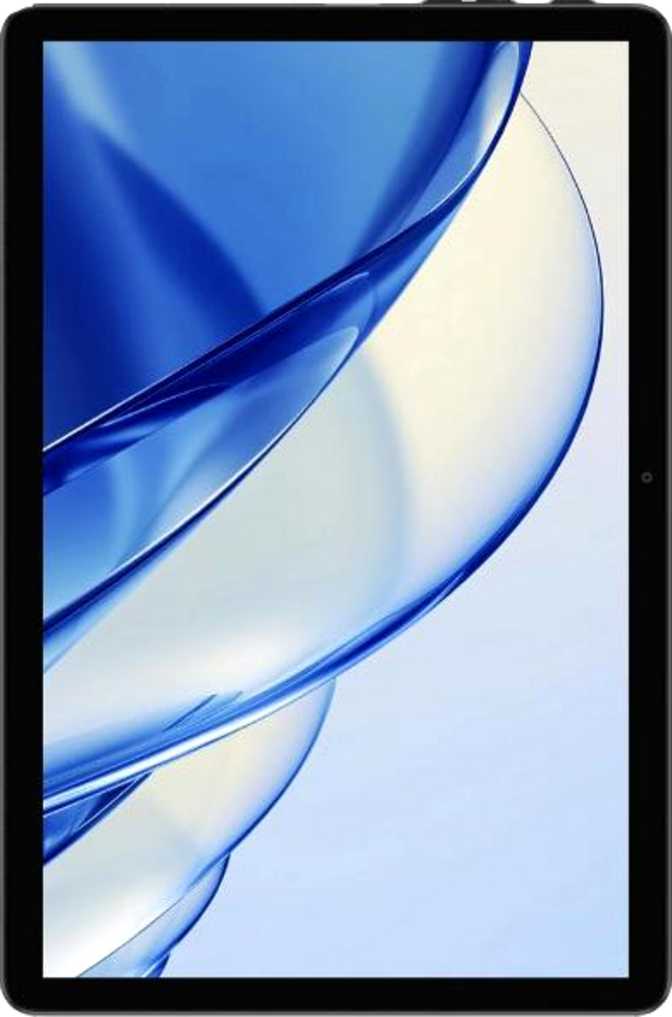
Alldocube iPlay 70 SE Review: Budget Tablet Punching Above Its Price
TabletsOverall Rating
Scored across six key performance categories
Overall Score
Budget Android tablets are a minefield. Most of them make identical promises — big screen, long battery, plenty of storage — and deliver disappointingly similar results: laggy interfaces, washed-out displays, and software so outdated it cannot run half the apps you care about. The Alldocube iPlay 70 SE enters that crowded field with a few genuinely surprising specifications that make it worth a closer look, alongside a few honest limitations that make it the right choice for some buyers and the wrong one for others.
The Short Version
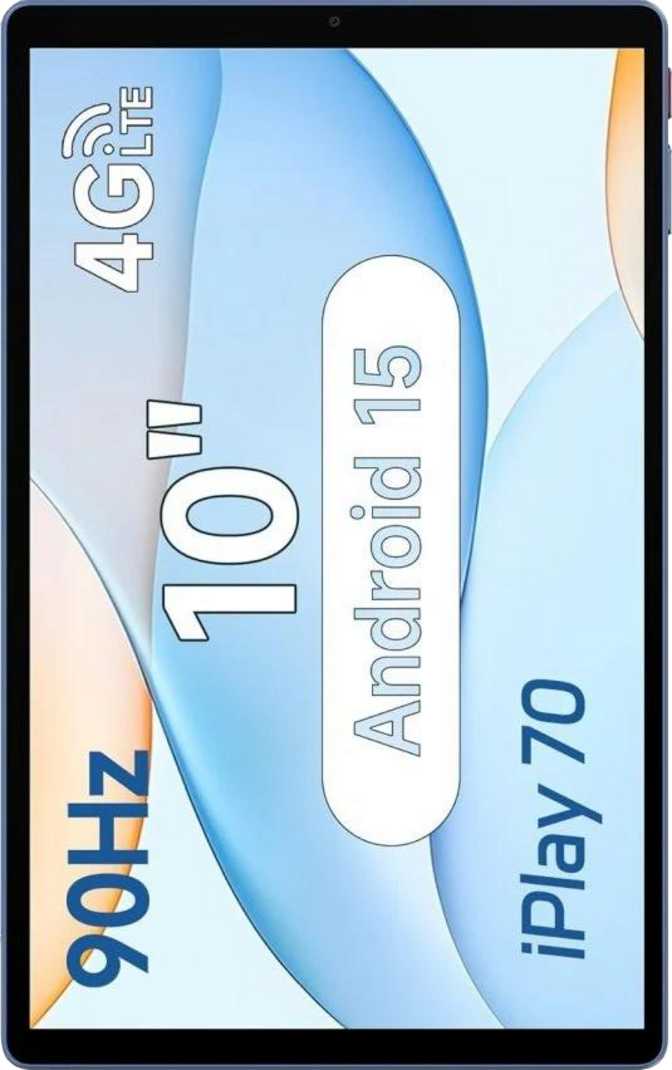
This is a 10-inch tablet running Android 15 — not Android 12 or 13, but the current release — with a 90Hz screen, built-in 4G LTE, and Wi-Fi 6 support, all in a sub-9mm chassis at a weight that won't tire your arms. Whether that combination adds up to a good purchase depends entirely on what you expect from it.
Design and Build Quality
Physical Dimensions and Feel
At just 8mm thick and 425 grams, the iPlay 70 SE sits comfortably in the hand for extended reading or video sessions. To put that weight in context: it is lighter than most hardcover novels and noticeably easier to hold one-handed than many competing tablets in its class, which often tip past 450–500 grams.
The chassis measures 238.4mm wide and 148.4mm tall — proportions well-suited to landscape use, making it natural for video streaming, web browsing, and document reading. It slips easily into a bag without adding significant bulk.
Build Quality Considerations
The iPlay 70 SE carries no rugged or water-resistant rating of any kind. There is no IP certification, which means exposure to rain, spills, or dusty environments is a real risk. This is a tablet designed for controlled indoor use — a desk, a couch, a commute — not outdoor adventures or job sites.
The display uses standard glass with no scratch-resistant coating and no anti-reflection treatment. Screen glare under strong overhead lighting or direct sunlight will be noticeable. Indoors, this is rarely an issue. No stylus or detachable keyboard is included in the box — the tablet is sold as a standalone device only.
- Weight
- 425g
- Thickness
- 8mm
- Width
- 238.4mm
- Height
- 148.4mm
- Water Resistance
- None
- Stylus Included
- No
- Keyboard Included
- No
Display Analysis
Smoother scrolling than the 60Hz standard on most budget tablets
Sharp, legible text at normal reading distances of 30cm+
Wide viewing angles for sharing content with others nearby
The Panel in Everyday Use
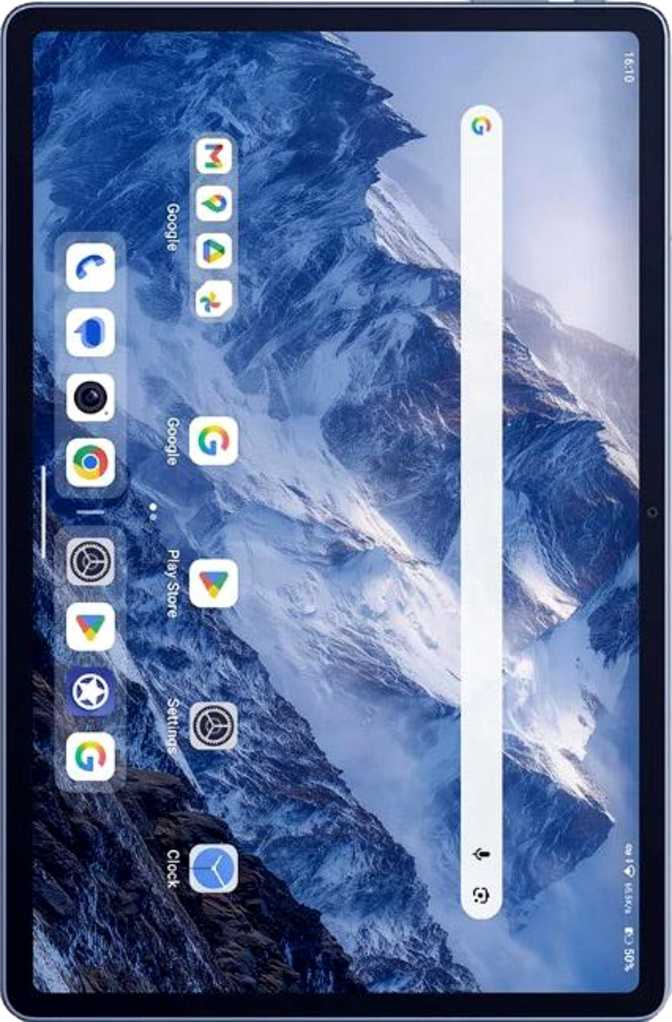
The 10.1-inch IPS LCD panel delivers a resolution of 1280 x 800 pixels. At 220 pixels per inch, text is clean and readable at normal viewing distances. The IPS technology matters more than many beginners realize — unlike the cheaper TN panels on many entry-level tablets, IPS provides wide viewing angles. Colors and brightness don't shift when you tilt the screen or share it with someone beside you.
Why 90Hz Matters at This Price
The 90Hz refresh rate is the display's standout feature at this price tier. Most budget tablets still use 60Hz panels, which redraw the screen 60 times per second. At 90Hz, scrolling through web pages, swiping between apps, and navigating menus all feel visually fluid in a way that makes the device feel noticeably more premium. This advantage is most apparent if you read long-form content or browse frequently.
Display Limitations
-
No HDR support — Netflix, YouTube, and streaming content displays in standard dynamic range only. Colors look decent, but the expanded brightness and deep blacks of HDR-capable devices are absent.
-
No anti-reflection coating — screen glare under strong light or outdoors will be noticeable. This panel performs best indoors.
-
Standard glass only — no scratch-resistant branded glass, making a screen protector a worthwhile addition.
Performance and Processing
Understanding the Unisoc T310
The Alldocube iPlay 70 SE runs on the Unisoc T310, a processor built on a 12-nanometer manufacturing process. It is a four-core design — one high-performance core running at 2GHz for demanding tasks and three efficiency cores at 1.8GHz for lighter work. This big.LITTLE architecture means the chip shifts between modes to extend battery life when you are reading or browsing.
The T310 handles everyday tasks comfortably: web browsing, YouTube, Netflix, email, productivity apps like Google Docs, eBook reading, and light social media all run without drama. Its 64-bit support ensures compatibility with modern Android apps that increasingly require it.
Graphics and Gaming Expectations
The PowerVR GE8300 GPU runs at 800MHz with support for OpenGL ES 3.2 and DirectX 10. This is capable for casual 2D games, puzzle titles, and lightweight Play Store content. It will struggle with graphically intensive 3D games — smooth frame rates in demanding titles are not a realistic expectation. Chess apps, card games, word games, and similar casual titles run adequately.
RAM and Storage: The Honest Conversation
3GB of RAM is the specification most likely to cause frustration. Android 15 has matured in memory management, and light multitasking works — but background apps will refresh more frequently than on a device with 4GB or 6GB. For focused single-app use — reading, streaming, video calls — 3GB is workable. Heavy tab switching will expose its limits.
Internal storage of 64GB leaves approximately 48–52GB of real-world usable space. The microSD card slot is a critical relief valve — if you plan to store offline movies or maintain a large app library, budget for an expandable storage card alongside this purchase.
- Chipset
- Unisoc T310
- Process Node
- 12nm
- CPU Config
- 4-core big.LITTLE
- CPU Speed
- 1x2GHz + 3x1.8GHz
- GPU
- PowerVR GE8300
- RAM
- 3GB LPDDR4
- Storage
- 64GB eMMC 5.1
Expectation Check: The T310 is an entry-level chip. Strong for everyday tasks, limited under gaming or heavy multitasking workloads.
Software: Android 15 Changes the Conversation
Running Android 15 on an entry-level tablet is a significant differentiator. Many budget tablets ship with Android 11, 12, or 13 — versions increasingly unsupported by developers and missing years of security patches.
Split-Screen Multitasking
Run two apps simultaneously — watch a video while checking messages or referencing a document.
Picture-in-Picture Mode
Video continues in a floating window while you use other apps in the background.
Dark Mode
Reduces eye strain in low-light environments and marginally extends battery life.
Dynamic Theming
UI color palette adapts to your wallpaper for a personalized, cohesive look.
Multi-User Support
Create separate profiles for different household members or work vs. personal use.
Child Lock
Built-in content restriction, compatible with Google Family Link for comprehensive parental controls.
Privacy Controls in Android 15
- Camera and microphone OS-level toggle
- Per-app tracking controls
- Clipboard access warnings
- Location privacy options
- Customizable notification permissions
Update Support Caveat
Direct OS update support from Alldocube is not confirmed. Budget tablet manufacturers historically provide limited long-term software support. Treat Android 15 as the probable final major version this device receives — a pattern common across the budget segment.
Connectivity: A Surprisingly Modern Feature Set
4G LTE and Dual SIM
The iPlay 70 SE has a built-in cellular modem supporting 4G LTE, with space for two SIM cards simultaneously. This means you can use the tablet as a standalone connected device without relying on Wi-Fi or a smartphone hotspot — a practical capability that most budget tablets skip entirely or charge a premium for. 5G is not supported, which is expected at this price point.
Wi-Fi 6 Support
Wi-Fi 6 (802.11ax) support punches well above the typical budget class. Wi-Fi 6 delivers faster throughput, better performance in environments with many connected devices, and more efficient battery handling during wireless transmission. The device also supports Wi-Fi 5 and Wi-Fi 4, ensuring backward compatibility with any router you are likely to own.
Bluetooth 5.4 and Ports
Bluetooth 5.4 — the latest revision — offers improved range, more stable connections, and better coexistence with Wi-Fi. Wireless headphones and earbuds pair reliably with less interference. High-resolution audio codecs (aptX, LDAC) are not supported; wireless audio uses standard SBC or AAC encoding — functional for casual listening, but premium wireless headphones won't reach their full potential.
USB Type-C handles charging and data transfer, though the USB version is 2.0 — adequate for documents and photos, but slow for large video file transfers. There is no HDMI output and no Ethernet port. NFC is absent, ruling out contactless payments. The 3.5mm headphone jack is present — a welcome inclusion that eliminates the need for an adapter.
GPS and Location
GPS is supported, along with Galileo — the European satellite positioning system — providing better location accuracy in urban environments where satellite signals can be obstructed by buildings. A gyroscope and accelerometer are present for screen rotation and motion-based apps. A digital compass is not included.
| Wi-Fi | Wi-Fi 4 / 5 / 6 |
| Cellular | 4G LTE (No 5G) |
| SIM Slots | Dual SIM |
| Bluetooth | 5.4 |
| USB | Type-C (USB 2.0) |
| GPS | Yes + Galileo |
| NFC | None |
| HDMI Output | None |
| Headphone Jack | 3.5mm |
| microSD | Yes |
| Fingerprint | None |
Battery Life and Endurance
What the Battery Delivers
The 5,500mAh battery is sized generously for a 10-inch tablet at this weight. Combined with the efficiency-oriented Unisoc T310 processor and the modest display resolution, this capacity translates to solid daily endurance. Casual users who mix web browsing, video streaming, and reading across several sessions throughout the day should comfortably last a full day or more on a single charge.
Heavy users who stream video continuously, keep mobile data active all day, or run the screen at maximum brightness will discharge faster — but even in demanding use cases, getting from morning to evening without reaching for a charger is a reasonable expectation.
Charging Note: At 10W, a full charge from near-empty takes approximately two to three hours. If you are accustomed to 30W or 45W fast charging, this will feel slow. The practical workaround is overnight charging — zero cost, full battery every morning. Wireless charging is not supported, and the battery is not user-removable.
Camera Capabilities
What the Cameras Can and Cannot Do
The rear camera is a 5-megapixel sensor. The front camera is 2 megapixels. Honesty serves you better than generous framing here: tablet cameras across the budget-to-mid-range spectrum are notably inferior to smartphone cameras, and the iPlay 70 SE is no exception. Video recording tops out at 720p at 30 frames per second — HD, but not Full HD.
Where the cameras are genuinely useful: video calls, document scanning, QR codes, and casual reference photography. Touch autofocus, manual ISO, manual focus, and manual exposure controls offer more creative control than you would typically expect at this tier for users who want them.
Suitable For
- Video calls
- Document scanning
- QR codes
- Reference photos
Not Suitable For
- Social media photos
- Photography hobby
- Full HD recording
- Low-light video calls
The front camera has no flash. Low-light video calls depend entirely on ambient lighting in your environment — keep this in mind if you frequently take calls in dim rooms.
Audio Experience
Stereo speakers create a wider, more immersive soundstage than mono tablets — particularly relevant for media consumption in landscape orientation. For casual streaming, YouTube, or background music at a desk, the stereo output delivers a noticeably better experience than a single driver.
The 3.5mm headphone jack provides zero-latency wired audio — something Bluetooth cannot match in scenarios where sync precision matters, such as mobile gaming audio. This is a more valuable inclusion than it might seem.
- Speakers
- Stereo
- Headphone Jack
- 3.5mm
- aptX / LDAC
- Not Supported
- FM Radio
- None
Who Should Buy the Alldocube iPlay 70 SE?
This tablet earns a clear recommendation for some buyers — and just as clearly does not suit others.
-
Budget-conscious families who need a shared household tablet for streaming, browsing, and educational apps — multi-user support and child lock make this configuration genuinely practical.
-
Commuters and travelers who want 4G LTE cellular connectivity without paying mid-range or premium prices for it. Dual SIM is a notable bonus.
-
Students using the tablet for typed note-taking, reference reading, web research, and video lectures — the 90Hz screen makes long sessions more comfortable.
-
Light entertainment users who mainly stream video, browse social media, and read — the 90Hz display and stereo speakers genuinely elevate this use case.
-
Less tech-savvy users who need a straightforward device for video calls, messaging, and browsing without complex setup requirements.
-
Android 15 enthusiasts on a budget — if running a current OS matters for app compatibility and security, this delivers where many competitors fall short.
-
Power users and multitaskers who need to run demanding apps simultaneously or switch between many open windows without experiencing lag or app refreshes.
-
Mobile gamers who play graphically intensive 3D titles — the GPU is simply not tuned for that workload and will struggle with popular demanding games.
-
Photographers or content creators who intend to use the cameras for anything beyond basic documentation or video calling.
-
Users in outdoor or rugged environments — no water resistance, no scratch-resistant glass, and no rugged build of any kind.
-
HDR media enthusiasts who want the full visual experience from streaming platforms — no HDR format is supported on this display.
-
Anyone expecting long-term OS support — budget Android tablets from smaller manufacturers rarely receive years of major updates.
How It Compares to the Competition
Alldocube iPlay 70 SE measured against typical competitors at the same price tier
| Feature | Alldocube iPlay 70 SE | Typical Budget Competitor A | Typical Budget Competitor B |
|---|---|---|---|
| Android Version | Android 15 | Android 12–13 | Android 11–13 |
| Display Refresh Rate | 90Hz | 60Hz | 60Hz |
| Wi-Fi Standard | Wi-Fi 6 | Wi-Fi 5 | Wi-Fi 4–5 |
| 4G LTE | Dual SIM | Often Wi-Fi only | Sometimes |
| Bluetooth Version | 5.4 | 5.0–5.2 | 4.2–5.0 |
| RAM | 3GB | 2–4GB | 3–4GB |
| Battery Capacity | 5,500mAh | 5,000–6,000mAh | 4,000–5,000mAh |
| Fast Charging | 10W | Sometimes | Sometimes |
| Headphone Jack | Sometimes | ||
| Stereo Speakers | Sometimes | Rarely |
Honest Assessment
The iPlay 70 SE's greatest strength is not any single specification — it is the combination of Android 15, Wi-Fi 6, 4G LTE, Bluetooth 5.4, and a 90Hz display at a price where most manufacturers still ship outdated software and connectivity standards. That combination is genuinely hard to find at this price tier.
The 90Hz screen elevates the everyday experience in a tangible way. Scrolling simply feels better, and the IPS panel's wide viewing angles make shared viewing comfortable from any seat in the room.
Dual SIM 4G LTE capability is a standout feature for travelers and commuters. Getting cellular connectivity on a budget tablet without a meaningful price jump makes this device practically attractive for a specific and real group of buyers.
The 3GB of RAM is the specification most likely to cause real frustration. This is fundamentally a single-task-focused device. Using it like a multitasking powerhouse — many open tabs, frequent app switching, background processes running simultaneously — will lead to consistent memory-related slowdowns and background app refreshes.
The Unisoc T310 performs competently within its class but is not competitive with MediaTek Helio G99 or Qualcomm Snapdragon 6-series chips in mid-range tablets. The performance ceiling is real and becomes apparent during any sustained demanding workload.
The absence of biometric security — no fingerprint reader, no face unlock — is increasingly unusual even at budget price points. The display's lack of HDR support and the slow 10W charging round out the list of genuine limitations that buyers should consciously accept before purchasing.
Frequently Asked Questions
Answers to the questions real buyers search before purchasing
Final Verdict
The Alldocube iPlay 70 SE is a genuinely well-specified budget tablet that earns its place in the market by delivering software and connectivity features that most competitors at this price tier have yet to match. Android 15, Wi-Fi 6, Bluetooth 5.4, 4G LTE with dual SIM, a 90Hz IPS display, and stereo speakers form a package that is straightforward to recommend to the right buyer.
The buyer who will be satisfied uses a tablet primarily for content consumption, casual browsing, video calls, and reading — and wants those activities supported by a current operating system and modern wireless connectivity. The buyer who will be disappointed expects smooth heavy multitasking, impressive camera output, HDR media, or demanding 3D gaming. Purchase this with a microSD card already planned and a clear-eyed understanding of its strengths, and the iPlay 70 SE is one of the more honest value propositions in its category.