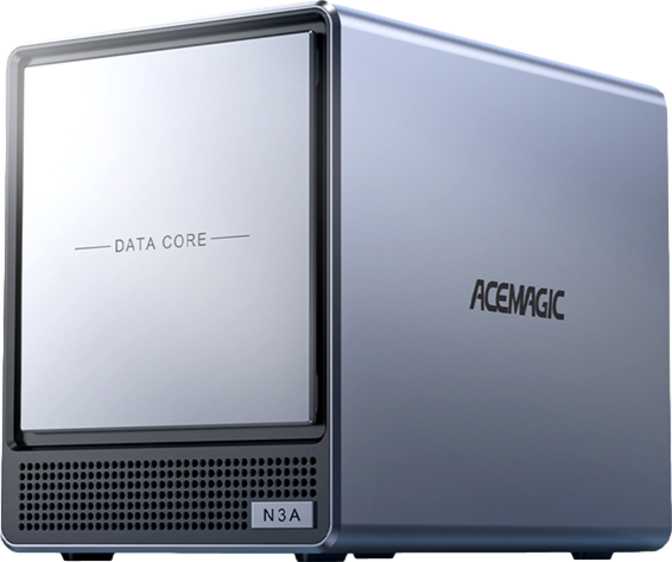
Acemagic N3A Review: A Compact Desktop With Workstation-Class Memory
Mini PCsAt a Glance
The core specifications that define the Acemagic N3A's identity before you read a single word of this review.
Performance by Category
Four dimensions that matter most to buyers — scored honestly based on what the hardware delivers in practice.
64GB DDR4 with ECC support and a full 1TB NVMe SSD — exceptional for this compact form factor.
Compelling for multi-monitor power users and server deployments; limited appeal outside those specific use cases.
Wi-Fi 6E and fast USB 3.2 Gen 2 ports are strong choices; the absent wired Ethernet is a real gap for some deployments.
Sufficient for everyday productivity; single-threaded headroom is a clear and honest limitation for demanding workloads.
Design and Build Quality
The N3A follows the compact desktop philosophy that has driven the mini PC category's appeal: a small, unobtrusive footprint that integrates cleanly onto a desk or mounts behind a monitor without demanding attention. Its Micro-ATX form factor places it in a slightly larger bracket than ultra-miniature machines, and that extra interior volume pays off directly in thermal management. The processor inside can sustain workloads over long sessions without the chassis becoming a passive restriction on performance.
The design language is deliberately restrained. There are no RGB strips or angular vents performing for an audience. The build is aimed at professional and home office environments where quiet efficiency matters more than aesthetic presence. For most buyers in this category, that is precisely the right call — a machine that disappears into the workspace rather than competing with it.
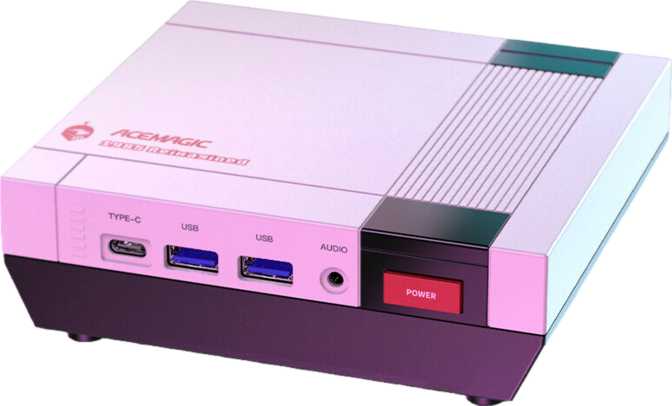
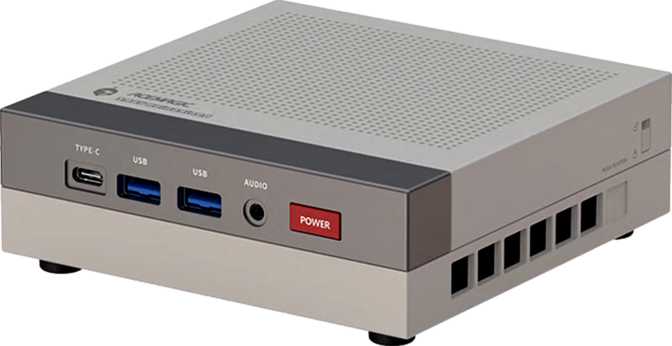
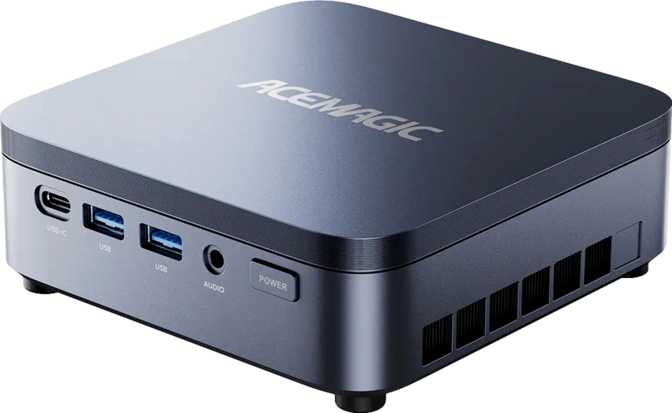
Port placement is practical, with primary connectivity grouped for easy access. The inclusion of a 3.5mm audio jack may seem minor, but for a machine that naturally fits into a media hub or multi-monitor desk role, having built-in audio output simplifies setup in a meaningful way without requiring an additional adapter.
Core Performance Analysis
Benchmark scores translated into real-world meaning — what these numbers tell you about daily use, and where the ceiling becomes visible.
The N3A is powered by a mobile-class processor with four physical cores and eight logical threads, capable of boosting to 4GHz under single-threaded demand. A 35-watt thermal ceiling signals an efficiency-first design: this chip runs quietly and predictably rather than sprinting for peak throughput. For everyday productivity tasks — web browsing, office suites, video calls, and media playback — the processor does not approach its limits. For CPU-heavy workflows, those limits become visible.
The cache hierarchy supports responsive multitasking: 4MB of shared L3 cache keeps frequently accessed data close to the execution units, reducing latency when switching between open applications. In daily office use, this translates to a fluid feel even when multiple programs are running simultaneously.
| Benchmark | Score | What It Means for Daily Use | Tier |
|---|---|---|---|
| PassMark Overall | 8,025 | Suited for office and media tasks; well below gaming or creative production tiers | Adequate |
| PassMark Single-Core | 2,067 | Below-average single-thread speed relative to current-generation hardware | Moderate |
| Geekbench 6 (Multi-Core) | 3,067 | Handles parallel workloads comfortably within office-class expectations | Adequate |
| Geekbench 6 (Single-Core) | 987 | Noticeable ceiling in applications that rely on single-thread speed | Moderate |
| Cinebench R20 (Multi) | 1,809 | Light rendering feasible; not a tool for production-scale creative pipelines | Moderate |
| Cinebench R20 (Single) | 367 | Reflects the efficiency-focused processor architecture clearly and honestly | Limited |
| Blender BMW27 | 514s | Over 8 minutes per render frame — production 3D work is not this machine's purpose | Slow |
| Blender Classroom | 1,696s | Nearly 30 minutes per frame — reinforces that rendering is entirely outside this machine's comfortable role | Slow |
Memory: The N3A's Defining Feature
64GB Changes What This Machine Can Actually Do
Most competing compact desktops at this tier ship with 8GB or 16GB as standard configurations. The Acemagic N3A's 64GB of DDR4 memory is not a marginal upgrade — it is a fundamentally different class of machine for memory-dependent workloads. Running multiple virtual machines simultaneously, keeping dozens of browser tabs active without slowdown, handling large spreadsheet datasets, or maintaining active development environments all become comfortable rather than strained.
Memory operates across two channels, which improves bandwidth and helps the integrated graphics perform closer to its ceiling. For everyday users, dual-channel operation means smoother multitasking. For those running GPU-adjacent workloads, it removes a bandwidth bottleneck that would otherwise limit performance at a hardware level.
ECC Support: The Feature That Changes the Deployment Conversation
Error-Correcting Code memory is standard in servers and professional workstations — almost never found in consumer compact desktops. ECC memory detects and corrects single-bit memory errors automatically, in real time, without user intervention. For workloads where data integrity genuinely matters — financial applications, lightweight server roles, always-on home automation, database work — this capability transforms the N3A from an interesting office PC into something with a legitimate professional identity.
If ECC is irrelevant to your work, it costs you nothing extra. If ECC matters to your use case, the N3A is nearly alone in its category in offering it.
Error-Correcting Code memory automatically detects and fixes memory errors before they cause data corruption or system instability — silently, in the background.
- Standard in servers and workstations
- Extremely rare in consumer mini PCs
- Critical for financial or data-sensitive workloads
- Valuable for always-on server deployments
- Zero downside for users who do not need it
Storage: A Full Terabyte, Done Right
The N3A includes a one-terabyte NVMe SSD — and both parts of that description earn separate attention. The terabyte capacity means you are not immediately rationing storage or planning workarounds from day one. A complete software installation, an active project library, and a media collection fit without compromise. For a machine used as a primary desktop, this is the baseline that should be expected everywhere but often is not at this price tier.
The NVMe interface communicates directly through the processor's PCIe lanes rather than through a slower controller. The practical result is immediate: applications launch faster, large file transfers complete in seconds rather than minutes, and the operating system boots without the familiar wait. In a machine where CPU throughput has a defined ceiling, fast storage helps compensate by reducing the time the system spends waiting on data rather than processing it.
Graphics and Display Output
Integrated Radeon Vega Graphics: Capable Within Its Boundaries
The N3A relies on integrated Radeon Vega graphics with ten compute units operating at 1,400MHz. This configuration handles 2D productivity work, HD and 4K video playback, light image editing, and casual older games without difficulty. DirectX 12 and OpenGL 4.6 support ensures the graphics stack is compatible with modern software — productivity applications, media players, and general-purpose tools all function as intended.
What the integrated graphics cannot do is run modern 3D games at playable frame rates, accelerate real-time video effects, or handle machine learning inference at useful throughput. The available memory bandwidth — constrained partly by DDR4 memory running at 2,400MHz — confirms this machine's identity as a productivity platform rather than a graphics workstation. This is a firm boundary, not a starting point to push against.
Four Simultaneous Display Outputs
Where the N3A's display capability genuinely stands out is in multi-monitor support. Up to four screens can be connected simultaneously — a feature that distinguishes it from the majority of compact desktops that max out at two. One HDMI 2.1 port and one DisplayPort output handle primary connections, with HDMI 2.1 specifically capable of driving modern 4K displays at higher refresh rates than the older HDMI 2.0 standard. For trading dashboards, monitoring setups, or multi-panel productivity configurations, this capability is a meaningful differentiator.
| Output | Standard | Ports |
|---|---|---|
| HDMI | HDMI 2.1 | 1 |
| DisplayPort | Standard DP | 1 |
| Total Simultaneous Displays | Up to 4 | |
Connectivity: Strengths and One Significant Gap
Wi-Fi 6E — the 802.11ax standard extended into the 6GHz frequency band — is the current leading edge of consumer wireless. It delivers lower latency and dramatically less congestion than Wi-Fi 5 or standard Wi-Fi 6, particularly in environments where multiple devices share bandwidth simultaneously. For a compact desktop handling video conferencing or data-heavy transfers over wireless, this is the right choice.
The USB port selection reflects a deliberate quality-over-quantity approach. Each of the three available ports runs at up to 10Gbps — fast enough for external NVMe drives, high-speed hubs, and professional audio interfaces. The absence of slower legacy USB ports means users will not accidentally connect a high-speed device into a bottleneck port without realizing it.
| Connection Type | Count | Speed or Standard |
|---|---|---|
| USB 3.2 Gen 2 Type-A | 2 | Up to 10Gbps each |
| USB 3.2 Gen 2 Type-C | 1 | Up to 10Gbps |
| HDMI Output | 1 | HDMI 2.1 |
| DisplayPort Output | 1 | Full display output |
| 3.5mm Audio Jack | 1 | Headphone and microphone |
| Wi-Fi | Wi-Fi 6E — 802.11ax with 6GHz band | |
| Bluetooth | Bluetooth 5.2 | |
| Wired Ethernet (RJ45) | Not included |
The N3A has no built-in RJ45 Ethernet port — a notable absence for a compact desktop with a plausible server or professional deployment story.
For most home users relying on Wi-Fi 6E, daily use is unaffected. But for server roles, NAS access, fixed video conferencing setups, or any environment where network reliability takes priority over cable tidiness, this gap needs to be addressed before purchase.
Who the Acemagic N3A Is Built For
The N3A's strengths are specific. Matching them to your actual requirements before purchase saves disappointment.
- You work from home or in a small office and need a quiet, capable desktop for email, web, productivity software, and video conferencing
- You run virtual machines, Docker containers, or memory-hungry development environments that exhaust most mini PCs
- Your workflow spans three or four monitors and you need compact hardware that supports them all natively
- You want a lightweight home server or always-on service where ECC memory integrity and low power draw are genuine operational advantages
- You value generous, fast storage and substantial memory headroom over raw CPU or GPU performance
- Gaming is a priority — modern titles require discrete GPU performance the Vega integrated graphics simply cannot deliver
- You edit video, create motion graphics, or work with visual effects — GPU acceleration and render throughput are beyond this machine's range
- 3D rendering or simulation is part of your regular workflow — the benchmark results make this limitation unambiguous
- You require wired Ethernet as your primary network connection without adding an external adapter
- Thunderbolt connectivity is essential for high-bandwidth peripherals or professional displays — no Thunderbolt ports are present
How the N3A Compares to Alternatives
Positioned against the two most logical purchase alternatives, the N3A's identity becomes clear: its memory configuration and ECC support are its clearest advantages; the absent Ethernet and limited GPU are its clearest trade-offs.
| Feature | Acemagic N3A | Typical Budget Mini PC | Compact Workstation |
|---|---|---|---|
| RAM | 64GB DDR4 | 8–16GB | 32–128GB |
| Storage | 1TB NVMe | 256–512GB | 512GB–2TB |
| Wireless | Wi-Fi 6E | Wi-Fi 5 or 6 | Wi-Fi 6 |
| ECC Memory | Yes | No | Often yes |
| Display Outputs | Up to 4 | 1–2 | 1–4 |
| Wired Ethernet | No | Usually yes | Always yes |
| GPU Type | Integrated | Integrated | Often discrete |
| Multi-Monitor | Strong | Limited | Strong |
Honest Strengths and Weaknesses
The N3A's 64GB of memory is not a specification that exists for comparison chart victories — it genuinely changes what the machine can handle. For developers running containerized environments, users maintaining multiple virtual machines, or anyone who has watched a cheaper desktop grind to a halt under a demanding browser session, this headroom is the reason to take the N3A seriously.
ECC memory support adds a layer of reliability that competing mini PCs simply do not offer. The one-terabyte NVMe drive is fast and spacious enough that storage never becomes the conversation. Wi-Fi 6E ensures wireless is fully current-generation. Four-monitor output capability distinguishes this machine from almost every compact desktop at its size. These are deliberate choices that serve a specific audience with clear competence.
The processor's single-threaded performance is the most consistent limitation you will encounter in regular use. CPU-intensive tasks — compiling large codebases, transcoding video, running demanding simulations — take noticeably longer than they would on a higher-power chip. This is an inherent trade-off of the efficiency-class design that keeps the N3A cool and quiet; it needs to be acknowledged clearly for buyers with heavier workloads.
The missing Ethernet port stands apart because it feels avoidable rather than architectural. In every other area of connectivity, the N3A makes current-generation choices. The absence of wired networking — particularly for a machine with a plausible server deployment story — is the one specification decision that leaves a genuine operational gap without a built-in solution.
Questions Buyers Ask Before Purchasing
The most common pre-purchase concerns answered directly — no hedging, no filler.
The Acemagic N3A makes a compelling case for a specific buyer: someone who needs substantial memory capacity, fast and generous storage, multi-monitor output, and current-generation wireless — and whose workload does not demand high-end processing power or discrete GPU performance.
The 64GB memory and ECC support are this machine's defining characteristics. For a home power user, a light server operator, a developer running containerized environments, or a multi-monitor productivity setup, these specifications deliver real value that equivalent-sized competitors simply do not match. The storage is fast and spacious. The wireless stack is fully current. The four-monitor capability is genuinely rare at this size.
For gaming, creative rendering, or raw computing throughput, the N3A is the wrong tool — and its benchmark results are honest about that with no ambiguity. The missing Ethernet port is a genuine gap worth planning for before purchase. If your requirements align with the first profile, this is a thoughtful, well-equipped machine in a category where most options demand compromise before you even begin.