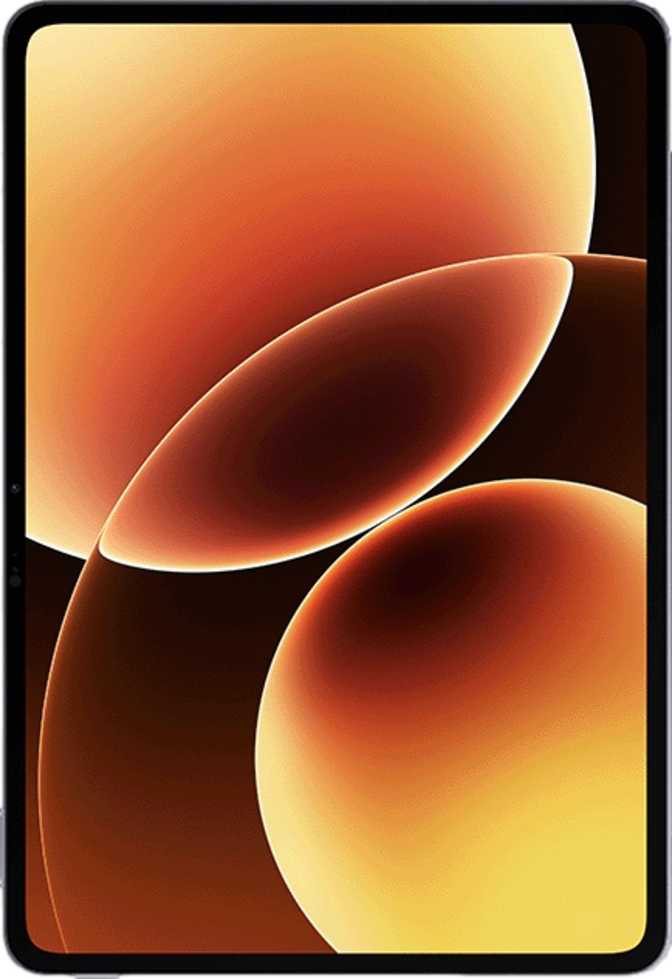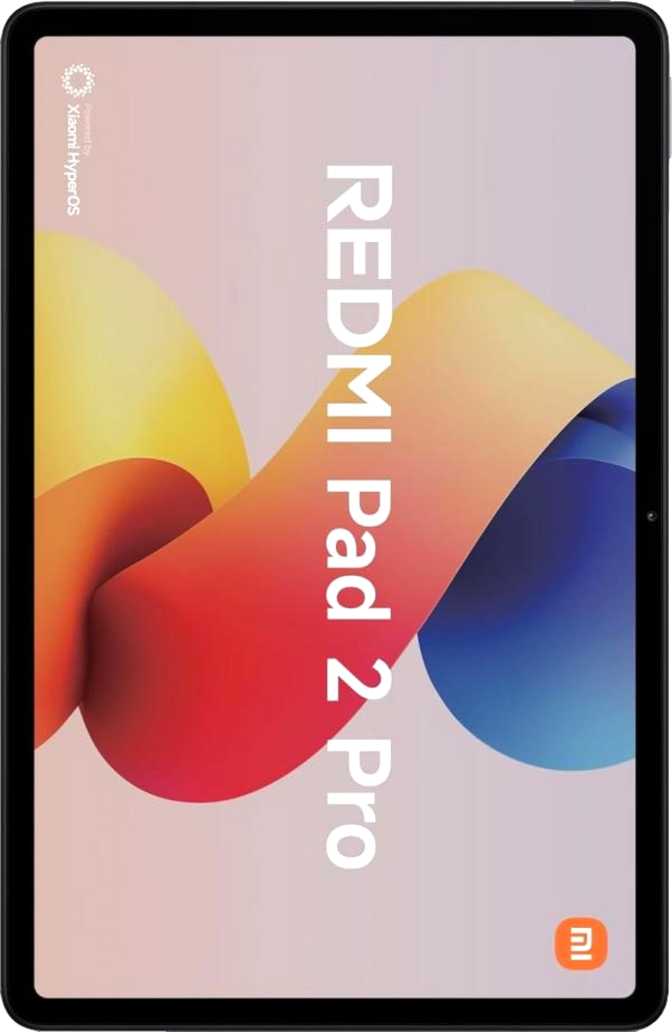
Xiaomi Pad 8 Pro Review: Outstanding Performance, One Clear Compromise
TabletsMost Android tablets at this price demand a compromise: impressive specs inside a forgettable chassis, or a premium build housing mid-range internals. The Xiaomi Pad 8 Pro takes a different stance — pairing one of the most powerful mobile processors currently manufactured with a high-resolution 144Hz display and a battery large enough to outlast a full working day, all inside a frame thin enough to surprise you every time you lift it. There are real trade-offs built into this device. This review exists so you understand exactly what they are before spending the money.
Snapdragon 8 Elite
Processor
11.2″ · 144Hz IPS
Display
16GB DDR5 RAM
Memory
512GB Storage
Internal
9,200 mAh
Battery
Android 16
Operating System
Review Score Breakdown
Based on specifications analysis
Design and Build: Thin Enough to Feel Premium
At 5.8mm thick, the Xiaomi Pad 8 Pro belongs among the slimmest large-screen tablets available anywhere in its class.
At 5.8mm, this tablet is physically thinner than most mechanical pencils — and noticeably thinner than the average hardcover book spine. Paired with a weight just under 500 grams, the device disappears in your hands during extended reading or browsing sessions. That tactile quality matters far more over hours of daily use than any single number on a specification sheet.
The footprint — roughly 251mm wide and 173mm tall — positions it firmly as a landscape-first device. It slides into most laptop sleeves and sits flat in a standard bag without the bulk that plagued earlier large-screen Android tablets.
Damage-resistant glass covers the display, providing meaningful protection against everyday drops and surface scratches without forcing a case onto the device. There is no water resistance rating of any kind, which is worth knowing if your usage regularly involves kitchens, bathrooms, or outdoor conditions where splashes are a realistic risk.
- Thickness5.8 mm
- Weight494 g
- Width251.2 mm
- Height173.4 mm
- Water ResistanceNone
- Stylus IncludedNo
- Keyboard IncludedNo
The Display: Where the Pad 8 Pro Earns Its “Pro” Badge
3200 × 2136 resolution, 344 ppi, 144Hz refresh, and Dolby Vision — all delivered through an 11.2-inch IPS panel.
Sharpness That Stands Up at Any Distance
A pixel density of 344 pixels per inch puts this screen in effectively retina-level territory. At any typical tablet viewing distance, individual pixels are invisible to the naked eye. Text renders as printed rather than digital, and fine detail in photos or video holds up clearly even when you examine it closely. Anyone reviewing design work, reading dense academic PDFs, or editing documents will feel the difference compared to lower-resolution panels in this price range.
Motion Fluidity and Touch Precision
A 144Hz refresh rate means the screen redraws 144 times per second. For casual users, scrolling feels physically natural — more like turning a page than sliding a digital list. For gamers, compatible titles run with noticeably smoother animation than on 60Hz or 90Hz panels. The 240Hz touch sampling rate — how often the screen checks for your finger’s exact position — produces near-zero perceptible lag between input and response. This is most noticeable in drawing apps and any workflow demanding precise repeated taps.
HDR and Color Range
Support for both HDR10 and Dolby Vision covers the two dominant streaming HDR standards. Netflix, Disney+, and other major platforms deliver the wider color range and contrast depth that HDR content is mastered for when viewed on this screen. This is an IPS LCD panel — absolute blacks and the distinctive contrast depth of OLED are not achievable here — but for an IPS display, the brightness headroom and color accuracy are genuinely strong for the category.
- Screen Size11.2 inches
- Resolution3200 × 2136
- Pixel Density344 ppi
- Panel TypeIPS LCD
- Refresh Rate144 Hz
- Touch Sampling240 Hz
- HDR10Yes
- Dolby VisionYes
- Anti-ReflectionNone
Performance: Flagship-Grade Processing in a Tablet Body
The Snapdragon 8 Elite is not a cut-down tablet variant. It is the same silicon powering today’s highest-end Android smartphones.
What the Processor Actually Delivers
Built on a 3-nanometer manufacturing process, the Snapdragon 8 Elite achieves more computational output per unit of heat than any prior generation of mobile silicon. Two high-performance cores run at 4.32GHz for intensive tasks; six efficiency cores at 3.53GHz handle lighter workloads. This big.LITTLE architecture means the tablet conserves battery while you browse and check email, then delivers maximum power for gaming, video export, and AI-assisted tasks — automatically, without manual input.
In standardized multi-core performance testing, this chipset scores over 10,000 points, placing it in the same tier as flagship laptop processors from just a few years ago. Single-core scores above 3,200 reflect real-world responsiveness: how quickly the screen reacts when opening an app, switching windows, or loading a heavy page. The honest summary for non-technical buyers: nothing you realistically ask this tablet to do will challenge it.
Memory and Storage
16GB of next-generation DDR5 memory operating at extreme bandwidth means the tablet holds a large number of apps alive in the background simultaneously — without reloading them when you return. Switching between a live spreadsheet, an active video call, and a browser with fifteen open tabs is realistic everyday behavior here, not a stress test.
512GB of fixed internal storage handles hundreds of downloaded shows, large photo libraries, and a full app suite without approaching any ceiling for most users. There is no microSD expansion slot, making 512GB the absolute limit — but typical usage patterns will rarely put that limit under pressure.
GPU and Graphics Capability
The Adreno 830 includes 1,536 shading units with full DirectX 12 and OpenGL ES 3.2 support, covering the entire range of modern mobile graphics APIs. Demanding games run at maximum visual settings and can fully leverage the 144Hz display for smooth, stable frame rates. Creative work that offloads rendering to the GPU rather than the CPU is equally well-served.
- ChipsetSnapdragon 8 Elite
- Process Node3 nm
- CPU Cores2×4.32 + 6×3.53 GHz
- GPUAdreno 830
- RAM16GB DDR5
- RAM Speed5,300 MHz
- Storage512GB
- Shading Units1,536
- GB6 Multi-Core10,059
- GB6 Single-Core3,234
Battery Life: A Full Day and Then Some
A 9,200mAh cell — roughly twice the capacity of two flagship smartphones combined — removes charging anxiety from daily use entirely.
Real-World Endurance
Most flagship smartphones carry between 4,000 and 5,000mAh. This tablet carries nearly double that in a single cell. In practical terms, expect full-day productivity use — six to eight hours of active screen time — without needing a charger. Casual browsing, document editing, and media consumption at moderate brightness can comfortably stretch to a second day. Heavy mixed sessions involving simultaneous streaming, gaming, and video calls deplete the cell more quickly but still cover a standard workday with room to spare.
The efficiency gains from the 3-nanometer chipset compound this advantage further. More processing power is delivered per watt consumed than on tablets using older chip designs, which means the battery outlasts what the raw capacity figure alone would imply.
Charging: Fast via USB-C, No Wireless
Fast charging support via USB-C means topping up from a compatible charger is meaningfully quicker than trickle charging. The same USB-C port (running at USB 3.2 speeds) enables high-speed data transfer and display output to external monitors simultaneously.
Fast charging via USB-C
Rapid top-ups from any compatible charger
No wireless charging
A USB-C cable is always required for power. Cable-free convenience is not an option on this device.
Cameras: Capable for a Tablet, Not a Phone Replacement
Tablet cameras live or die by their video call and document-scanning performance. That is exactly where the Pad 8 Pro focuses its strengths.
Rear Camera
The 50-megapixel rear camera uses phase-detection autofocus — the same technology found in premium smartphones — which locks focus quickly and accurately for scanning documents, reading QR codes, and capturing whiteboards in business settings. In well-lit conditions, images are clean and resolved in high detail.
The individual pixel size is compact at 0.64 micrometers, which limits low-light performance. Colors can become noisy and fine detail may soften in dim environments. For scanning printed materials and shooting in reasonable lighting, results are reliable. For low-light photography, the physics are working against you.
Video recording reaches 4K at 60 frames per second — smooth, high-resolution capture that covers video calls, instructional recording, and travel documentation with ease. There is no optical image stabilization, no optical zoom, and no slow-motion video capability.
Front Camera
The 32-megapixel front camera with f/2.2 aperture and touch autofocus is the standout for this product category. Video calls appear noticeably sharper and better-exposed than on most competing Android tablets. For anyone who spends significant time in video conferences, this is a genuine differentiator worth noting.
- Rear Camera50 MP, f/1.8
- Front Camera32 MP, f/2.2
- Max Video4K @ 60fps
- AutofocusPhase-Detection
- HDR ModeYes
- Optical ZoomNone
- OISNone
- Slow MotionNot Supported
- Manual ControlsISO, WB, Focus
Connectivity: Wi-Fi 7 Excellence, No Cellular Option
Wi-Fi only by design — and that single decision defines this tablet’s identity more than any other specification.
Wireless Networking
Wi-Fi 7 (802.11be) support places the Xiaomi Pad 8 Pro at the current frontier of wireless networking. On a compatible router, this translates to lower latency, stronger performance in congested multi-device environments, and transfer speeds that make wired connections feel unnecessary for most tasks. Backward compatibility with Wi-Fi 6, Wi-Fi 5, and earlier standards means full protocol-level performance on any existing home or office network.
Bluetooth 5.4 handles all current wireless audio and peripheral standards — keyboards, mice, styluses, and audio devices all connect with current-generation stability. The stereo speaker setup covers media playback and calls without requiring additional hardware.
The Cellular Trade-Off
There is no SIM card slot, no LTE, and no 5G. The tablet requires a Wi-Fi network or a phone hotspot to reach the internet. For home, office, and campus users, this is invisible in daily life. For users who travel without consistent Wi-Fi access, it is a genuine daily constraint.
What’s Available
- Wi-Fi 7 (802.11be) — latest standard
- Bluetooth 5.4
- USB-C 3.2 — fast data and display output
- Stereo speakers
- Dual external display support
What’s Missing
- No cellular (LTE or 5G)
- No GPS module
- No 3.5mm headphone jack
- No NFC
- No wireless charging
Software: Android 16 with Productivity and Privacy Depth
The most current Android version ships on the Pad 8 Pro, bringing a comprehensive feature set for work, creativity, and personal privacy.
Android 16 includes split-screen multitasking for running two full apps simultaneously, Picture-in-Picture to keep a video or call visible while working in another app, and the ability to play a game while it continues downloading in the background. On-device machine learning powers offline voice recognition and Live Text — extracting readable text from any image on-screen — entirely without sending data to external servers.
Privacy controls are thorough: per-app camera and microphone access, clipboard access warnings, location sharing controls, and app tracking restrictions are all natively built in. Multi-user support lets different family members or colleagues maintain completely separate app states and accounts on the same physical device.
Dark mode, dynamic theming, widget support, and customizable notifications provide the flexibility that makes large-screen Android useful for sustained work sessions. Full-page scrolling screenshots, an extra display dimming mode for low-light environments, and app offloading that frees storage without losing data round out a thoughtful feature set.
Key Software Features
- Split-screen multitasking
- Picture-in-Picture mode
- On-device machine learning
- Offline voice recognition
- Live Text extraction from images
- Multi-user account support
- Dynamic theming & dark mode
- Full-page scrolling screenshots
- Play games while downloading
- No direct Google OS updates
Who the Xiaomi Pad 8 Pro Is For — and Who It Is Not
Understanding where this tablet fits in your life prevents a frustrating return experience.
- You primarily use Wi-Fi and have reliable connections at home, work, or school
- You want the fastest available mobile processor for demanding apps, gaming, or heavy multitasking
- You stream significant volumes of content and want full HDR10 and Dolby Vision support
- You need a sharp, high-resolution screen for reading, document review, or content creation
- You value extreme thinness and portability without sacrificing raw performance
- You have frequent video calls and want a front camera that actually delivers quality results
- You need standalone cellular connectivity — there is no SIM card slot of any kind
- You depend on GPS for navigation or location-based applications
- You use wired headphones and need a 3.5mm jack without carrying an adapter
- You expect a stylus or keyboard to be included in the box
- You require a full OLED panel — the IPS LCD cannot match OLED’s blacks or contrast depth
- You work extensively outdoors in bright sunlit conditions — no anti-reflection coating
Competitive Positioning: How It Stacks Up
The Xiaomi Pad 8 Pro competes on processing power. Here is an honest comparison against the two most logical alternative categories.
| Feature | Xiaomi Pad 8 Pro | Premium Android Rival | Apple iPad Pro (equiv.) |
|---|---|---|---|
| Processor Tier | FlagshipSnapdragon 8 Elite | Varies — often mid-tier | Apple M-series |
| Display Technology | IPS LCD, 144Hz, Dolby Vision | IPS or OLED | OLEDrecent models |
| RAM | 16GB DDR5 | 8–12GB common | 8–16GB |
| Storage (this config) | 512GB | Varies by model | 256GB–2TB |
| Cellular Option | Wi-Fi Only | Usually available | Available option |
| Stylus Included | No | No (usually) | No (usually) |
| Wi-Fi Generation | Wi-Fi 7 | Often Wi-Fi 6 | Wi-Fi 6E / Wi-Fi 7 |
| Thickness | 5.8 mm | 6–9mm typical | ~5.1mm (thinner) |
| Headphone Jack | No | Rare at this tier | No |
Comparison reflects general category positioning. Specific rival models and exact configurations vary by market and timing.
Frequently Asked Questions
The questions real buyers search for before purchasing the Xiaomi Pad 8 Pro — answered directly.
Final Verdict: A Powerful Tablet for Exactly the Right Buyer
Recommended for Wi-Fi users who want flagship-tier performance. A poor fit for those who need cellular independence.
The Xiaomi Pad 8 Pro earns its premium positioning in the areas that define everyday use: speed, display quality, and endurance. The Snapdragon 8 Elite delivers genuinely best-in-class mobile performance, the 144Hz IPS panel is sharp and fluid enough to satisfy demanding consumers, and the battery capacity removes charging anxiety from the daily routine. These are not incremental improvements over the competition — they represent a real performance tier step.
The limitations are real but not hidden. No cellular connectivity, no GPS, no headphone jack, no included stylus or keyboard, an IPS panel where OLED alternatives exist, and software updates that depend on Xiaomi’s own schedule rather than Google’s — every one of these is a deliberate product decision rather than an oversight. Knowing them before purchase is all that separates the right buyer from the wrong one.
For anyone primarily using Wi-Fi who wants the best available Android processing power, a premium-resolution display, and long battery life in a genuinely thin and light form factor — at a meaningful price advantage over Apple’s equivalent tier — the Xiaomi Pad 8 Pro makes a clear and well-supported case for itself. If cellular independence, OLED picture quality, or stylus creativity out of the box are non-negotiable requirements, the search should continue elsewhere.
5.0
Performance
4.5
Build Quality
4.0
Display
4.3
Overall