Oppo Pad Air 5 Full Review: More Tablet Than the Price Suggests
TabletsOur Verdict
A well-balanced mid-range tablet that overdelivers on screen size, memory, and battery endurance while making deliberate trade-offs on 5G and HDR.
The mid-range Android tablet market has never been more crowded, and that's exactly what makes the Oppo Pad Air 5 an interesting proposition. It enters the conversation carrying a 12.1-inch display, a capable 4-nanometer processor, a stylus in the box, and a battery large enough to outlast most weekends — at a price point where compromises are expected but should still be chosen carefully. Whether those compromises land in places you'll notice every day is what this review is here to answer.
Design and Build: Impressively Thin, Thoughtfully Proportioned
At 6.8 mm thick and 599 grams, the Oppo Pad Air 5 sits in a genuinely comfortable zone for a tablet this size. To put that in context, a 12-inch device approaching 600 grams is lighter than most hardcover novels at that size, and the thinness means it slides into a bag without claiming much real estate. Holding it one-handed for extended reading is feasible in landscape orientation, though like all tablets in this footprint, two hands are advisable for extended typing or note-taking sessions.
The physical dimensions — roughly 266 mm wide by 193 mm tall — give it an aspect ratio that works well both in landscape for video and in portrait for documents or browsing. It's not pocketable in any realistic sense, but it's among the more portable 12-inch slates available.
Stylus Included in the Box
One notable inclusion: the stylus ships in the box. For a mid-range tablet, that's a meaningful addition, particularly for students and note-takers who would otherwise need to budget separately for an accessory. The stylus lacks tilt sensitivity, so professional illustrators relying on pressure-angle input for brush simulation won't get that level of nuance. For handwritten notes, annotations, and casual sketching, however, it performs its role without extra cost.
No Water Resistance
There's no IP certification here, so this isn't a tablet to use poolside or hand to a child in the bath. Handle it with appropriate care around liquids — a spill won't be covered by design intent. This is a living room and desk device, not one built to survive the outdoors.
The Display: Where This Tablet Earns Serious Consideration
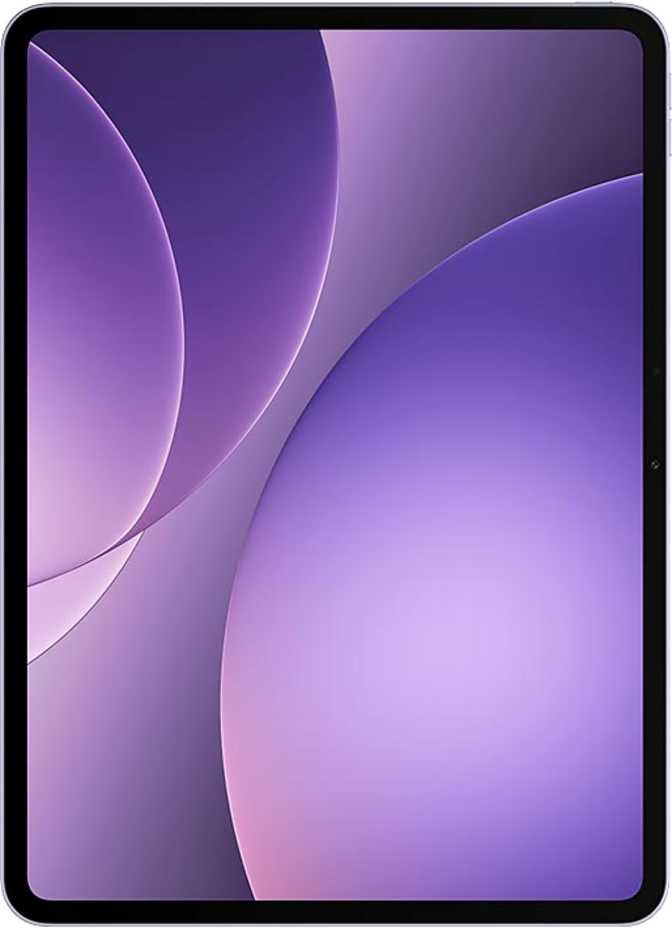
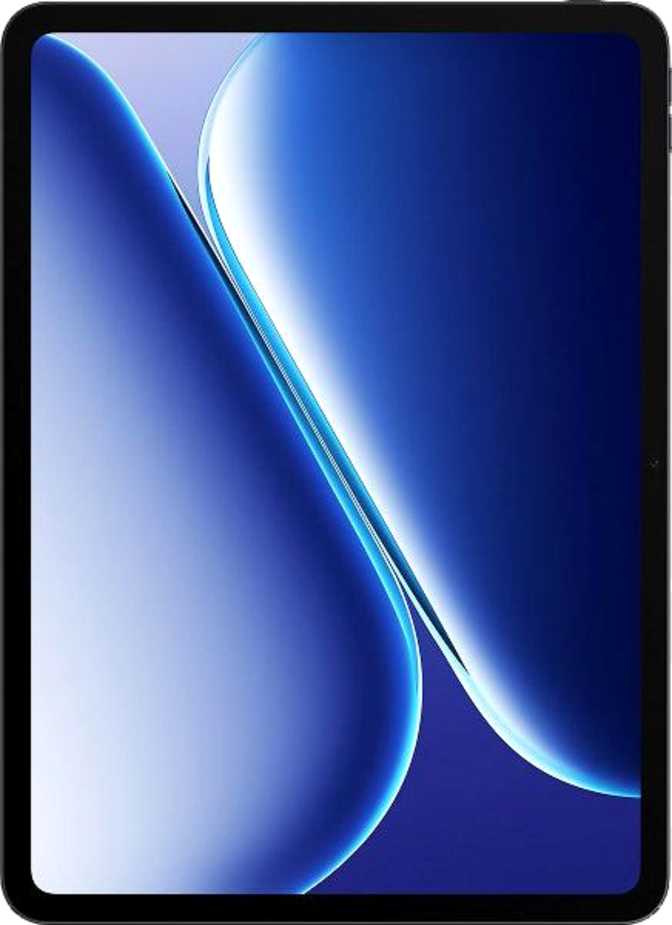
A 12.1-inch IPS LCD panel running at 2800 × 1980 pixels produces a pixel density of 283 pixels per inch — that's sharp enough that individual pixels are invisible at normal viewing distances. Text looks clean, icons are crisp, and detailed images hold up well at close inspection. Many competing mid-range tablets in this size class ship with lower-resolution screens where text can appear slightly soft; this display avoids that issue.
Why 120Hz Makes a Real Difference
The 120Hz refresh rate is arguably the feature that changes the feel of daily use more than any single specification. Everything — scrolling through a webpage, swiping between apps, navigating the home screen — responds with a fluidity that 60Hz panels simply can't match. It's one of those things that's easier to feel than to explain: use a 120Hz screen for a week, then try going back, and you'll immediately understand why it matters.
Peak brightness at 600 nits is adequate for indoor use and moderately lit environments. In direct outdoor sunlight the screen will struggle — this is a living room and commute tablet, not a poolside device. The absence of an anti-reflection coating means glare management falls entirely on how you position the device rather than the screen itself mitigating it.
The display does not support HDR10, Dolby Vision, or HDR10+. For streaming services that deliver HDR-graded content, the Pad Air 5 will display those streams in standard dynamic range. The visual difference is subtle for casual viewers but noticeable on scenes with strong contrast — deep blacks won't crush as dramatically, and bright highlights won't pop as intensely. For home-theater enthusiasts who prioritize HDR-accurate playback, it's a meaningful gap.
Performance: A Modern Chip Doing Modern Work
The Processor
The MediaTek Dimensity 7300 is built on a 4-nanometer manufacturing process — the same generation of fabrication used in flagship chips, applied here to a power-efficient mid-range design. In practical terms, this means the chip runs cooler and draws less battery per task than older 6nm or 7nm predecessors at equivalent performance levels.
The CPU architecture splits its eight cores into two groups: four higher-performance cores running at 2.5 GHz handling demanding tasks, and four efficiency cores at 2.0 GHz managing lighter background work. This split — called big.LITTLE architecture — means the chip scales its workload intelligently rather than burning full power during a podcast or email session.
Geekbench 6 — Multi-Core
Upper-mid-range tier — handles multitasking and productivity without hesitation
Geekbench 6 — Single-Core
Single-thread tasks — app launches, UI rendering — feel snappy and immediate
For daily tasks — web browsing, video calls, document editing, social media — this chip handles everything without hesitation. For heavier workloads like large spreadsheets, PDF annotation across long documents, or multi-window productivity setups, it handles those without drama either. Where users will feel the limits: graphically intensive gaming at high settings, particularly newer titles with complex 3D rendering. Casual games, mid-tier titles, and emulation of older platforms are all comfortable territory. The most demanding current-generation mobile games may require dialing down visual settings to maintain smooth frame rates.
Memory and Storage
12GB of RAM — using fast DDR5 memory — is genuinely generous for this category. It means the system keeps more apps alive in the background before needing to reload them, multitasking across several open applications stays smooth, and the split-screen mode doesn't feel sluggish when running two demanding apps simultaneously.
256GB of internal storage handles most users' needs comfortably, but if you archive large video files, download many offline shows, or accumulate years of photos, the microSD card slot provides straightforward overflow. Storage anxiety shouldn't be a deciding factor here.
Software
The Pad Air 5 ships with Android 16, one of the most current versions of Android available. That means the newest privacy controls, interface refinements, and app compatibility are all present from day one. The software layer includes ColorOS, Oppo's Android skin, which adds theme customization, dynamic theming, and a range of personalization tools on top of the stock Android foundation.
Cameras: Functional, Not the Point
A tablet's rear camera is used mostly for scanning documents, capturing whiteboards, and the occasional video call routed through the back sensor. The Pad Air 5 ships with an 8-megapixel main camera capable of recording 1080p video at 30 frames per second.
For document scanning and QR code reading, it performs its job without issue. Touch autofocus and continuous autofocus during video ensure subjects stay sharp during recording. Manual controls — including ISO, white balance, exposure, and focus — are available for users who want granular control over their shots.
- Touch and continuous autofocus
- Manual ISO, white balance, exposure & focus controls
- Built-in HDR mode
- 8MP front camera for clear video calls
- No optical image stabilization
- No flash — front or rear
- No slow-motion or burst mode
- Video capped at 1080p / 30fps
If tablet photography is meaningful to you, this is not the device to build that expectation around. If you need a sensor for scanning paperwork and joining video calls, it covers those use cases without complaint.
Battery Life and Charging
Endurance
The 10,050 mAh battery is large enough to be genuinely noteworthy. At that capacity, most users will find they can go two to three days of moderate use — browsing, video streaming, light productivity — between charges. Even heavy users who stream video for several hours daily should comfortably reach the end of a full day without anxiety. For a 12-inch display running at 120Hz, that's a strong outcome; larger screens and higher refresh rates both draw additional power, and the Dimensity 7300's efficiency helps keep consumption in check.
Charging
Fast charging is supported. Wireless charging is not. The device uses a USB Type-C port for both charging and data transfer, which is the modern standard and means the cable situation is uncomplicated. The USB version is 2.0, which limits data transfer speeds between the tablet and a computer — not ideal for moving large video files quickly, but irrelevant for most day-to-day use.
Connectivity: Capable, With One Meaningful Gap
Wireless
Wi-Fi 6 support means the Pad Air 5 connects at modern wireless speeds and handles congested network environments — like apartments with many devices — better than older Wi-Fi standards. Bluetooth 5.4 provides a stable, current-generation connection for keyboards, headphones, and accessories. The device includes a cellular module and accepts a single SIM card for 4G LTE connectivity.
No 5G Support — Know Before You Buy
The absence of 5G is the most significant connectivity trade-off in the specification list. In regions with dense 5G coverage, LTE will be noticeably slower for downloads and streaming on mobile networks. For users who rely primarily on Wi-Fi and use cellular data occasionally, this is a minor inconvenience. For users whose primary connectivity is cellular or who frequently work from locations without reliable Wi-Fi, it's a more meaningful limitation.
What's Missing
No gyroscope is listed in the sensor array. For most users this is entirely invisible — the device handles screen rotation via accelerometer fine. It does mean that AR applications relying on gyroscope input for motion tracking will not function correctly, and some navigation apps that use gyroscope data for precise orientation may behave unexpectedly.
GPS and Navigation
GPS is present and functional, alongside Galileo satellite support for accurate positioning. For navigation, delivery route planning, or location-based apps, the positioning hardware works even without a cellular connection active.
Audio: Stereo Sound, Limited Options
The stereo speaker configuration produces audio from both sides of the device, which means sound doesn't collapse to one corner during landscape use — an important practical detail for media consumption. The quality ceiling of a tablet's built-in speakers is always going to be modest compared to a dedicated audio device, but stereo placement significantly improves the experience for video calls and casual streaming.
Bluetooth audio is available, though the device does not support any of the premium Bluetooth audio codecs: no aptX, aptX HD, LDAC, or aptX Adaptive. Wireless audio through standard SBC or AAC codecs will be perfectly acceptable for most listeners; audiophiles who have invested in high-resolution wireless audio equipment should note that the enhanced codec chain won't engage.
The absent 3.5mm jack means wired headphone users will need either a USB-C adapter or wireless headphones. This is an increasingly common trade-off across the industry, but it's still an inconvenience worth flagging for users with an existing collection of wired audio equipment.
Privacy and Software Features
The Pad Air 5 runs a well-equipped privacy toolkit at the operating system level. App tracking can be blocked on a per-app basis, location data includes granular permission controls, and camera and microphone access can be restricted independently for individual applications. Clipboard warnings notify the user when an app reads their copied text. These controls are all standard Android features enhanced by the ColorOS layer.
The device is a multi-user system — different accounts can be set up with separate app libraries, data, and settings. Combined with the child lock feature, it makes reasonable sense as a family shared device. Picture-in-picture support means video calls or media can float above other apps. Split-screen lets two apps run side by side — genuinely useful on a 12-inch display where there's enough real estate to work with.
Who This Tablet Is For
- You're a student who wants a large screen for reading, note-taking, and research — the included stylus reduces upfront cost significantly.
- You're a remote worker using the tablet primarily for video calls, document review, and browsing over Wi-Fi.
- You're a media consumer who wants a big, sharp, 120Hz screen for streaming and video without paying flagship prices.
- You're a parent looking for a family shared device that supports multi-user profiles and child lock features.
- You prioritize battery endurance over peak performance — two to three days between charges is genuinely achievable.
- You're a creative professional who relies on tilt-sensitive stylus input for illustration or design work.
- You're a hardcore gamer who plays the most demanding current-generation mobile titles and expects maximum visual settings.
- You depend on fast 5G connectivity as your primary internet source — the LTE-only radio will feel the gap.
- You're an HDR enthusiast who wants the display to render HDR-graded content as the director intended.
- You're a heavy file mover who transfers large data between tablet and computer regularly — USB 2.0 speeds will frustrate you.
How It Compares: Competitive Positioning
The Pad Air 5's strongest differentiators among tablets in its price range are screen size, the included stylus, and memory configuration. Most 12-inch tablets cost considerably more. Finding one with 12GB of DDR5 RAM and a 120Hz display with a stylus bundled is uncommon at this category's pricing. The main areas where competitors can outpoint it are 5G connectivity and HDR display support.
| Feature | Oppo Pad Air 5 | Typical Mid-Range Rival |
|---|---|---|
| Screen Size | 12.1 inches | 10–11 inches (most competitors) |
| Refresh Rate | 120Hz | 60–90Hz common at this price |
| Stylus Included | Usually a paid extra | |
| Chipset Generation | 4nm | Many rivals use 6nm |
| RAM | 12GB DDR5 | 4–8GB common in this tier |
| 5G | Some rivals offer it | |
| HDR Display | Some rivals support HDR10 | |
| Battery | ~10,000 mAh | Competitive |
Honest Assessment: Strengths and Weaknesses
Where It Excels
The Oppo Pad Air 5 is a device where the strengths cluster around the experiences most users actually have most of the time: looking at the screen, working through the day without reaching for a charger, and navigating apps without waiting. The display is genuinely good for its category — the resolution holds up, the 120Hz fluency is meaningful, and 12 inches of real estate is just a better experience for reading and split-screen work than 10 or 11 inches.
The processing performance is strong enough that the device feels current, not compromised. The Dimensity 7300 doesn't chase headlines, but it handles everything a productivity and media-focused tablet user will actually throw at it, and the DDR5 memory means multitasking is smooth rather than strained.
Where It Falls Short
Where the specification list reveals its limits is in areas that matter less frequently but can become dealbreakers for specific users. The lack of 5G is the most practically significant omission — cellular-heavy users will feel it. The USB 2.0 port is a quiet frustration for anyone transferring large files. The absent HDR support and missing advanced audio codecs both represent cost-driven decisions that keep performance under a ceiling rather than reaching for the next tier.
The stylus is functional for notes and annotation but lacks the precision depth that dedicated creative professionals require. The absence of a fingerprint scanner in favor of face unlock may frustrate users who wear masks or frequently unlock the device in low-light conditions. None of these limitations are catastrophic — they are, collectively, what keeps the price where it is.
Common Questions Before You Buy
Final Verdict
The Oppo Pad Air 5 is a well-constructed mid-range tablet that delivers more screen, more memory, and a better stylus situation than most of its price-bracket competitors. For students, remote workers, and casual to moderate media consumers who spend most of their time on Wi-Fi, it offers a daily experience that punches above its category in the areas that are most visible and most felt.
The compromises — no 5G, no HDR, no premium audio codecs, USB 2.0, no fingerprint scanner — are real, but they are the right compromises to make if the goal is maximizing screen quality, battery endurance, and processing headroom at this price point. They become wrong compromises only for a specific subset of buyers: those who rely on cellular data heavily, who stream HDR-graded content seriously, or who need granular stylus pressure sensitivity for illustration work.
For the broad majority of people shopping for an affordable large-screen Android tablet that handles daily tasks without frustration, the Oppo Pad Air 5 makes a strong, defensible case.