NuPhy Node75 Review: Low-Profile Wireless Keyboard, Honest Take
KeyboardsAt a Glance
Core specifications translated into what they mean for daily use
The low-profile mechanical keyboard sits at an uneasy crossroads. Office workers love the slim footprint and the laptop-like typing angle. Enthusiasts are skeptical — they have been burned by low-profile boards that felt hollow, looked cheap, and offered nothing beyond thinness. The NuPhy Node75 is an attempt to close that gap. Triple wireless connectivity, a construction method borrowed from premium mechanical keyboards, genuine typing-quality switches, and a 75% layout that fits equally well on a corporate desk or a gaming setup make this a keyboard with an unusually broad mandate. Whether it delivers on all of it depends on what you actually need from a daily driver.
Design and Build Quality
The 75% Form Factor
The 75% layout is the most practical compact keyboard format available. It preserves the full function row — F1 through F12, all present — keeps a compressed navigation cluster on the right side, and drops only the numpad and the dead space around it. For most people, including power users who rely on function keys, the transition from a full-size or tenkeyless board is painless.
The Node75's footprint is narrow enough to sit comfortably beside a full-size mouse pad without eating into mousing area, and slim enough in profile that it genuinely resembles a laptop keyboard from across the room. Weight lands at a point that feels planted without feeling like a desk fixture — the balance between portability and stability is well-calibrated.
Case, Colors, and Materials
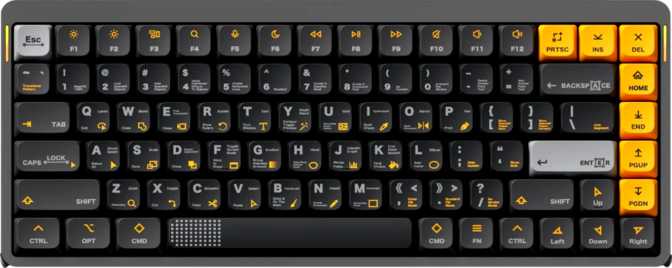
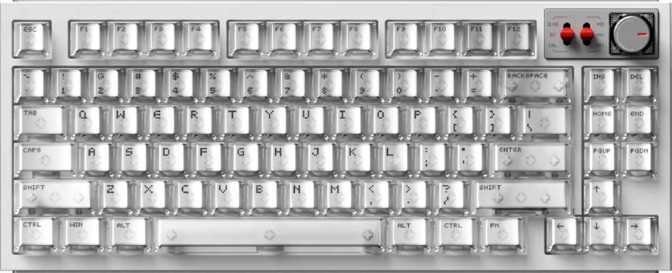
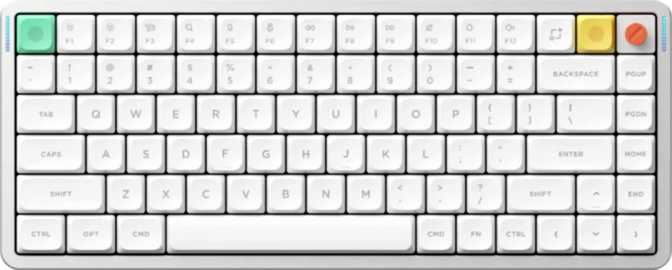
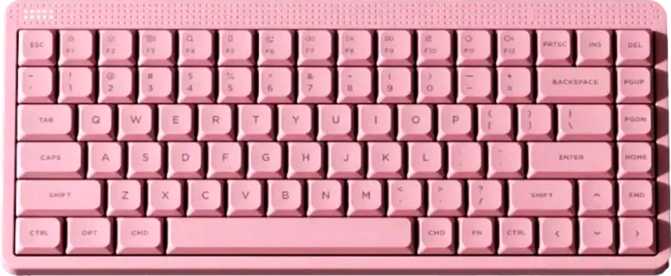
NuPhy offers the Node75 in three colorways — Gray, White, and Pink — all built on the same plastic case. This is not an aluminum keyboard. It does not have the cold solidity of a machined chassis, and it will not impress someone who benchmarks quality by knocking on the shell.
What the plastic case offers is a lighter overall build, natural vibration absorption, and a chassis that is genuinely portable without penalty. Adjustable feet let you dial in your preferred tilt angle. A wrist rest is not included, though the low profile of the board means many users will not feel the absence as strongly as they might with a standard-height mechanical.
The Internal Construction: Gasket Mount
This is where the Node75 earns attention that the case material alone would not justify.
Gasket mounting is an internal construction technique where the plate — the rigid layer your switches snap into — is suspended between soft material buffers rather than screwed directly into the case walls. The result is that the plate can flex slightly under keystroke force, absorbing impact that would otherwise travel straight back into your fingertips, and attenuating the resonant sound that hollow plastic cases tend to amplify.
In practice, a gasket-mounted board feels cushioned. Keystrokes land softer. The sound profile sits lower in pitch and feels more contained — closer to a thud than a clack or a ping. The internal plate is polycarbonate, which is slightly flexible by nature and compounds the gasket's effect. Finding a gasket-mounted design in this low-profile form factor is uncommon, and it represents a meaningful step up in typing feel over what you'd typically encounter at this tier.
The Switches: Linear, Fast, and LP-Native
How Low-Profile Switches Work
The Node75 ships with NuPhy's Red Nano switches, a proprietary low-profile linear switch. Linear means the resistance is smooth and consistent from the moment you begin pressing a key to the moment it bottoms out — no tactile bump, no audible click. The feedback comes entirely from the physical sensation of the key traveling and landing.
Low-profile switches use a shorter stem and housing than standard mechanical switches. The total key travel is roughly the distance from the tip of your fingernail to the first joint of your finger — enough to feel deliberate rather than accidental. The actuation point falls at the halfway mark, requiring 45 grams of force — the same threshold as the most widely used light linear switches in the industry. Comfortable for extended typing, and accessible for gamers who prefer low-resistance switches.
The Adjustment Curve
If you are coming from a standard mechanical keyboard with full-height switches, there is a brief learning phase. The shorter travel means you will bottom out more frequently than you intend — your muscle memory expects more key depth than the Red Nanos provide. Most people adapt within a few days of regular use.
After that, the shorter travel often feels cleaner and more deliberate, particularly in typing. For anyone already accustomed to laptop keyboards or slim Apple keyboards, the Red Nanos will feel familiar and premium by comparison.
Hot-Swap: A Feature Worth Having
Every switch position on the Node75 is hot-swappable — remove the Red Nanos and install different switches without a soldering iron, desoldering pump, or any technical expertise beyond owning a switch puller. The keyboard's character is not locked in at purchase.
The essential caveat: the Node75 uses low-profile switches, which are physically different from standard MX-height switches. Replacement switches must be LP-compatible. Standard switches will not fit regardless of brand or type. Verify LP compatibility before purchasing replacements.
Keycaps: PBT Double-Shot Quality Above Its Price
The Node75 ships with PBT double-shot keycaps. PBT (polybutylene terephthalate) is harder and denser than the ABS plastic used on many keyboard keycaps. It resists the oily, shiny surface degradation that develops on frequently used ABS keycaps over months of use. The texture starts slightly rougher and stays that way — long-term, PBT keycaps look and feel more consistent than their ABS equivalents.
Double-shot construction means each keycap's legend — the letter, number, or symbol on its surface — is formed by injecting two layers of plastic during manufacturing. The legend is structurally part of the keycap, not applied on top. Pad-printed legends wear off; laser-etched legends can fade; double-shot legends do not. This is a quality decision that pays dividends over the life of the board.
The key layout follows standard ANSI dimensions, meaning key sizes are conventional. However, because these are low-profile keycaps, standard MX-profile aftermarket sets are physically incompatible with this board's LP switches.
The backlighting LEDs face toward the top of each switch housing. On these opaque PBT keycaps, this creates an ambient glow around the upper edge of each key rather than a direct shine through the legend. RGB lighting creates atmosphere in dim conditions, but legends are not sharply backlit from behind.
Standard MX-profile keycap sets — OEM, Cherry, SA, GMK, MT3, and others — are physically incompatible with LP switches. Low-profile keycaps use a different stem height and cap geometry. The aftermarket LP selection is growing but remains narrower than for standard MX keyboards.
Three Ways to Connect: When to Use Each
The Node75 supports three distinct connection modes: Bluetooth 5.0, a 2.4GHz wireless dongle, and wired USB via a detachable cable. Each serves a different use case, and having all three available on a single board covers essentially every desk scenario.
| Connection Mode | Ideal Use Case | Latency Profile |
|---|---|---|
| Bluetooth 5.0 | Multi-device setups; laptops, tablets, secondary machines | Marginally higher; imperceptible for typing and general use |
| 2.4GHz Wireless | Gaming and single-device primary use | Near-wired; appropriate for competitive play |
| Wired USB | Zero-compromise reliability; charging-free use | True wired, no wireless variable |
The right choice when switching between devices — a desktop and a laptop, for example — or when connecting without consuming a USB port. Latency is marginally higher than 2.4GHz, but for typing, editing, browsing, or casual gaming, the difference is undetectable.
The dongle delivers near-wired input latency at 1000 Hz polling — the keyboard sends data up to a thousand times per second. The theoretical maximum keyboard-introduced latency in this mode is 1 millisecond. For gaming, this is the mode to use.
Available for users who want absolute reliability or prefer not to think about battery at all. The cable is detachable, eliminating the typical frustration of damaged fixed cables and making replacement straightforward.
Battery Life: The Number That Reframes Everything
To make that number tangible: a user who types eight hours a day, five days a week, would reach for a charger roughly once every five to six months. At ten hours of daily use, seven days a week, you are still looking at well over three months between charges.
This changes the psychological experience of wireless. Most wireless keyboards require weekly or bi-weekly charging, meaning the inconvenience of wireless is always somewhere in the background. With the Node75, the battery becomes a background fact rather than an active concern. It behaves, effectively, like a wired keyboard that happens not to have a cable.
The efficiency comes partly from the low-profile switch design. Low-profile switches actuate and reset over a shorter distance than standard mechanical switches, consuming less power per keystroke. That efficiency compounds across millions of keystrokes over months of use.
Gaming Performance: Capable Where It Counts, Limited Where It Doesn't
What Works Well
- Full N-Key Rollover (NKRO)Every key pressed simultaneously is registered without ghosting. In fast-action games requiring multiple movement keys plus ability activations at once, the Node75 handles simultaneous inputs without issue.
- 1000 Hz Polling RateAvailable in both wired and 2.4GHz wireless mode. The theoretical maximum keyboard-introduced latency is 1 millisecond — beyond human perception and adequate for all but the most extreme competitive scenarios.
- Near-Wired Wireless LatencyIn 2.4GHz mode, wireless latency is functionally equivalent to wired for all but the most demanding competitive play. Use 2.4GHz or wired for any latency-sensitive gaming — Bluetooth introduces variable lag not suitable for this purpose.
Where It Falls Short
- No Rapid TriggerRapid trigger allows a key to re-actuate immediately upon upward movement rather than requiring the switch to physically reset past its actuation point. For competitive first-person shooter players where counter-strafing precision is a priority, this feature gap is a real one.
- No Adjustable Actuation DepthThe actuation point is fixed at 1.7mm by the switch design. Players accustomed to fine-tuning actuation depth per key will not find that flexibility on the Node75.
- Bluetooth Not Suited for GamingBluetooth mode introduces variable latency that makes it unsuitable for fast-paced gaming. This applies to all Bluetooth keyboards, but worth noting for buyers who assumed any wireless mode would perform equivalently.
Customization and Software: The Open-Source Gap
The Node75 does not support QMK, ZMK, or VIA — the trio of open-source firmware and configuration platforms that the keyboard enthusiast community treats as standard. This is the most significant limitation for buyers who care about deep customization.
In practical terms, remapping keys, adjusting LED behavior, and configuring the board requires NuPhy's own software. That software is not inherently bad — many OEM keyboard tools are functional and intuitive — but you become dependent on NuPhy continuing to develop and support it. The ceiling on customization is also lower: complex multi-layer key remapping, script-level macros, per-key animation programming, and community-contributed configuration profiles all belong to the QMK/VIA ecosystem and are unavailable in proprietary alternatives.
Media functions are accessible via a function-key layer rather than dedicated physical keys — standard for 75% layouts, and workable in practice.
For a mainstream buyer who wants to remap two or three keys and adjust brightness, the absence of open firmware is a non-issue. For a programmer who runs custom layers across multiple operating systems, or an enthusiast who publishes keyboard configurations publicly, it is a real constraint — not a minor footnote.
Firmware Support at a Glance
- QMK Open FirmwareNot Supported
- ZMK Open FirmwareNot Supported
- VIA RemappingNot Supported
- Key RemappingVia App
- RGB ControlVia App
Who Should Buy the NuPhy Node75
This keyboard is right for you if...
You want a slim mechanical keyboard with better internal construction than typical low-profile boards — the gasket mount changes the typing feel in a way you will notice immediately.
Wireless flexibility matters: you switch between devices, dislike cable clutter, or want 2.4GHz for gaming and Bluetooth for everything else — from the same keyboard.
Battery anxiety about wireless keyboards is real for you. This board essentially eliminates it — you will not think about charging for months at a time.
You type for long stretches and want a comfortable board that does not punish your fingers or wrists over extended sessions.
You are open to experimenting with switches and appreciate the ability to swap them without tools — as long as you source LP-compatible replacements.
Look elsewhere if...
Rapid trigger or adjustable actuation depth is a requirement for your competitive gaming setup. The Node75 offers neither.
You rely on QMK, VIA, or open-source firmware for remapping, macro programming, or configuration portability across systems and machines.
An aluminum chassis or premium-feeling construction is a baseline expectation at this price point. The plastic case is practical, not prestigious.
macOS is your primary system and you expect keyboard layouts and legend labeling to reflect it. This is a Windows-layout board that requires remapping for comfortable Mac use.
You need tactile or clicky switch feedback from the factory. The included switches are linear, though hot-swap capability allows you to address this with LP-compatible tactile alternatives.
How It Compares to the Field
The low-profile wireless 75% category has grown, and several strong boards share similar territory. Here is how the Node75 positions against its most likely alternatives.
| Feature | NuPhy Node75 | Typical LP Wireless Competitor | Feature-Focused Gaming 75% |
|---|---|---|---|
| Mount Type | Gasket | Tray or top mount | Top mount or rigid plate |
| Battery Endurance | ~1000 hours | ~100–400 hours | Primarily wired |
| Switch Hot-Swap | Yes (LP only) | Varies; often absent | Varies |
| Open Firmware (QMK/VIA) | No | Sometimes | Sometimes |
| Rapid Trigger | No | Rarely | Increasingly common |
| Wireless Modes | BT 5.0, 2.4GHz, USB | Usually BT + USB or 2.4GHz | Mostly wired |
| Keycap Quality | PBT double-shot | Often PBT, sometimes ABS | Varies |
Honest Assessment: Strengths and Real Compromises
Where It Excels
The Node75 is better to use than its price and plastic case might initially suggest. The gasket mount genuinely elevates the typing experience beyond what comparable-looking boards offer. Paired with the polycarbonate plate, the sound is controlled and the feel is cushioned — characteristics that matter more than they sound during eight-hour sessions.
The keycap quality is above average for this price tier. PBT double-shot keycaps indicate NuPhy chose thoughtfully on the parts that hands actually touch. The triple connectivity is genuinely useful rather than a spec sheet checkbox — real-world setups regularly involve multiple devices, and having all three modes covers nearly every scenario without requiring a separate keyboard.
The battery life is not just impressive — it resolves a legitimate friction point that keeps some buyers on wired keyboards. When you genuinely do not think about charging for months at a time, wireless stops feeling like a compromise.
Where It Pulls Back
The absence of VIA and QMK support is a real limitation, not a minor footnote. The enthusiast community has built deep customization workflows around those platforms, and proprietary software — however functional — does not replicate the depth or community resources of open firmware. If that matters to your workflow, it matters.
The lack of rapid trigger places the Node75 behind where the leading gaming-first keyboards now sit. And the plastic case, while practical, is a visible trade-off for buyers whose hands expect metal at this price point.
The warranty period covers one year. For a keyboard you expect to use daily for years, this is on the shorter end of what the market offers. It is adequate, but it is not a confidence signal for buyers planning a long-term relationship with their hardware.
Questions Real Buyers Search For
Final Verdict
The NuPhy Node75 is a well-considered keyboard for the buyer who wants wireless freedom, comfortable long-session typing, and genuine construction quality without carrying a full-size board.
The gasket mount, polycarbonate plate, triple connectivity, and near-indefinite battery endurance are real advantages that distinguish it from competitors that look similar on the outside. The PBT double-shot keycaps and hot-swappable LP switches indicate a product designed to be used and modified over time, not discarded after a year.
Its weaknesses are specific. Competitive gamers who require rapid trigger should shop elsewhere. Enthusiasts who have built workflows around open-source firmware will find this board closed off in ways that matter to them. Buyers who prioritize aluminum chassis quality will feel the difference immediately. The one-year warranty is adequate but not reassuring for a daily-driver investment.
For the majority of the market — office workers, hybrid-use desk setups, writers, casual to mid-level gamers, and anyone who wants wireless mechanical without the battery babysitting — the Node75 delivers a typing experience that punches above its visual presentation. It is a keyboard you will stop noticing after a week, which is exactly the best thing a daily-driver board can be.