Logitech G Pro X2 Superstrike: Full Review for Competitive Gamers
MiceDesign and Build Quality
Shape, Size, and Who It Fits
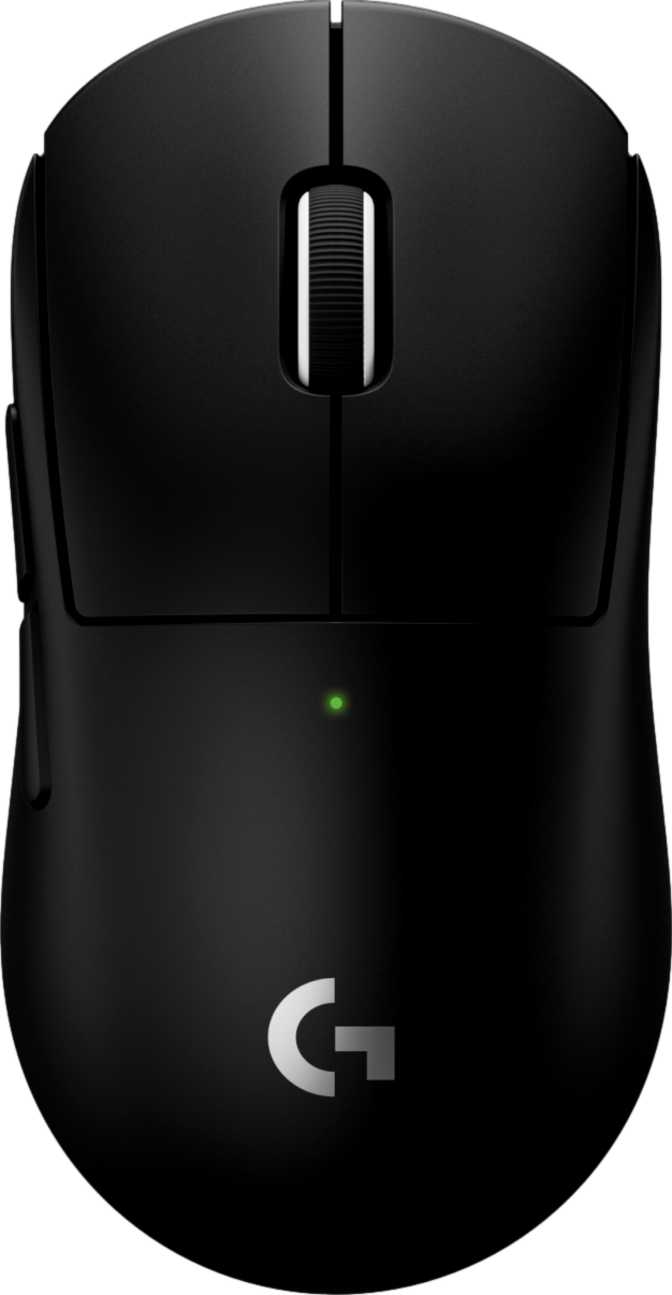
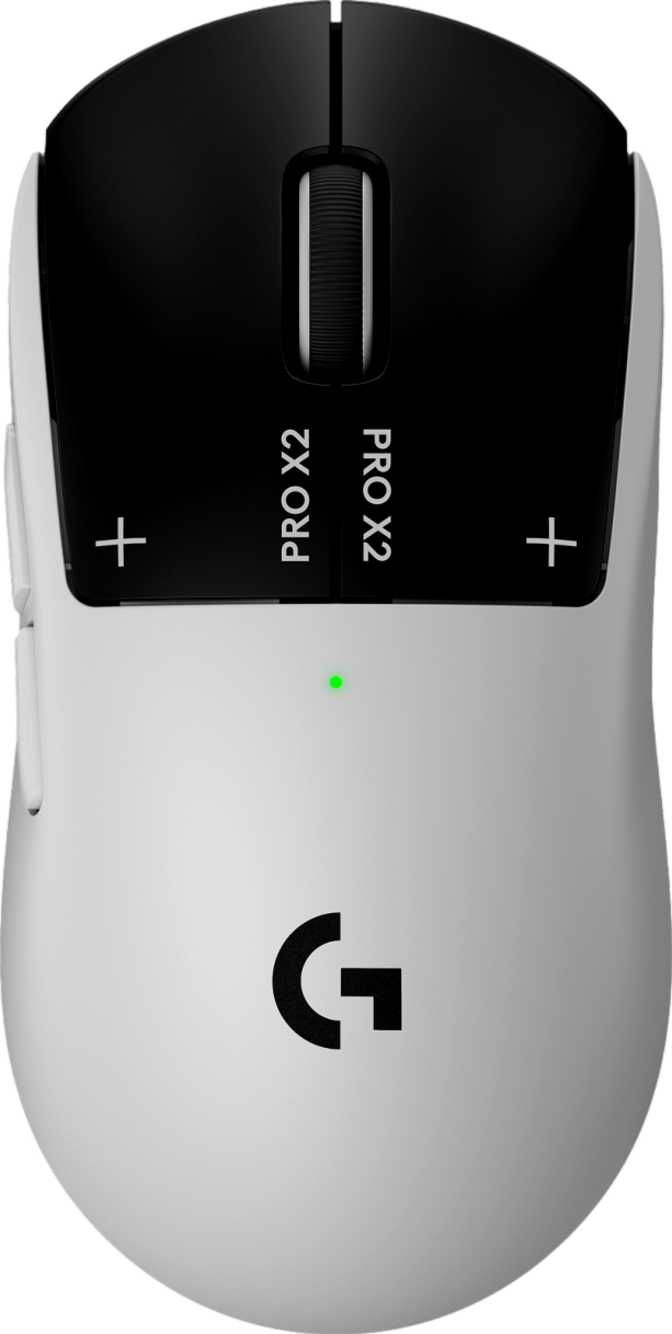
The G Pro X2 Superstrike is built for everyone. Its ambidextrous shape means left-handed players are no longer an afterthought, and the symmetrical form works equally well in palm, claw, and fingertip grip styles. At 125mm long and 63.5mm wide, it sits comfortably in the medium-size category. Players with smaller hands will find the profile a natural fit; those with larger hands may prefer a claw grip to feel fully in control.
The body rises to 40mm at its peak — low enough that your hand naturally arches forward into an aggressive, ready position rather than resting passively. That curvature is intentional. It nudges you toward faster, more deliberate movement.
No RGB — A Feature, Not a Compromise
The G Pro X2 Superstrike carries no RGB lighting. For competitive players, this is a quiet relief: RGB adds weight, draws battery power, and can introduce interference — none of which belong on a precision instrument. The exterior is clean and restrained, equally appropriate in professional environments or minimalist setups.
Cable and Physical Dimensions
A 1.8-meter braided cable is included, though the wireless connection is where this mouse was designed to live. The cable exists primarily for charging and fallback play — not as a permanent tether. At nearly two meters, it reaches comfortably from most desktop configurations without pulling on the mouse.
Weight — The Number That Changes Everything
At 61 grams, this mouse belongs to an elite tier of ultralight mice. Extended gaming sessions — multi-hour ranked queues, tournament practice blocks — become measurably less fatiguing. Wrist fatigue, one of the most underreported causes of performance degradation over long play sessions, is directly reduced by lower carry weight.
Logitech achieves this without a honeycomb shell — the mouse body is solid and free from the dust-trapping perforations that plague some ultralight competitors.
Physical Dimensions
- Length
- 125 mm
- Width
- 63.5 mm
- Height
- 40 mm
- Weight
- 61 g
- Orientation
- Ambidextrous
Sensor Performance: What the Hero 2 Actually Delivers
Tracking Accuracy Without the Ceiling
The Logitech Hero 2 sensor tracks at speeds no human hand can physically exceed. Even elite competitive players rarely push beyond 200–300 inches per second at peak swipe velocity. The sensor's ceiling exists to guarantee zero degradation at any realistic speed — not as a marketing number.
The acceleration threshold follows the same logic. High-performance sports cars peak around 2–3G under braking. The sensor's threshold so far exceeds that scale that no physical wrist or arm motion you can generate will cause it to lose position or distort input.
The DPI range runs from 100 to 44,000. The low end matters as much as the high end: 100 DPI accommodates ultra-precise tasks, sniping scenarios, or any situation requiring surgical cursor control. The high ceiling gives players who use large surfaces with extremely low sensitivity room to configure without hitting an artificial cap.
Polling Rate: The Specification That Separates Tiers
Polling rate measures how many times per second the mouse reports its position to your computer. A standard gaming mouse checks in 1,000 times per second with a 1-millisecond gap between reports. At 8000 Hz, that gap shrinks to just 0.125 milliseconds. In practice, this means:
- Cursor movement appears smoother and more continuous on screen
- Direction changes are registered with almost zero lag between intention and action
- Fast micro-corrections common in FPS aiming are captured with higher fidelity
At 8000 Hz, you are definitively not being limited by your hardware. For players who invest in eliminating every possible source of input delay, this is the correct choice.
Battery Life and Wireless Reliability
90 Hours — The Number That Ends the Wireless Anxiety Argument
The G Pro X2 Superstrike carries enough battery for approximately 90 hours of continuous active use. A player who games 4 hours per day would charge this mouse roughly once every three weeks. Someone who plays more casually — an hour or two in the evenings — might go a full month between charges without thinking about it.
This effectively eliminates one of the last legitimate criticisms of wireless gaming mice. The anxiety of a mouse dying mid-match is theoretical at this capacity.
The mouse can be used while charging via the included cable, so even on the rare occasion you sit down with a depleted battery, you lose nothing but the freedom of movement — a minor inconvenience, not a session-ending problem.
One Consideration: There is no wireless or pad-based charging. A physical cable is required to recharge. For most players this is entirely acceptable; for those invested in a wireless charging mousepad ecosystem from another brand, this is worth knowing before purchasing.
Battery Life by Play Pattern
Real-World Usage: Who This Mouse Is Built For
- Competitive FPS playersThe 8000 Hz polling rate, ultralight build, and high-speed tracking specs are engineered for games where a fraction of a second determines the outcome.
- Left-handed gamersThe ambidextrous shape is genuinely functional — one of relatively few high-tier mice that takes southpaw players seriously.
- Long-session playersThe ultralight build reduces wrist fatigue over hours of play in ways that accumulate significantly across weeks and months.
- Clean-desk aestheticsNo RGB, no aggressive styling. It fits professional and minimalist setups without looking out of place.
- Players who move between computersNo onboard profiles mean DPI, button assignments, and settings stay on the software-installed machine — not in the mouse.
- MMO or multi-button usersFive buttons is purpose-built for precision gaming. If you need a grid of side buttons for ability rotations, this is the wrong tool entirely.
- Wireless charging pad usersPad-based or dock-based wireless charging is not supported. Charging requires a physical cable connection every time.
- RGB enthusiastsThere is no lighting to configure or display. The exterior is uniform and understated by deliberate design.
Competitive Landscape: How It Stacks Up
The G Pro X2 Superstrike operates in a segment where performance differentiators are real but subtle, and price premiums are justified only by genuine technical advantages.
| Feature | G Pro X2 Superstrike | Typical 1000 Hz Competitor | Lightweight Budget Option |
|---|---|---|---|
| Polling Rate | 8000 Hz | 1000 Hz | 500–1000 Hz |
| Weight | ~61 g | 70–90 g | 55–70 g |
| Battery Life | ~90 hours | 40–70 hours | 20–50 hours |
| Onboard Profiles | None | 1–5 | 0–3 |
| Ambidextrous Shape | Yes | Often right-handed only | Varies |
| RGB Lighting | None | Usually yes | Varies |
| Wireless Charging | No | Some models | Rarely |
The primary technical differentiator is the 8000 Hz polling rate combined with the ultralight build — a pairing not common in the broader market at any price tier. The absence of onboard memory is the most meaningful concession relative to competitors that store multiple profiles directly on the hardware.
Honest Assessment: Strengths and Limitations
Where It Excels
The polling rate leads its class for wireless mice. The ultralight build is a genuine physical advantage over long sessions without resorting to structural compromises like shell perforations. The Hero 2 sensor has no meaningful tracking weaknesses within real-world usage parameters, and the battery life removes any reason to hesitate about going wireless.
For a competitive player who games primarily at one desk, on one machine, this mouse has no meaningful performance weakness. That is a remarkably short list of caveats for a mouse operating at this level.
Where It Falls Short
The absence of onboard profile storage is a genuine inconvenience for anyone who travels with peripherals or competes at events across different machines. The side buttons only on the left side mean left-handed players — despite the ambidextrous shape — lack thumb button access on their primary thumb side.
The lack of wireless charging, while not unusual at this price point, means players who have built charging pad ecosystems will need to adapt their habits. These are deliberate trade-offs resulting from ruthless prioritization, not cost-cutting — understanding that distinction sets accurate expectations.
Answers to Common Pre-Purchase Questions
Final Verdict
The Logitech G Pro X2 Superstrike is built for one type of buyer: someone who competes seriously, plays frequently at a fixed setup, and wants hardware that contributes zero limitations to their performance. It delivers on that promise without qualification.
The polling rate leads its wireless class. The weight is a genuine physical advantage that compounds over long sessions. The battery life removes any reason to hesitate about going wireless. For a competitive player who games primarily at one desk, this mouse has no meaningful performance weakness.
The trade-offs — no onboard profile storage, no RGB, no wireless charging, side buttons only on the left — are real but narrow. They result from ruthless prioritization, not cost-cutting. This is a mouse that identified exactly what competitive performance requires and built toward nothing else. If you game seriously at a fixed setup, it belongs on your desk.