Apple M5 Max (40-Core GPU): Full Review for Creative Professionals
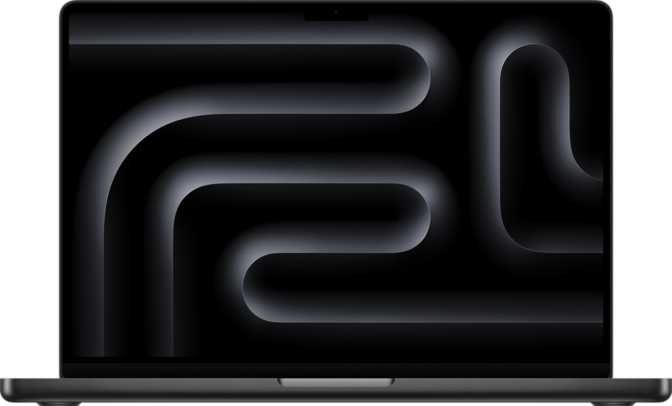
CPUsThere is a specific frustration creative professionals know well: capable ideas slowed by incapable hardware. Render queues that stretch into the night. Color grading sessions where the timeline stutters. Machine learning experiments chained to a desk. The Apple M5 Max with its 40-core GPU is Apple's clearest answer to that frustration — engineered not for those who want a fast laptop, but for those who need a portable workstation and refuse to compromise.
Outstanding for creative professionals. Narrow but real limitations apply.
Key Specifications at a Glance
Core technical data — translated into what it means for your workflow.
Architecture: Why This Chip Is Structurally Different
The engineering decisions that separate the M5 Max from conventional laptop processors.
A Core Configuration Built Around Real Work
Most laptop chips achieve speed by running a small number of cores as fast as thermally possible. The M5 Max takes a different approach — a split-core design refined through Apple Silicon's preceding generations and now more mature than ever. Six high-performance cores run at the top of the frequency range, paired with twelve efficiency-oriented cores operating at a lower clock speed.
This is the same principle used in modern smartphone chips — known in the industry as big.LITTLE — but Apple's Max-tier implementation is tuned specifically for sustained professional workloads rather than momentary bursts. When a demanding task runs, the chip does not wait for one core to finish before delegating to another; all cores are coordinated simultaneously through Heterogeneous Multi-Processing (HMP).
Distributed Processing (HMP)
Work is distributed continuously across the entire core pool, which is why throughput on complex jobs feels dramatically faster than core count alone would suggest. Rendering, compiling, and encoding tasks all benefit from this coordinated, parallel approach.
Intelligent Power Distribution
During lighter tasks, the high-performance cores step back and the efficiency cores take over with far less power draw. This is the structural reason M-series MacBooks consistently outlast Intel and AMD competitors on battery life, even while outperforming them on demanding work.
The 3nm Foundation
The entire chip is fabricated on a 3-nanometer process node — a manufacturing milestone that directly enables its performance-to-power characteristics. Smaller transistors mean more compute packed into the same physical space, faster switching speeds, and less heat generated per unit of work performed.
The 40-Core GPU: Integrated Graphics Reimagined
What separates this integrated GPU from everything that came before it.
The phrase "integrated graphics" has historically signaled compromise. Traditional integrated GPUs share system memory in constrained ways, deliver modest throughput, and are generally adequate for display output — nothing more.
The Apple M5 Max GPU with 40 cores is not that kind of integrated graphics. It is a purpose-built, high-throughput graphics processor that shares the unified memory pool with the CPU — and does so with a memory bandwidth that rivals high-end discrete GPUs found in professional workstations. The practical benefit is that the GPU's cores are never starved for data; they receive what they need at the rate they can process it.
Video Professionals
GPU-accelerated export, real-time effects, and high-resolution playback benefit directly from the GPU's sustained throughput and the bandwidth feeding it at every frame of a timeline.
3D Artists
Viewport rendering and final-frame output are materially faster than any previous integrated GPU solution — without the heat, bulk, and cost of a discrete card mounted in a separate enclosure.
ML Practitioners
The GPU's raw throughput makes it a credible on-device accelerator for inference and smaller model training, removing cloud dependency for many everyday machine learning tasks.
External Display Support
The 40-core GPU configuration supports two external displays simultaneously. For most professional setups — a primary monitor plus a reference display, or a standard dual-monitor arrangement — this is more than sufficient.
Users who depend on three or more external displays at full resolution simultaneously should verify their specific monitor configuration against Apple's official guidelines before purchasing. This is a genuine constraint for that minority of setups.
Memory: The Unified Architecture Advantage
Why the memory system in the M5 Max is structurally different — and why that difference matters.
What 128GB of Unified Memory Actually Means
The M5 Max can be configured with up to 128 gigabytes of unified memory. In a conventional laptop, the CPU has its own RAM and the GPU has its own dedicated VRAM — physically separate pools. When a GPU needs data from system RAM, it must be copied across a bus connection, creating a bottleneck that scales with data volume.
In Apple's architecture, there is one memory pool shared simultaneously by the CPU, GPU, and Neural Engine — no copying, no bus bottleneck, no data starvation. The consequences for professional work are concrete and significant.
For Video & 3D Work
A compositing project that would overwhelm a discrete GPU's fixed VRAM allocation can be handled fluidly in unified memory — because the GPU accesses the full pool, not a separate, smaller allocation. There is no point at which the GPU runs out of its own memory while the CPU's memory sits underutilized.
For Machine Learning
Language models that would not fit in GPU VRAM on a traditional system can be loaded and run entirely in unified memory. This is the primary reason ML practitioners favor this architecture for local inference — the effective addressable memory for a model is the entire system pool, not a capped VRAM allocation.
Bandwidth and Memory Generation
The memory subsystem operates on DDR5-generation technology, contributing to a total bandwidth of 614 GB/s — a figure that was, until recently, the exclusive territory of enterprise workstation processors. This bandwidth ensures the GPU's 40 cores are never left waiting for data; they maintain throughput under sustained load rather than executing in fast bursts followed by memory-starved pauses.
The M5 Max does not support Error-Correcting Code (ECC) memory. ECC automatically detects and corrects single-bit memory errors — standard in servers and workstations used for financial modeling, medical imaging, or safety-critical applications. For creative and technical professional use cases, the absence of ECC is immaterial. For organizations in regulated industries where error correction is a compliance requirement, this is worth flagging with your IT or compliance team before purchasing.
Security Architecture
Hardware-level protections relevant for business and enterprise deployments — operating invisibly in the background.
TrustZone
A hardware-level security isolation layer that creates a protected execution environment separated from the main operating system. Sensitive operations — cryptographic key management, biometric data processing, secure authentication — run in this isolated space where even a compromised operating system cannot reach them. This is the hardware foundation that makes Touch ID and secure payment processing genuinely trustworthy rather than software promises.
NX Bit
A processor-level defense against a common class of cyberattack. The No-Execute bit marks memory regions that store data as non-executable, preventing malicious code injected into those regions from running. Standard on modern processors, its presence signals that the M5 Max is architecturally prepared for professional and enterprise environments where security posture is a genuine requirement, not an afterthought.
Who This Chip Is For — And Who It Is Not
The M5 Max in its 40-core GPU configuration is built for a specific type of buyer. Be honest with yourself about which column describes you.
The Right Buyer
- Video professionals editing high-resolution footage, RAW or ProRes media, or complex multi-layer timelines in Final Cut Pro or DaVinci Resolve
- 3D artists and motion designers who need real-time viewport performance and faster render output without a desktop workstation
- Machine learning practitioners running inference or training mid-sized models locally, without cloud dependency
- Software engineers managing large codebases, multiple virtual machines, or frequent, complex compilations
- Audio producers running dense plugin sessions with large sample libraries and virtual instruments
- Scientists and researchers working with large datasets in Python, R, or simulation environments
Who Should Look Elsewhere
- Users whose work is primarily document editing, web browsing, video calls, or light creative tasks — the base M5 or M5 Pro is more than sufficient and meaningfully less expensive
- Professionals requiring three or more external displays simultaneously — the two-display ceiling is a genuine constraint for that specific setup
- Organizations where ECC memory is a non-negotiable compliance or safety requirement — this chip does not qualify
Platform Commitment
The M5 Max runs macOS exclusively. Professionals whose workflows depend on Windows-only software or hardware peripherals without Mac drivers will find the host machine inaccessible regardless of how impressive the chip is. This is not a chip decision — it is a platform decision.
Competitive Positioning
How the Apple M5 Max stacks up against high-end x86 alternatives and within Apple's own lineup.
Against AMD and Intel Laptop Alternatives
Comparing the M5 Max against high-end Ryzen and Intel Core Ultra processors requires holding two things in mind simultaneously: raw CPU clock speed comparisons favor x86 chips on paper, but real-world professional workloads are not purely CPU-bound. The architectural differences below tell the more complete story.
| Comparison Point | M5 Max (40-Core GPU) | High-End x86 Laptop Chips |
|---|---|---|
| Memory Bandwidth | 614 GB/s — class-leading Unified pool; no CPU-to-GPU copy overhead |
Significantly lower; discrete GPU operates from a separate, fixed VRAM pool |
| GPU Architecture | Integrated, high-throughput Shares the full memory pool with the CPU |
Requires a discrete GPU; adds heat, weight, cost, and thermal complexity |
| Sustained Performance | Consistent under extended load 3nm efficiency minimizes throttling |
Thermal throttling is common under sustained demand on thin-and-light laptops |
| Max Memory Ceiling | Up to 128GB unified One pool for all processors simultaneously |
Lower; system RAM and GPU VRAM are separate, non-sharable allocations |
| Software Ecosystem | macOS only — Final Cut Pro, Logic Pro, Apple-native tools | Windows Broader software and peripheral compatibility |
| ECC Memory | Not supported | Available In select workstation-grade configurations |
Within Apple's Own Lineup
The M5 Max occupies the upper tier of Apple's chip family. The base M5 handles most professional workflows capably. The M5 Pro steps up meaningfully in core count and bandwidth. The M5 Max — and specifically the 40-core GPU configuration — is for users who know their bottleneck is GPU-specific. If your workload is primarily CPU-heavy with modest GPU demands, a lower GPU configuration may serve you equally well at a lower price point. If your workload is GPU-intensive — rendering, ML inference, heavy video processing — the 40-core configuration is the one to choose.
Honest Assessment: Strengths and Weaknesses
A balanced view of what the M5 Max gets right — and where it genuinely falls short.
Where It Excels
The M5 Max's most compelling strength is not any single specification — it is the coherence of the entire system. The 3nm fabrication, the unified memory architecture, the bandwidth, the split-core CPU design, and the GPU core count all compound each other. Every layer of this chip's design is tuned to sustain throughput across simultaneous workloads, which is what professionals actually run.
The performance consistency under sustained load is also genuinely unusual. Many high-performance laptop chips deliver impressive numbers in short bursts and then throttle as thermals build. The M5 Max maintains its performance level through extended sessions — which matters when a render job runs for forty minutes, not four.
Where It Falls Short
The weaknesses are real and worth naming directly. This chip runs only on macOS — the full Apple-native software ecosystem or nothing. Professionals whose workflows depend on Windows-only software, specific applications without macOS versions, or hardware peripherals that lack Mac drivers will find the entire platform inaccessible. The platform commitment is real and non-trivial.
The absence of ECC memory is a genuine limitation for enterprise deployments in regulated environments — medical, financial, or safety-critical computing contexts where single-bit error correction is a compliance baseline.
The two simultaneous display maximum may also constrain users who rely on three or more high-resolution monitors as their standard working environment — worth verifying for your specific setup before committing.
Common Questions Before Buying
Answers to the questions buyers most often search for before purchasing the Apple M5 Max.
Final Verdict
Apple M5 Max — 40-Core GPU Configuration
The Apple M5 Max with its 40-core GPU configuration is the clearest answer the laptop market currently has to this question: what if you did not have to choose between desktop-class performance and the ability to pack your workstation into a bag?
It earns that position not through one standout specification, but through an architecture where every layer — the efficient fabrication process, the intelligent core distribution, the bandwidth-rich unified memory, and the high-core-count GPU — functions as a coherent system rather than a collection of parts marketing themselves as a package.
The case against it is narrow but legitimate: it is expensive, it requires macOS, and it is more chip than most users will ever need. If you are a professional in video production, 3D, machine learning, or intensive software development, those caveats are likely already known quantities. If your current machine has become a genuine bottleneck — not a preference, but an actual bottleneck — the M5 Max in this configuration is the most capable portable professional chip available.
Best For
- Creative professionals who need portable workstation-class performance
- Developers and ML practitioners working on large local projects
- Users whose current Mac is a proven, consistent workflow bottleneck
Skip If
- Your workload is primarily light or general productivity tasks
- You depend on Windows-only software or hardware that lacks Mac support
- ECC memory is a compliance or safety requirement for your organization