A Mini PC Built Around Practical Priorities
Mini PCs have reached a point of maturity where the question is no longer whether they can replace a traditional desktop — it’s which one gets the tradeoffs right for your particular situation. The Bosgame E5 makes an unusual opening move: in a category where most machines offer a single Ethernet port and treat storage as an afterthought, it ships with two separate network interfaces, a full terabyte of fast NVMe storage, and 16 gigabytes of expandable RAM in a chassis smaller than a hardcover novel.
That combination is not accidental. It reflects a deliberate focus on users who want a capable, always-on, low-footprint machine — and who know the difference between having networking flexibility and not having it. Understanding whether the E5 is right for you comes down to one honest question: do your workloads fit what a 15-watt processor can deliver?
Design and Build Quality
Dimensions and Physical Profile
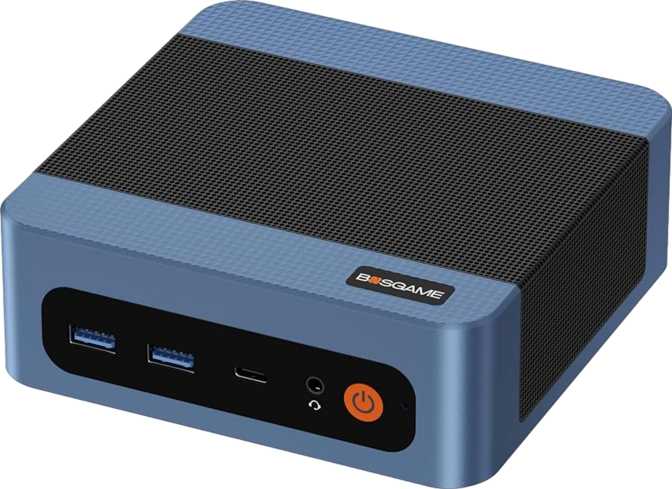
The Bosgame E5 measures 130mm wide, 130mm deep, and just 46mm tall — roughly the footprint of a compact paperback and shorter than a standard coffee mug. Its total internal volume lands just under 780 cubic centimeters. In the strictest physical sense, this is a mini PC — indistinguishable in size from the Intel NUC-style devices that popularized the category.
It can sit beside a monitor without occupying meaningful desk real estate, tuck onto a media shelf without visual intrusion, or mount behind a display using a standard VESA bracket. It can also travel in a bag alongside a monitor and keyboard for portable office setups.
- Width
- 130 mm
- Depth
- 130 mm
- Height
- 46 mm
- Total Volume
- ~780 cm³
- Footprint
- Paperback-sized
- Processor Class
- Mobile (15W)
Thermal Design Trade-Off
The tradeoff inherent to any machine this size is thermal management. There is only so much volume available for airflow and heat dissipation, which is why the E5 uses a mobile-class processor — engineered to run cool and efficiently within a tight power envelope rather than maximizing raw throughput. The benefit is a system that runs quietly under typical loads. The constraint is a performance ceiling that you need to account for before purchasing.
Processing Performance
What the Processor Is and Is Not
The E5’s CPU is the same category of chip found in ultra-thin laptops — a four-core, eight-thread mobile processor operating within a strict 15-watt thermal limit. Those eight processing threads come from simultaneous multi-threading, which allows each physical core to handle two instruction streams concurrently. For most productivity software, this makes the system feel more responsive than a raw core count of four might suggest.
The chip runs at 2.6GHz under sustained load, climbing to 3.8GHz in short bursts when thermal headroom allows. For tasks that are inherently single-threaded — loading a webpage, opening an application, running a script — the 3.8GHz peak is the relevant number. For workloads that sustain across all cores simultaneously, the processor settles at its base frequency, where the 15-watt ceiling makes itself felt most clearly.
Cache and Memory Architecture
The processor’s cache hierarchy — 256KB of L1, 2MB of L2 at half a megabyte per core, and 4MB of shared L3 — is appropriate for its tier. Cache reduces how frequently the processor needs to reach out to system RAM. The architecture operates in 64-bit mode with hardware-level memory protection active, a detail that matters for security-conscious deployments in small business or home server environments. The multiplier is locked, and the overclocked benchmark result is virtually identical to the stock figure, confirming there is no performance headroom to exploit.
Integrated Graphics: Honest About What That Means
- 4K video playback at 60fps via HDMI 2.0 or DisplayPort, using hardware-accelerated decoding
- Simultaneous dual-monitor operation across both video outputs
- Web browsing with GPU-accelerated rendering and hardware video decoding
- Light photo editing and image work at standard resolutions
- Older competitive titles, 2D and indie games, and retro platform emulation at 1080p
- Modern AAA games — current titles will not run at acceptable framerates even at low settings
- GPU-accelerated video encoding, real-time effects, or fast export for content creation
- Machine learning inference or GPU-accelerated computation
- 3D visualization software for design and engineering applications
Shared Memory Architecture
The Vega 6 is built on a 7-nanometer process, clocks up to 1,500MHz, and delivers 384 shader processors with full DirectX 12, OpenGL 4.6, and OpenCL 2.1 support — covering the complete compatibility surface of modern operating systems and most professional software. However, it draws from the same pool of system RAM as the processor rather than having dedicated video memory, sharing a peak bandwidth of approximately 68GB per second. In practice, this only becomes noticeable at the absolute limits of what the GPU can handle, not during typical daily use.
Memory and Storage
RAM
The E5 ships with 16GB of DDR4 running at 3,200MHz in a dual-channel configuration. Dual channel means the memory controller accesses two physical modules simultaneously — nearly doubling real-world throughput compared to a single-stick installation. For integrated graphics that share this bandwidth, this makes a measurable difference in responsiveness.
Sixteen gigabytes handles deep multitasking: a browser with twenty-plus tabs, an active video call, a running IDE or database client, and background cloud synchronization can coexist without triggering the performance degradation that comes when a system begins swapping to disk.
NVMe SSD
The 1TB NVMe SSD is a meaningful differentiator at this product tier, where 512GB installations are common. NVMe drives connect via the PCIe bus rather than the older SATA interface, translating to file operations, application launches, and OS boot times that feel immediate rather than merely fast. The PCIe 3.0 interface used here is not the latest generation, but the practical difference in daily-use scenarios is imperceptible.
A terabyte accommodates a complete operating system installation, a substantial software library, a working media or document collection, and meaningful headroom before space management becomes a concern.
Connectivity
Dual Gigabit LAN — The E5’s Defining Feature
Two RJ45 Ethernet ports on a machine this size is genuinely uncommon. Most mini PCs ship with a single network interface. The dual LAN opens three distinct capabilities:
USB Port Configuration
| Port Type | Qty | Speed | Best Used For |
|---|---|---|---|
| USB-AUSB 3.2 Gen 2 | 3× | 10 Gbps | Fast external SSDs, docking stations, modern peripherals |
| USB-CUSB 3.2 Gen 2 | 1× | 10 Gbps | USB-C accessories, compatible hubs |
| USB-AUSB 2.0 | 1× | 480 Mbps | Mouse, keyboard, flash drives |
Display, Wireless, and Audio
Real-World Usage Scenarios
Daily Productivity
For knowledge workers moving between a browser, email, document editing, and video calls throughout the day, the E5 performs without friction. Multiple applications, cloud sync, and active messaging can coexist comfortably within the system’s RAM and processing budget.
Home Theater PC
Connected to a television or large display, the E5 is a compelling media machine. The Vega 6 handles hardware-accelerated 4K playback for locally stored files and supported streaming services. Minimal fan noise at idle integrates the machine into a living room without acoustic intrusion.
Home Lab & Networking
The dual LAN earns its full value here. Running as a firewall, Docker host, NAS node, or DNS and DHCP server — the E5 handles all of these well. Low power draw makes 24/7 operation affordable; a standard desktop at idle typically draws five to ten times as much power.
Software Development
Web development, backend scripting, and database work are practical. Running a local dev server, a database instance, and a code editor simultaneously is well within its capabilities. Compilation-heavy workflows will reveal the performance ceiling but remain functional.
Who Should Buy the Bosgame E5 — and Who Should Not
- Office and productivity users wanting a quiet, space-saving desktop to replace an aging tower or laptop
- Home theater enthusiasts building a compact 4K media PC
- Networking and home lab users who need dual LAN in a small, energy-efficient package
- Small business users or IT administrators deploying a capable, low-maintenance workstation
- Developers doing web, scripting, or backend work without heavy compilation demands
- Users new to mini PCs who want a ready-to-use system with solid fundamentals
- Gamers — integrated graphics cannot run modern titles at acceptable performance levels
- Video editors and content creators relying on GPU-accelerated rendering or fast export
- 3D artists, architects, or engineers whose software demands discrete GPU resources
- Users anticipating heavy sustained computation — rendering, machine learning, or heavily-loaded database servers
- Anyone expecting to upgrade the processor or add a dedicated GPU later — neither is possible
How It Compares to the Competition
The Bosgame E5 occupies a segment populated by machines from Beelink, Minisforum, GMKtec, and various NUC-style designs. The table below shows how it stacks up against a representative single-LAN competitor at a similar configuration tier.
| Feature | Bosgame E5 | Typical Single-LAN Rival |
|---|---|---|
| Ethernet Ports | 2 × Gigabit | 1 × Gigabit |
| USB 3.2 Gen 2 Ports | 3× Type-A + 1× Type-C | Usually 2× Type-A |
| Included NVMe Storage | 1 TB | Often 512GB at this tier |
| Included RAM | 16GB DDR4-3200 | 8–16GB DDR4 (varies) |
| Display Outputs | HDMI 2.0 + DisplayPort | Frequently HDMI only |
| Max RAM Ceiling | 64 GB | Typically 32–64GB |
| Thunderbolt Support | None | None (rare at this tier) |
| Discrete GPU Option | None | None (same category) |
Strengths and Honest Weaknesses
Where the E5 Stands Out
The dual Ethernet configuration is not a footnote — it creates use cases that are flatly impossible on single-LAN machines. For home lab users, network administrators, or anyone who has wanted a compact, low-power router or firewall without paying enterprise prices, this alone can justify the purchase.
The storage situation is similarly solid: a terabyte of NVMe space and 16GB of dual-channel RAM with room to expand to 64GB means the fundamental configuration will remain adequate long after the day it ships. The USB port configuration — three 10Gbps Type-A ports plus a 10Gbps Type-C — is above the category average and reflects thoughtful design for a machine that may serve as the hub of a full desk setup.
What You Have to Accept
A graphics solution capable only within narrow limits, a processor that imposes a real performance ceiling on sustained-load work, and a warranty period of one year — shorter than what some competitors offer for machines intended to run continuously in server or appliance configurations. If you plan to run the E5 as an always-on appliance, that one-year coverage window merits thought.
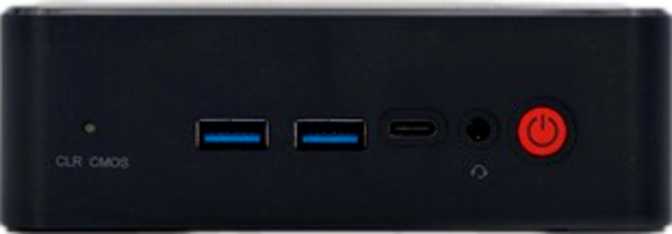
The absence of Thunderbolt is a consistent limitation across this product class, not an E5-specific failing, but it closes the eGPU expansion path absolutely. The single USB 2.0 legacy port is a reminder that form factor imposes real constraints on what fits on the chassis. And while five USB ports feels generous for a machine this size, current-generation standards top out at USB 3.2 Gen 2 — not USB4.
Frequently Asked Questions
A Purposeful Machine That Earns Its Place
The Bosgame E5 is not attempting to be a general-purpose powerhouse. It is a small, quiet, energy-efficient computer with specific strengths — and it delivers those strengths without compromise. The dual Ethernet configuration is the clearest expression of its character: a machine designed for users who know what networking flexibility is worth, priced and sized to make that capability accessible where no single-LAN alternative can.
The 1TB NVMe drive and 16GB of expandable RAM provide a foundation that will remain practically useful for years of productivity and light server work. The port selection is above average for the category. And the combination of low power draw, small footprint, and dual LAN makes the E5 a genuinely capable candidate for home lab duties, network appliance deployment, or always-on media and server roles.
The conditions for recommending it are clear: if your workloads live within the boundaries of productivity, web work, media playback, development, and networking — and you understand that gaming and GPU-heavy creation are outside those boundaries — the Bosgame E5 makes the right calls for the user it was designed for.