Shure MV6 Review: A Voice-First USB Mic Built for Solo Creators
MicrophonesOur Verdict
Purpose-Built for the Single Voice
Shure's engineering legacy applied to a plug-and-play USB microphone. Voice-optimized, universally compatible, and immediately usable — without a single driver installation or audio settings panel.
Performance at a Glance
Built for One Job: Making Your Voice Sound Exactly Right
Most USB microphones make the same promise: professional audio, zero hassle, buy it today. The Shure MV6 makes that promise with something most competitors cannot add to the pitch — nearly a century of professional microphone engineering behind it.
Shure built this mic for a specific person: someone who records alone, speaks for a living or as a creative pursuit, and wants audio quality that reflects the seriousness of the content — without spending months learning signal chains, preamps, and EQ curves. It is a deliberately focused instrument, and understanding that focus is the key to knowing whether it belongs on your desk.
Form and Function
Design and Build Quality
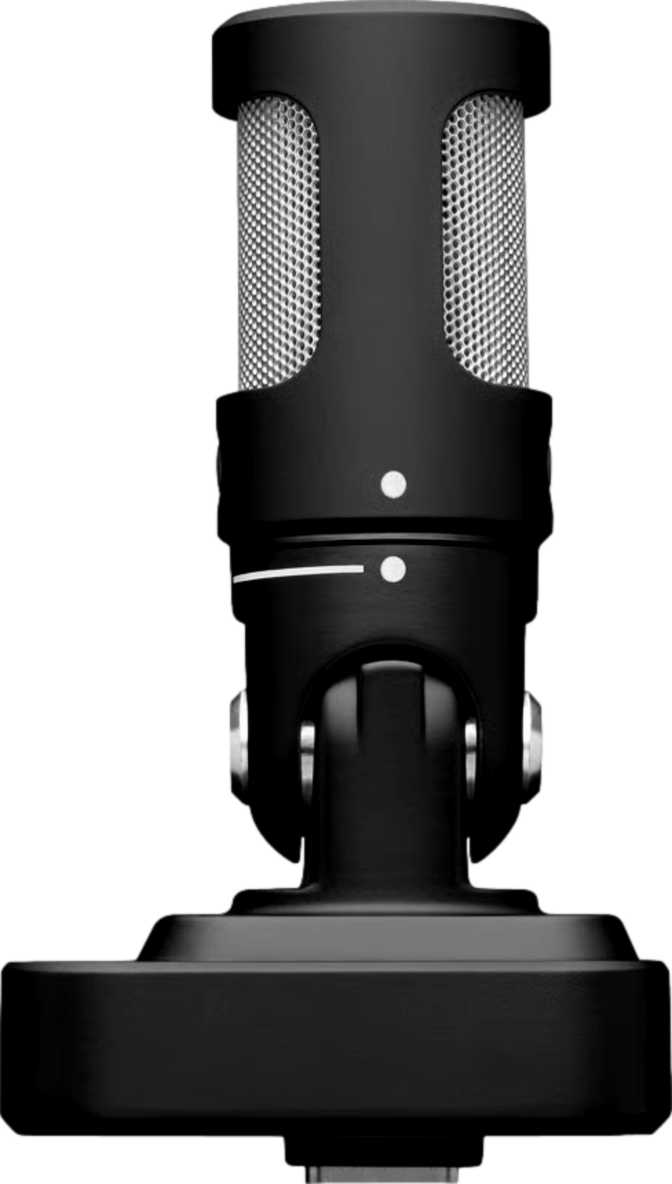
Standing just under 170mm tall with an almost perfectly square base roughly 51mm on each side, the MV6 takes up less desk space than a standard coffee mug. That compact footprint is not a compromise — it is the result of Shure stripping away anything that does not serve the core function of capturing a single voice cleanly.
There is no RGB lighting here. No pulsing halo, no per-zone color customization, no software installation required to manage the aesthetics of the mic itself. For streamers who want a mic that complements a lit setup rather than competing with it, this might feel like a missed feature. For everyone else, it reads as quiet confidence — the kind of restraint that says the product earns attention through performance.
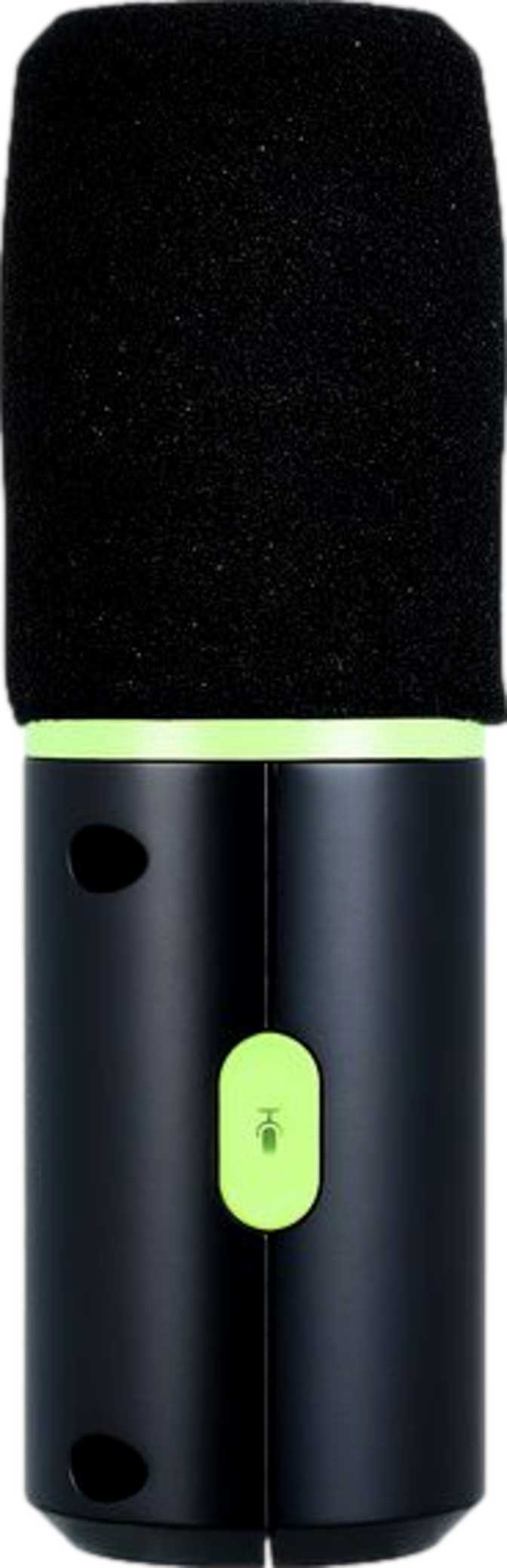
The controls are built directly into the body. A physical mute function sits within reach, so silencing yourself mid-session is a single press rather than a keyboard shortcut you might fumble during a live moment. The on-device control panel keeps your most-used functions tactile and immediate, without forcing you to context-switch to companion software just to adjust gain.
What Is in the Box
-
Integrated Pop Filter
Intercepts the air burst from hard consonants before it hits the capsule. No separate purchase or assembly required.
-
On-Device Control Panel
Mute and volume controls built into the mic body. No software required for your most-used recording functions.
-
3.5mm Headphone Output
Real-time, zero-latency monitoring direct from the mic, compatible with standard earphones and headphones.
-
USB Connection
Driver-free plug-and-play on Windows, macOS, iOS, and Android.
Worth Planning For
No Shock Mount Included
A shock mount decouples the mic from vibration traveling through your desk — keyboard impacts, floor traffic, shared surfaces. Not critical for stable setups, but worth budgeting for if you type heavily while recording.
Sound Quality
Audio Performance: What the Specs Actually Mean
Every specification in the MV6 exists to serve one outcome: making a single voice sound exceptional. Here is what each technical decision means in practice.
Frequency Response
Voice Specialist, Not a Generalist
The MV6 captures sound from 50 Hz up to 15,000 Hz. Male speaking voices typically sit between 85 Hz and 180 Hz in fundamental frequency, with female voices somewhat higher. The frequencies that define speech clarity — consonant crispness, syllable definition, that sense of presence and authority — live predominantly between 2,000 Hz and 8,000 Hz. The MV6 covers all of it.
The upper ceiling means gentle rolloff at the very top of the audible spectrum — the shimmer of cymbals, the highest violin overtones, what engineers call "air." For spoken-word content heard through earbuds or laptop speakers, this is negligible.
The low-end floor tells a positive story: natural attenuation of sub-bass content reduces HVAC rumble and building vibration at the source — less cleanup work in post-production.
Dynamic Headroom
More Ceiling Than You Will Ever Need
The MV6 handles sound pressure levels up to 128 dB before the capsule begins to distort. A shouted voice a few inches from the mic rarely approaches 100 dB. Live concert music averages around 110 dB. This microphone has more headroom than any podcaster, streamer, or remote presenter will realistically demand.
Energetic moments — loud guests, excited reactions, heated debates — will not clip the signal. The harsh, crackling distortion from a peaking capsule simply will not happen in normal use.
The recording resolution operates at 48 kHz — the professional broadcast standard for audio tied to video. Every major editing platform, podcast host, and streaming service operates natively at this rate. No format conversion needed.
Polar Pattern
One Pattern, Correctly Chosen
The MV6 uses a single cardioid pickup pattern with no alternatives offered. This is the correct decision for its intended use case.
A cardioid pattern works like a directional spotlight aimed at whatever is directly in front of the mic. Sound arriving from the sides and from behind is significantly rejected — the television in the next room, the air conditioner behind you, your ambient environment. Only your voice dominates the signal.
Multi-pattern microphones charge a meaningful premium for flexibility that podcasters and streamers almost never use. Paying for pattern switching that will never be needed is a feature tax disguised as a feature.
A Note for Audio Engineers
The absence of a flat DSP mode is intentional. The MV6 applies Shure's internal voice-optimized processing — it is not a transparent, neutral-capture microphone designed as a blank canvas for post-processing. It is a finished, opinionated tool that produces an immediately usable result. Engineers who require a completely uncolored signal should evaluate microphones designed for that workflow.
Universal Access
Works on Every Device You Own
The MV6 connects over USB and is recognized natively by Windows, macOS, iOS, and Android. There is no driver to install, no software dependency to manage before you can record. Plug it into any compatible device, select it as your audio input, and it works.
Cross-platform compatibility includes mobile devices — a meaningful advantage over microphones that effectively limit you to a desktop setup. Recording a podcast episode on an iPad, conducting a remote interview on an iPhone, or running a virtual meeting from an Android tablet are all viable workflows with the appropriate USB adapter for your device.
Budget USB microphones frequently advertise similar compatibility but deliver inconsistent results across operating systems. Shure's track record in professional audio environments gives this specification genuine credibility — not just a checkbox on a marketing sheet.
Windows
Plug-and-play, no drivers
macOS
All major versions
iOS
iPhone and iPad
Android
Phones and tablets
Mobile use requires the appropriate USB adapter for your specific device (USB-C, Lightning, or micro-USB).
Real-Time Monitoring
Hearing Yourself Without the Delay
A 3.5mm headphone output on the MV6 body enables zero-latency monitoring. Plug in headphones and hear exactly what the microphone is capturing in real time — with no audible delay between when you speak and when you hear yourself.
This distinction matters more than it might appear. When monitoring routes through a computer — in through the mic, processed by the operating system, out through your headphones — even a fraction-of-a-second delay creates a deeply disorienting experience. Trying to speak naturally while hearing your own voice with a slight echo makes sustained recording almost impossible. Direct monitoring from the mic body bypasses this entirely.
The output uses a standard 3.5mm jack, compatible with the vast majority of consumer headphones and earbuds. Studio headphones with quarter-inch connectors need an inexpensive adapter — widely available, but not included.
Monitoring at a Glance
-
Zero-Latency Direct Output
Hear your voice as it enters the capsule, with no OS-introduced delay disrupting your flow.
-
Standard 3.5mm Jack
Compatible with earbuds, consumer headphones, and studio cans with a quarter-inch adapter.
-
Volume Control On-Device
Adjust monitoring level from the mic body without touching your computer or switching apps.
Real-World Usage
Who Should Buy the Shure MV6
The MV6's focus is its greatest strength and its clearest limitation. Identify which category you fall into before deciding.
This Microphone Is Built For You
-
Solo podcasters
Recording at a desk and wanting clean, professional-grade voice audio without buying a separate audio interface and microphone combination.
-
Streamers who prioritize audio over aesthetics
Consistent, reliable audio quality that sets up in minutes without requiring RGB lighting in the mic hardware itself.
-
Remote professionals
Significant time on video calls, webinars, or recorded presentations — being heard clearly is a form of professional credibility.
-
New content creators
Want a Shure-quality result but are not ready to manage an audio engineering workflow or learn signal chains and preamps.
-
Mobile creators
Need professional USB audio that works across phone, tablet, and laptop without carrying separate gear for each device.
Consider Alternatives If...
-
You record musical instruments
Acoustic guitars, violins, pianos, and cymbals carry significant harmonic content at the top of the audible range. A voice-optimized mic captures them, but not with the full-spectrum detail a dedicated instrument or studio condenser delivers.
-
You host multi-person in-room sessions
One cardioid mic on a table between two speakers captures the closer voice cleanly and the farther voice weakly. Two microphones — one per participant — is the correct solution.
-
You need a clean, unprocessed signal
The MV6 applies Shure's internal DSP tuning with no flat output mode. Engineers who want a transparent capture to process independently should look at microphones designed for that workflow.
-
You rely on visual level indicators
There is no LED meter on the unit. Monitoring input level requires watching your recording software's meters — not a display on the mic body itself.
Market Context
How the MV6 Compares to Alternatives
The MV6 outperforms budget alternatives on brand credibility, build quality, and voice-optimized tuning. It concedes frequency range and DSP flexibility to higher-end competitors — trade-offs that matter to engineers but are irrelevant to podcasters and streamers.
| Feature | Shure MV6 | Typical Budget USB Mic | Higher-Tier USB Condenser |
|---|---|---|---|
| Brand Audio Heritage | Extensive professional history | Often new-to-market | Varies significantly |
| Frequency Range | Voice-optimized (50 Hz - 15 kHz) | Often stated wider; real-world quality varies | Typically wider (20 Hz - 20 kHz) |
| Polar Pattern Options | Cardioid only | Cardioid only or multi-pattern | Often multi-pattern |
| Built-In Pop Filter | Included | Rarely included | Occasionally included |
| Headphone Monitoring | Yes, 3.5mm | Often absent | Typically included |
| Mobile Platform Support | All major platforms | Usually desktop only | Usually desktop only |
| DSP Control | Voice-tuned preset | Minimal or absent | Often includes flat/custom modes |
| Physical Mute Control | On-device | Inconsistent | Typically included |
Buyer Questions
Real Questions, Answered Directly
Final Assessment
The Right Microphone If You Know What You Need
The Shure MV6 is the product of a company that has spent decades making microphones for professionals, applied to the specific problem of making a single voice sound exceptional through a USB connection that works everywhere. Every specification reflects that singular focus: the voice-tuned frequency response, the cardioid-only pickup, the integrated pop filter, the universal platform support, the physical controls for immediate mute and monitoring.
It does not try to be a studio condenser for music production. It does not offer multi-pattern versatility, visual level meters, or a transparent signal chain for post-processing engineers. Those features serve a different buyer, and the MV6 is not competing for them.
Buy it if
Your primary goal is a single voice captured cleanly, immediately, on any device. Solo podcasters, streamers, and remote professionals who want Shure-quality results without the engineering overhead.
Look elsewhere if
Your workflow requires instrument recording, multi-person setups, or a transparent unprocessed signal for professional post-production work.