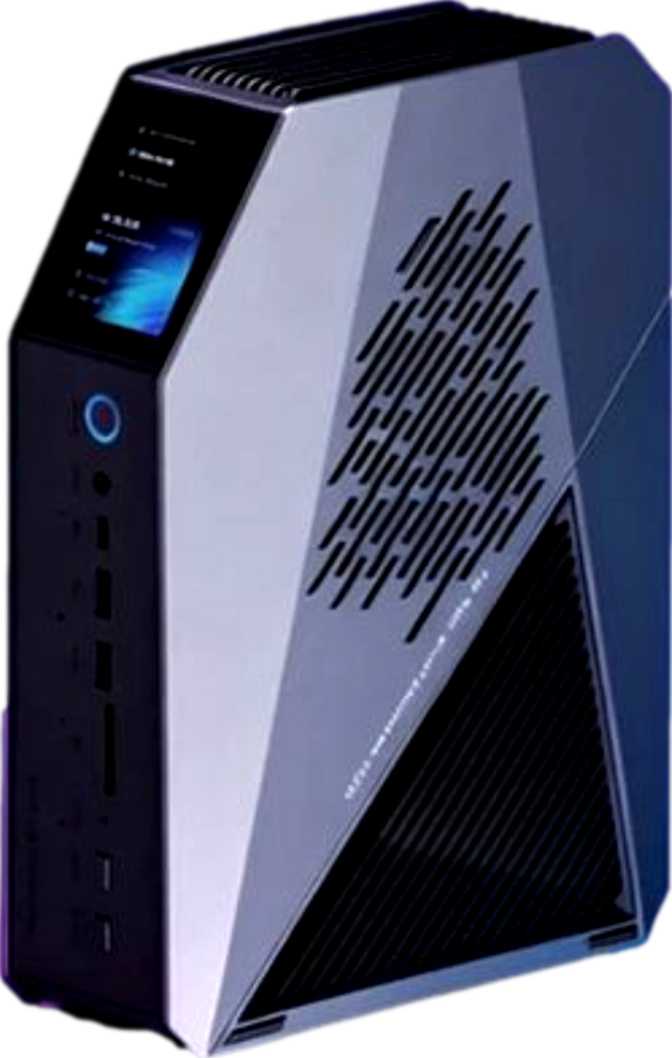
JWIPC W144 Full Review: A Mini PC with Genuine Workstation Credentials
Mini PCsJWIPC W144 — Key Specs at a Glance
96 GB DDR5
9,600 MHz RAM
2 TB NVMe
PCIe SSD Storage
Intel Arc B390
3nm Integrated GPU
4 Displays
Simultaneous Output
Thunderbolt 4 ×2
+ USB4 40Gbps ×2
37,904
PassMark Score
Why This Tiny Box Has Workstation Credentials
Mini PCs have spent years being dismissed as capable of little more than light browsing and media playback. The JWIPC W144 challenges that assumption directly. It occupies the physical footprint of a thick hardcover book, yet inside sits a configuration more typical of a dedicated workstation: an unusually deep memory pool, fast integrated graphics, and a port selection that would embarrass most full-size desktops.
If you have been searching for a compact machine that handles genuinely demanding work without noise, cable clutter, and bulk, the W144 deserves careful consideration — and this review gives you everything you need to decide.
Design and Physical Footprint
At 7.3 cm wide, just under 20 cm deep, and 26.7 cm tall, the JWIPC W144 adopts a vertical tower orientation rather than the flat, wide profile most mini PCs use. The total internal volume sits just under 3.84 liters — smaller than most domestic cordless phone bases, easily hidden behind a monitor stand, mounted behind a display via a VESA adapter, or tucked into a technical installation without consuming valuable shelf space.
The vertical profile is thermally deliberate. Orienting the machine upright creates a natural heat-rise chimney effect, which matters given the tight thermal boundaries the processor operates within. This geometry allows the cooling system to work with physics rather than against it — a meaningful difference over sustained workloads.
The Micro-ATX classification reflects a board architecture philosophy rather than a standard chassis standard. The result is a machine designed from the inside outward — the chassis exists to serve the components, not to minimize cost. Build quality leans toward business-grade density: few visible seams, minimal branding, and a utilitarian appearance that fits professional environments without visual distraction.
Physical Specifications
- Width
- 73 mm
- Depth
- 197 mm
- Height
- 267 mm
- Volume
- 3.84 liters
- Form Factor
- Micro-ATX
- Orientation
- Vertical Tower
- Warranty
- 1 Year
The Processor: Efficient Power with Genuine Depth
Hybrid Architecture and What It Means in Practice
The CPU inside the W144 is a laptop-class processor running within a 25-watt thermal ceiling — a deliberate choice that prioritizes sustained quiet operation over raw peak power. That 25-watt constraint means the entire processor, under full continuous load, draws roughly the same power as a standard incandescent night light. For a machine intended to run continuously in a professional or domestic environment, this matters enormously for both energy costs and acoustic performance.
The architecture behind that efficiency is a three-tier hybrid design using big.LITTLE technology. A group of higher-clocked performance cores handles demanding single-threaded tasks — the kind that determines how snappy applications feel when you click, type, or switch contexts. A larger cohort of efficiency cores manages multi-threaded throughput, running multiple simultaneous jobs without the thermal overhead of keeping every core at peak frequency. A third group of low-power cores handles background processes, so the faster cores remain available for the tasks you actually care about. Across all tiers, the processor provides 16 threads of parallel execution capability.
Peak Speed and 18 MB Cache
When a single task demands immediate response, the processor boosts to 5.1 GHz — a peak speed competitive with mainstream desktop parts. This translates directly into application launches, file opens, browser tab switching, and code compilation responsiveness.
Eighteen megabytes of L3 cache is the processor's quieter strength. Cache is the processor's on-chip high-speed scratchpad — data held there is retrieved in nanoseconds rather than the longer latency of external memory. For workloads cycling through large files, complex datasets, or memory-intensive professional tools, this cache size meaningfully reduces wait times. The processor also supports hardware-accelerated AES encryption, AVX2 for scientific and financial computation, and FMA3 for machine learning inference workloads.
Benchmark Performance in Context
Multi-Core PassMark
37,904
Competitive with mid-range desktop parts from two generations prior — at a fraction of the power draw
Single-Core PassMark
4,451
Responsive single-thread performance for development tools, productivity apps, and everyday responsiveness
Turbo Speed
5.1 GHz
CPU Threads
16
L3 Cache
18 MB
Thermal Limit
25 W
Intel Arc B390 — More Than the "Integrated" Label Implies
The W144's graphics capability comes from the Intel Arc B390, built directly into the processor package using a 3-nanometer fabrication process. The "integrated" label has historically carried connotations of compromise, but Intel's Arc B-series architecture represents a genuine departure from that history.
The GPU reaches a turbo frequency of 2,500 MHz — peak speeds more typically associated with discrete cards than on-chip graphics. More meaningfully, it supports DirectX 12 Ultimate, which is not a checkbox feature. DirectX 12 Ultimate includes hardware-accelerated ray tracing, mesh shaders, and sampler feedback — capabilities associated with current-generation gaming and professional visualization. OpenGL 4.6 and OpenCL 3.0 support extends compatibility to a wide range of creative, scientific, and compute software — including CAD applications, rendering tools, and scientific simulation packages. The PCIe 5 interface ensures no bandwidth bottleneck exists between the GPU and the rest of the system.
Four Simultaneous Displays
The Arc B390 supports up to four monitors running simultaneously. With HDMI 2.1 and DisplayPort outputs built directly into the chassis, plus additional display routing through the USB4 and Thunderbolt 4 ports, building a comprehensive quad-monitor workspace requires no additional hardware beyond the displays themselves. HDMI 2.1 specifically supports higher refresh rates and resolutions than older HDMI versions — relevant if you are connecting a high-resolution or high-refresh-rate panel.
Gaming and Creative Work Expectations
For competitive and esports gaming, older AAA titles at moderate settings, and the large library of indie games, the Arc B390 delivers a genuinely playable experience. Current-generation AAA titles at maximum settings will exceed its limits. The Thunderbolt 4 ports support external GPU enclosures, providing a clear upgrade path for users whose graphics demands grow over time. For video editing, 3D modelling previews, and GPU-accelerated compositing, the Arc B390 operates meaningfully above what any previous generation of integrated graphics could accomplish at equivalent power levels.
GPU Specifications
- GPU ModelIntel Arc B390
- Fabrication Node3 nm
- Boost Clock2,500 MHz
- DirectX12 Ultimate
- OpenGL4.6
- OpenCL3.0
- PCIe InterfaceGen 5
- Display Support4 Simultaneous
- Hardware Ray TracingYes
- eGPU via ThunderboltSupported
Memory and Storage: A Configuration That Stands Apart
96 GB DDR5 — The Defining Specification
The W144 ships with 96 GB of DDR5 memory — a ceiling figure more commonly seen in server and high-end workstation environments. Most consumer desktops and laptops arrive with 16 to 32 GB; professional workstation configurations typically offer 64 GB as a premium option.
This is also the machine's maximum. There is no remaining capacity to expand — no trade-off between what you buy now and what you might want later. The W144 arrives fully configured from day one.
The memory runs at up to 9,600 MHz. Standard DDR5 begins at 4,800 MHz; enthusiast kits reach 6,400 to 7,600 MHz. At 9,600 MHz this is a speed rarely seen outside purpose-built high-performance builds. The significance is especially direct here: integrated graphics draws from the same system RAM the processor uses. Faster RAM means faster GPU memory bandwidth — a deliberate architectural pairing.
The dual-channel memory configuration doubles effective data throughput compared to single-channel layouts, directly benefiting both CPU and Arc B390 GPU performance under load.
2 TB NVMe — Fast and Spacious
Two terabytes of NVMe storage communicates directly with the processor via a high-speed PCIe pathway, bypassing the slower interfaces that earlier storage technologies used. Application loads, file transfers, and system boots are measured in seconds, not minutes.
Two terabytes provides enough capacity for the operating system, a full professional software suite, large media project libraries, development environments, and local backups — without forcing the compromises that constrained earlier mini PC configurations.
2 TB
NVMe Storage
96 GB
System RAM
DDR5
Memory Standard
9,600
MHz RAM Speed
Connectivity: A Port Selection That Merits Attention
For a machine this physically compact, the I/O configuration of the W144 is genuinely exceptional. The combination of interface types and speeds on a sub-4-liter chassis is more characteristic of premium business laptops or professional workstations than a mini PC.
High-Speed Interfaces
Thunderbolt 4
×2
40 Gbps · eGPU support · Daisy-chain up to 6 devices · Full dock compatibility
USB4 40Gbps
×2
Current-gen USB peak · Display output · Near-internal NVMe enclosure speeds
USB 3.2 Gen 2
×2
USB-A · Fast peripheral & external storage transfers
USB 2.0
×1
USB-A · Keyboards, mice & legacy peripherals
Video & Audio
HDMI 2.1
×1
High refresh rate & high resolution support
DisplayPort
×1
Direct wired monitor connection
3.5 mm Audio
×1
Headphone & speaker output
Network & Wireless
RJ45 Ethernet
×1
Stable wired network — low latency for professional workloads
Wi-Fi
Built-in wireless connectivity
Bluetooth
Built-in Bluetooth for wireless peripherals
Who the JWIPC W144 Is Built For — and Who Should Look Elsewhere
Strong Fit
Software Developers & Engineers
Managing multiple virtual machines, containers, or large codebases. 16 threads and 96 GB RAM means no memory ceiling for complex development environments running simultaneously.
Multi-Monitor Professionals
Financial analysts, traders, and creative directors who need four simultaneous displays without a discrete GPU card or additional hardware investments.
Creative Professionals
Video editing, 3D modelling previews, and GPU-accelerated compositing all benefit from the Arc B390's modern architecture and fast RAM bandwidth.
Technical & Commercial Deployments
Digital signage, embedded workstations, edge computing nodes — where reliability, connectivity density, and continuous operation matter.
Local AI & ML Inference
Large memory pool, fast RAM bandwidth, and instruction set support for AI-relevant operations makes the W144 genuinely better suited than machines with 16–32 GB ceilings.
Weaker Fit
Dedicated Gamers
Pursuing high frame rates in current-generation AAA titles. Integrated graphics falls short of a discrete GPU. The Thunderbolt 4 eGPU path exists but adds cost and complexity.
Sustained Heavy Compute Users
Running continuous 3D render farms or large-scale ML training. A full desktop CPU at twice the thermal envelope delivers proportionally higher sustained throughput.
Budget-Conscious Buyers
Whose workloads do not require workstation-class memory or Thunderbolt 4. This configuration commands a premium — buyers who do not utilise it are paying for capabilities they do not need.
Users Anticipating Memory Expansion
There is no expansion path. The machine ships at its maximum and stays there — no upgrade slots remain available.
How the W144 Compares to Logical Alternatives
The premium compact PC market has expanded considerably. The W144's memory configuration is its clearest market differentiator — machines at comparable price points typically top out at 64 GB. Its dual Thunderbolt 4 pairing is the secondary differentiator. Many competing mini PCs include one Thunderbolt or USB4 port as a concession; two Thunderbolt 4 ports at this chassis size changes what the machine can anchor.
| Feature | JWIPC W144 | Typical Premium Mini PC | Mid-Range Mini PC |
|---|---|---|---|
| RAM Capacity | 96 GB DDR5 | 32–64 GB DDR4/5 | 16–32 GB DDR4 |
| RAM Speed | 9,600 MHz | 4,800–6,400 MHz | 3,200–4,800 MHz |
| USB4 40Gbps Ports | 2 | 0–1 | 0 |
| Thunderbolt 4 Ports | 2 | 0–2 | 0 |
| Simultaneous Displays | 4 | 2–3 | 2 |
| NVMe Storage | 2 TB | 512 GB–1 TB | 256–512 GB |
| Processor TDP | 25 W | 28–45 W | 15–28 W |
| Memory Card Slot | No | Occasionally | Occasionally |
Genuine Strengths and Real Limitations
The JWIPC W144's most credible strength is the internal coherence of its design. Every major specification choice reinforces the same professional use case: the deep memory pool, the fast DDR5 speed, the Thunderbolt 4 density, the NVMe storage allocation, and the four-display GPU capability all point in the same direction. This is not a machine built by combining available components to hit a price; it reads as a machine built for a defined user.
The Intel Arc B390 GPU is a stronger performer than its "integrated" status implies. At this memory speed and bandwidth, paired with a modern architecture that supports hardware ray tracing and current-generation API compliance, it handles creative and professional workloads that integrated graphics solutions from prior generations could not approach. For users who do not need discrete GPU power, this is genuinely sufficient; for those who do, the Thunderbolt 4 eGPU path is a meaningful upgrade option rather than a workaround.
The processor's benchmark performance for a 25-watt part is impressive by the standards of what mobile silicon has historically delivered. That said, the 25-watt ceiling is real. Under workloads that push all cores continuously — sustained rendering, large batch encoding, intensive compilation — a desktop processor with two or three times the thermal allowance will deliver proportionally higher throughput. Buyers who measure performance in sustained peak output across CPU-bound jobs should calibrate their expectations accordingly.
The one-year warranty is the specification that most conflicts with the machine's professional positioning. Hardware at this price point and aimed at this audience typically ships with a minimum two-year warranty. Running this machine in a commercial deployment on a one-year warranty introduces risk that the specification sheet does not otherwise suggest. Extended warranty options should be investigated before purchase in any professional context.
The absence of a memory card slot is a minor daily inconvenience rather than a fundamental flaw — an inexpensive USB card reader resolves it — but it is worth flagging for buyers importing regularly from cameras.
Genuine Strengths
- 96 GB DDR5 at 9,600 MHz — rare in any form factor
- Dual Thunderbolt 4 anchors full professional docking
- Arc B390 with hardware ray tracing — far beyond prior integrated GPU limits
- Four simultaneous displays from a sub-4-liter chassis
- Every spec reinforces the same professional use case
Real Limitations
- 25W TDP limits sustained heavy compute throughput
- One-year warranty — short for a professional-tier price
- No memory expansion — ships at maximum configuration
- No memory card slot — USB reader required for camera imports
Answers to Questions Real Buyers Search For
Should You Buy the JWIPC W144?
The JWIPC W144 is a compact workstation for users who have genuinely outgrown standard mini PCs and need professional-tier memory, fast connectivity, and multi-display capability without a full tower footprint. Its 96 GB DDR5 memory configuration at extreme speed is the defining feature — rare in any form factor, genuinely unusual in this one — and it speaks directly to professionals, developers, and power users who have felt the ceiling on smaller machines.
The dual Thunderbolt 4 ports, four-display support, 2 TB NVMe storage, and capable Arc B390 GPU form a coherent package around that memory foundation. Nothing about this configuration looks like padding; every specification choice aligns with a clear professional use case.
Buy the JWIPC W144 If You...
- Need workstation-class RAM in a compact, quiet form factor
- Require Thunderbolt 4 docking and multi-monitor flexibility
- Run memory-intensive workloads: VMs, containers, local AI inference, or data analysis
- Value low power draw, minimal noise, and a clean professional desk footprint
Look Elsewhere If You...
- Need high frame rates in current-generation AAA games
- Run sustained maximum CPU workloads for many hours continuously
- Require a multi-year warranty for commercial deployment reliability
- Do not need workstation-spec memory and prefer a lower price point