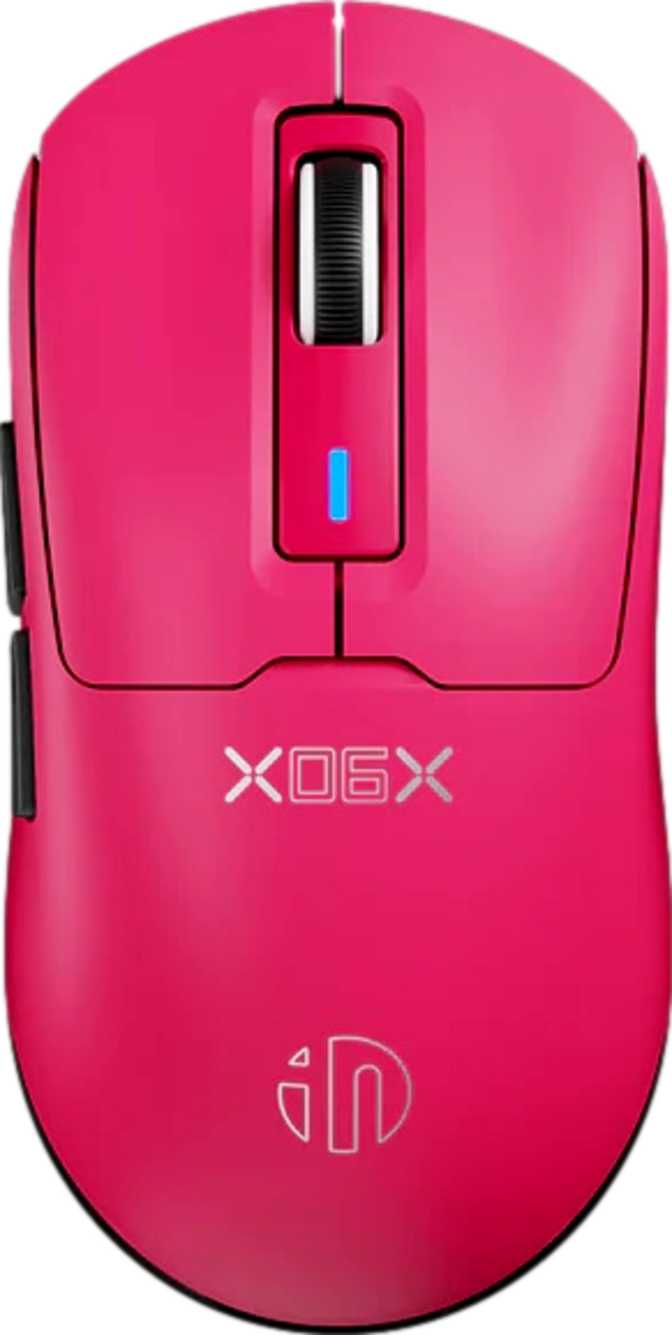
Inphic IN6SE 3311 Full Review: Tri-Mode Wireless Mouse Put to the Test
MiceThe wireless gaming mouse market has long forced buyers into an uncomfortable trade-off: pay significantly more for multi-mode flexibility, or accept a heavier, single-connection device at a budget price. The Inphic IN6SE 3311 enters that conversation with a straightforward proposition — combine 2.4GHz, Bluetooth, and wired USB connectivity in a mouse that weighs less than most budget competitors, and back it up with nearly a full week of battery life.
For a buyer weighing options in the budget-to-midrange wireless segment, that combination is harder to dismiss than the brand name might initially suggest.
Design and Ergonomics: Small Footprint, Lightweight Focus
The Weight Advantage
At 58 grams, the IN6SE 3311 sits in the same weight category as ultralight mice that typically command a significant price premium. The moment you lift it, the absence of mass is immediately tangible — not fragile-feeling, but genuinely agile. Wrist fatigue that builds across long sessions is meaningfully reduced when the object you're repeatedly repositioning weighs less than a handful of coins. The weight is fixed by design; there is no adjustable ballast system, and that omission is entirely intentional.
Size and Grip Style
The body spans 123mm front-to-back and 62mm across at its widest, with a 39.5mm profile at the arch — compact dimensions with real implications for fit and comfort.
- Fingertip gripNatural, comfortable fit from the first session
- Claw gripNarrow width prevents unwanted finger splay
- Small to medium handsOptimal sizing for this body length
- Palm grip, large handsBody too short to fully support the heel
- Left-handed usersRight-hand-only ergonomic shape with no workaround
Build and Finishing
No adjustable weight system is included — and rightly so. Adding removable ballast would undercut the ultralight identity this mouse is built around. The 58-gram figure is fixed and intentional.
The scroll wheel is a standard vertical roller: no horizontal tilt, no secondary thumb wheel. For gaming, this is everything you need. For wide spreadsheets or design canvases requiring horizontal scroll, the limitation is a real consideration before purchasing.
RGB lighting is present in a restrained implementation consistent with the weight discipline. This is not a peripheral defined by its light show — the glow is there for buyers who want it, without the mass penalty that extensive LED arrays typically carry.
Three Connections, One Mouse: The Tri-Mode Advantage
A dedicated USB receiver creates a low-latency wireless connection that behaves in practice like a physical cable. More stable and less interference-prone than Bluetooth, this is the mode where the mouse's tracking and polling performance matters most.
Use when: Gaming, competitive play, or any situation where responsiveness is the priority.
Pair to a second device — a work laptop, tablet, or desktop — without swapping the USB receiver. Bluetooth 5.0 delivers improved stability and range over older standards. Latency is higher than 2.4GHz but imperceptible for productivity tasks.
Use when: Office work, switching between machines, or casual browsing.
The 1.8-metre cable functions as both a backup connection and the only charging method. Wired operation is fully functional, with enough reach for most desk configurations. Wireless use is unavailable while the battery charges via cable.
Use when: Battery is low, or wireless connectivity is unavailable.
Sensor Performance: What the PixArt PWM3311 Delivers in Practice
The tracking engine is a PixArt PWM3311 optical sensor. PixArt dominates the gaming sensor market across every price tier, from entry-level peripherals to elite competition hardware. The PWM3311 sits in the capable budget-to-mid-range tier of that family — not the flagship sensor found in top-end competition mice, but a known, reliable optical component with a credible track record in gaming peripherals.
Sensitivity Range
The 12,000 DPI ceiling far exceeds what any human can use with meaningful precision. High-ceiling DPI figures are a marketing convention across the industry — real-world practical use clusters far below the maximum for virtually every user.
Tracking and Polling
Covers all practical gaming movement speeds, including aggressive wrist-flick and wide sweeping movements, without approaching the sensor's limit.
Maintains accuracy through fast, abrupt direction changes without misreading movement — no erratic behaviour during quick stops and reversals.
1,000 position updates per second — the expected standard for any gaming mouse at this price tier. A theoretical 1ms input delay is imperceptible in practice.
Battery Life: How Long Before You Reach for the Cable
The rated battery delivers up to 168 hours of continuous operation — the equivalent of seven uninterrupted days. Under typical daily usage patterns of several hours per day, this translates to roughly three to four weeks between charges.
Real-world runtime falls below the rated ceiling. Active RGB lighting draws continuously from the battery; 2.4GHz mode demands more power than Bluetooth. A reasonable real-world expectation with mixed settings is two to three weeks — still an excellent figure that removes charging from your mental maintenance routine.
The practical benefit is as much psychological as functional. A mouse charged once every few weeks stops being part of your daily awareness in the way a mouse needing attention every few days never quite does.
- RGB off, Bluetooth mode4+ weeks
- RGB minimal, mixed use2–3 weeks
- RGB on, 2.4GHz gaming1–2 weeks
- Wireless use is unavailable during charging. The included 1.8m USB cable enables wired-only operation while the battery recovers.
Who the Inphic IN6SE 3311 Is Built For — and Who It Isn't
- Multi-device usersOne mouse handling gaming on a desktop via 2.4GHz and work on a laptop via Bluetooth — the core value proposition.
- Casual to intermediate gamersResponsive 2.4GHz connection and a capable sensor handle everyday gaming titles without limitation.
- Fingertip and claw grip usersCompact width and moderate arch suit these grip styles from the first session.
- Travelers and commutersA single versatile mouse covering both productivity and gaming wherever the day takes you.
- Budget-conscious wireless buyersTri-mode connectivity at this weight and price point is genuinely uncommon in the market.
- Use your left handThe asymmetric right-handed shape has no workaround — this is a hard physical incompatibility.
- Need custom profiles on every machineZero onboard memory means your button remappings do not travel with the mouse between computers.
- Compete at the highest levelFlagship sensors and sub-400 DPI configurations are outside what this mouse offers.
- Have large hands in palm gripThe compact body doesn't extend far enough to support the heel of a larger hand for extended use.
- Rely on horizontal scrollingNo tilting scroll wheel means spreadsheet and design-canvas users lose a key productivity tool.
Competitive Positioning
The wireless gaming mouse market broadly separates into budget single-mode devices, mid-range tri-mode products at a price premium, and premium competition hardware. The IN6SE 3311 targets the gap between the first two categories — delivering multi-mode connectivity and ultralight weight that typically require stepping up in price.
| Feature | Inphic IN6SE 3311 | Budget 2.4GHz Wireless | Typical Tri-Mode Mid-Range |
|---|---|---|---|
| Connection Modes | 2.4GHz + Bluetooth + USB | 2.4GHz only | 2.4GHz + Bluetooth + USB |
| Body Weight | 58g | 85–120g | 70–100g |
| Battery Endurance | Up to 168 hrs rated | 150–250 hrs | 70–200 hrs |
| Sensor Tier | Budget-to-mid optical | Budget to mid | Mid to high |
| Onboard Profile Storage | None | 0–5 profiles (varies) | Typically 1–5 profiles |
| RGB Lighting | Yes | Occasionally | Yes |
Comparison values represent category averages. Specific models vary by brand and revision.
Honest Assessment: What Works and What Doesn't
Where It Succeeds
The case for the IN6SE 3311 is built on a combination that numbers alone don't fully communicate: a tri-mode wireless mouse weighing under 60 grams with weeks between charges is uncommon at accessible prices. Each element on its own is achievable elsewhere — all three together, at this price, is a genuine differentiator.
The lightweight body rewards patience. Users arriving from heavier mice sometimes initially interpret the low mass as a lack of substance — a perceptual adjustment rather than a genuine quality concern. Within a few sessions, the reduced wrist effort during repeated movements becomes the new normal, and returning to a heavier mouse starts to feel like working against unnecessary friction.
The sensor is honest about what it is. Under typical gaming conditions — everyday titles, normal movement speeds, any grip style the body accommodates — the tracking is clean and consistent. Buyers stepping down from a flagship competition sensor may notice a gap in extremely demanding, high-speed scenarios. Most users transitioning from a budget wired mouse will experience this as a genuine upgrade.
Where It Shows Its Limits
The onboard memory absence is the product's most consequential real-world constraint, and it is more significant than a spec sheet entry suggests. Tri-mode connectivity implies multi-device use. Multi-device use implies different computers. Different computers reveal that your custom configuration doesn't follow you — which partially undermines the product's own primary pitch. Users who configure once and remain on one machine will never encounter this friction. Those who switch machines regularly are managing a workaround with every transition.
The inability to use wireless connectivity while charging is a minor operational annoyance rather than a fundamental problem. Given the battery endurance, the cable comes out rarely. When it does, wired mode is fully functional.
For competitive FPS players specifically: the 800 DPI floor leaves out very low sensitivity preferences. Playing at 400 DPI or lower is simply not possible without in-game sensitivity workarounds, which address the symptom rather than the cause.
Common Questions Before You Buy
The Verdict
Inphic IN6SE 3311 — Final Recommendation
The Inphic IN6SE 3311 earns a firm recommendation for the buyer who matches its strengths — and a clear redirect for the buyer who doesn't.
If you operate across more than one device and want a single mouse to handle both gaming-grade 2.4GHz performance and Bluetooth daily-driver duty, this product delivers that capability in a body so light it stops being something you consciously manage and starts being something you simply use. The battery endurance removes charging from your mental maintenance schedule. The sensor performs honestly and without drama for the overwhelming majority of gaming situations.
The gaps are clear and consistent: no onboard profile storage limits the multi-device experience it otherwise enables, the 800 DPI floor excludes a specific segment of competitive players, and the wired-only charging reflects the product's budget DNA. For the buyer caught between a heavy single-mode wireless mouse and a more expensive multi-mode alternative, the IN6SE 3311 makes a credible case that you don't have to choose between weight, flexibility, and endurance.
- Multi-device desk setups
- Fingertip and claw grip players
- Budget-conscious wireless buyers
- Casual to intermediate gamers
- Left-handed users
- Multi-machine profile power users
- Elite competitive FPS players